

Essence Table of Contents
v0.1.1Essence Design · 2026年11月3日 上架
A table of contents for long posts, built from your headings. No JavaScript on the front end, and a one-click move from the plugin you have now.
- 正在使用
- 10 以下
- 评分
- 暂无
- 累计下载
- 311
- 最近更新
- 2026年11月3日
贡献者
 Essence Design
截图
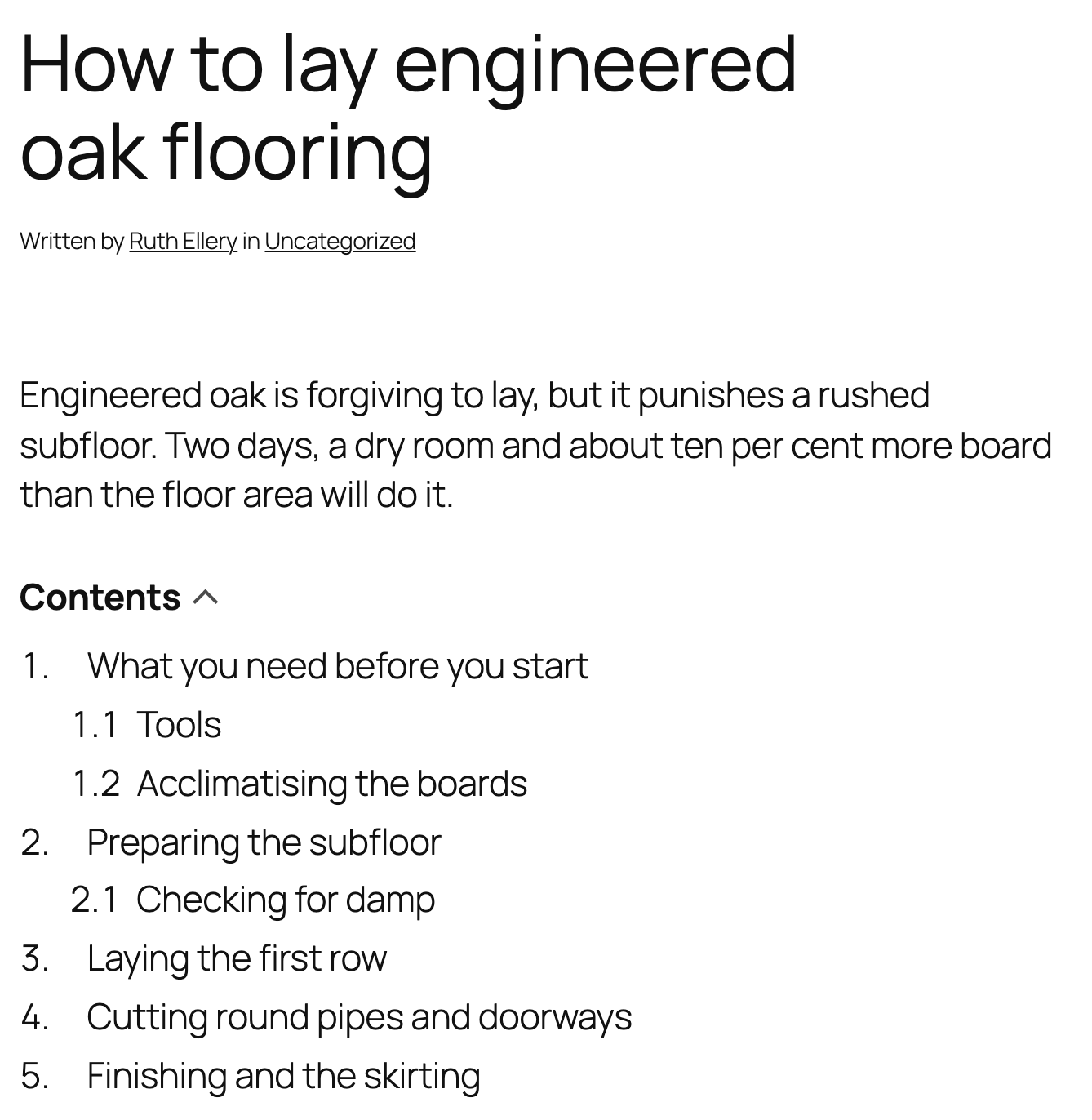
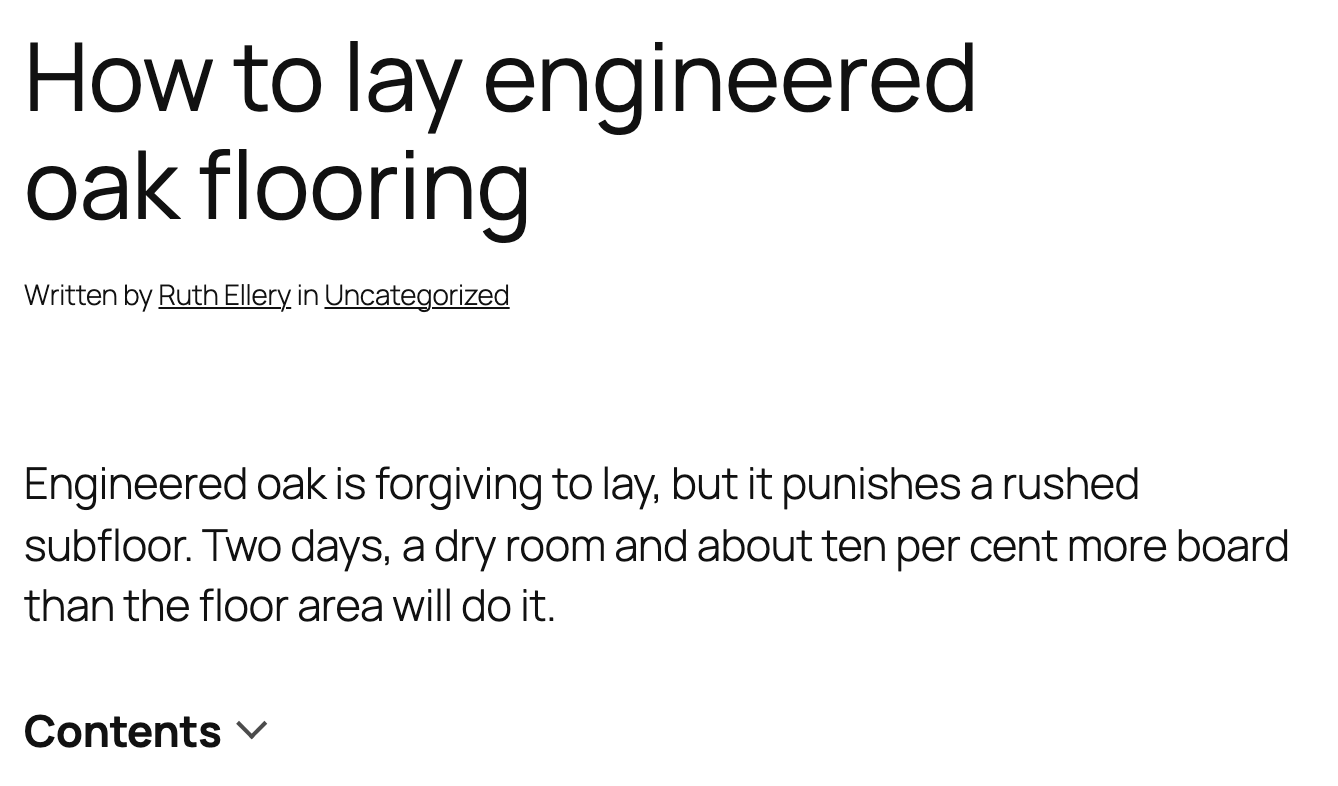
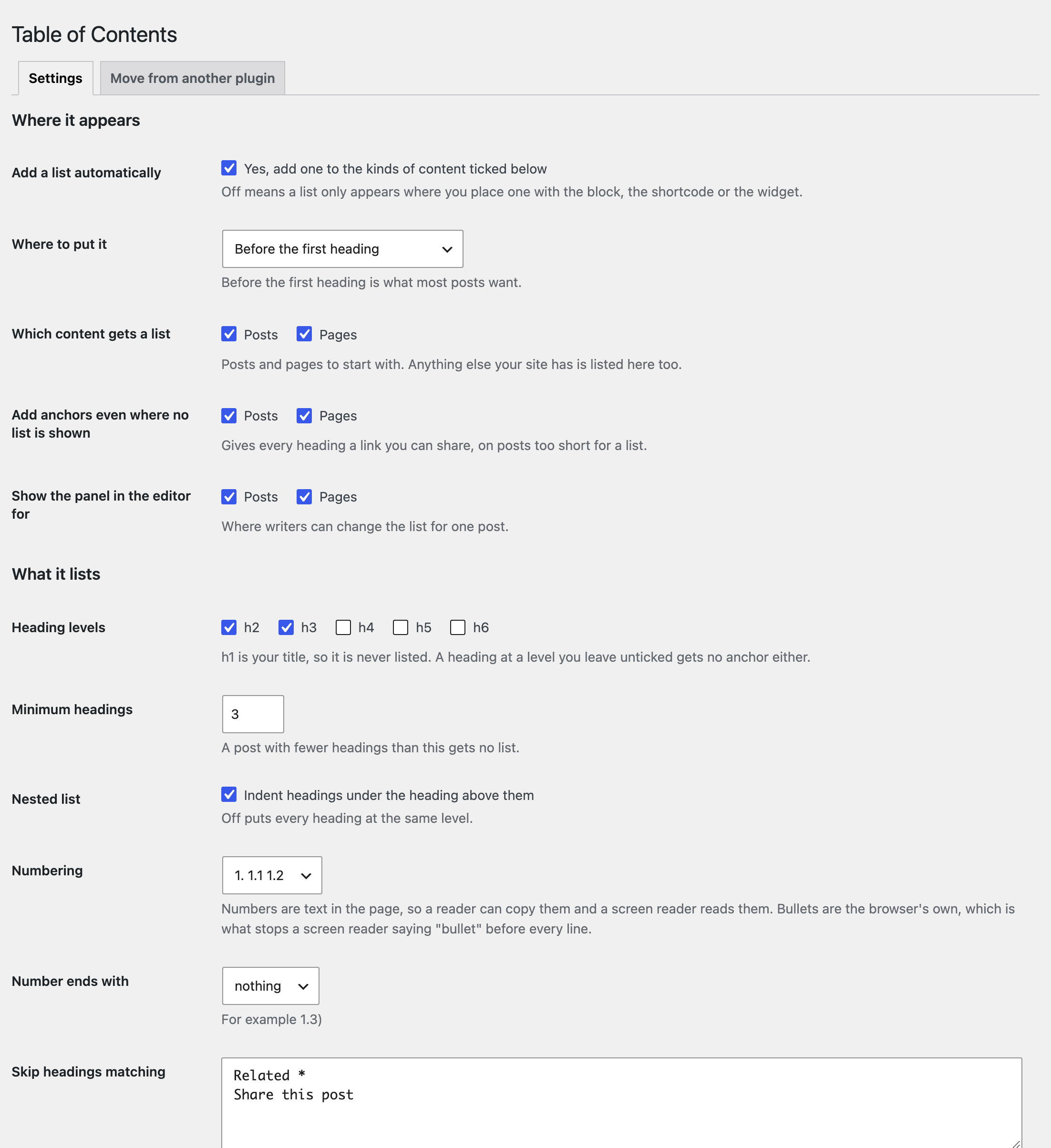


Essence Table of Contents reads the headings in a post and shows a list the reader can click, before the first heading or wherever you put it. Set it once for the whole site and change it on any post that needs something different.
It is built for the posts that actually need a contents list: the long ones.
No JavaScript at all on the front end
The fold is the browser’s own control, so it works with JavaScript switched off, on every screen reader, and with no risk of trapping the keyboard. Smooth scrolling and the offset for a fixed header are two lines of CSS, and the smooth scrolling turns itself off for readers who have asked their device for less motion. There is no script to load, nothing to run, and nothing for a caching or minifying plugin to break.
Fast on a very long post
The headings are read on the server in a single pass over the content, with no document tree and no regular expression over the body. A 20,000-word post with 200 headings is read in about three milliseconds on PHP 7.4, and the benchmark that proves it runs with every release. The list is part of the page, so a page cache keeps it and nothing is requested after the page loads.
It looks like your theme, not like a plugin
By default it sets no colours, no border, no background and no typeface: the list takes the lot from your theme. If you want a box there are three, and you can set your own colours. There is no decorative CSS to override.
What the reader gets
- A list of the headings, nested, numbered if you like.
- A link to every heading they can copy and share.
- A fold, if you want one, that remembers nothing and needs no script.
- Proper markup: a labelled navigation landmark holding real lists, checked against WCAG 2.2 AA.
What you set, once
- Where the list goes: before the first heading, after the first paragraph, after a number of paragraphs, at the top, at the bottom, or nowhere automatic.
- Which kinds of content get one.
- Which heading levels are listed. h1 is your title, so it is never listed.
- How many headings a post needs before it gets a list.
- The title, whether the list folds, where the fold’s arrow sits, and whether it starts folded.
- Numbering: none, 1 2 3, 1 1.1 1.2, roman or lower-case roman, flat or nested, or a bullet.
- Headings to skip, by text with a wildcard or by a class you name.
- Width, alignment, and a box if you want one.
- How the anchors are written.
Moving from another plugin
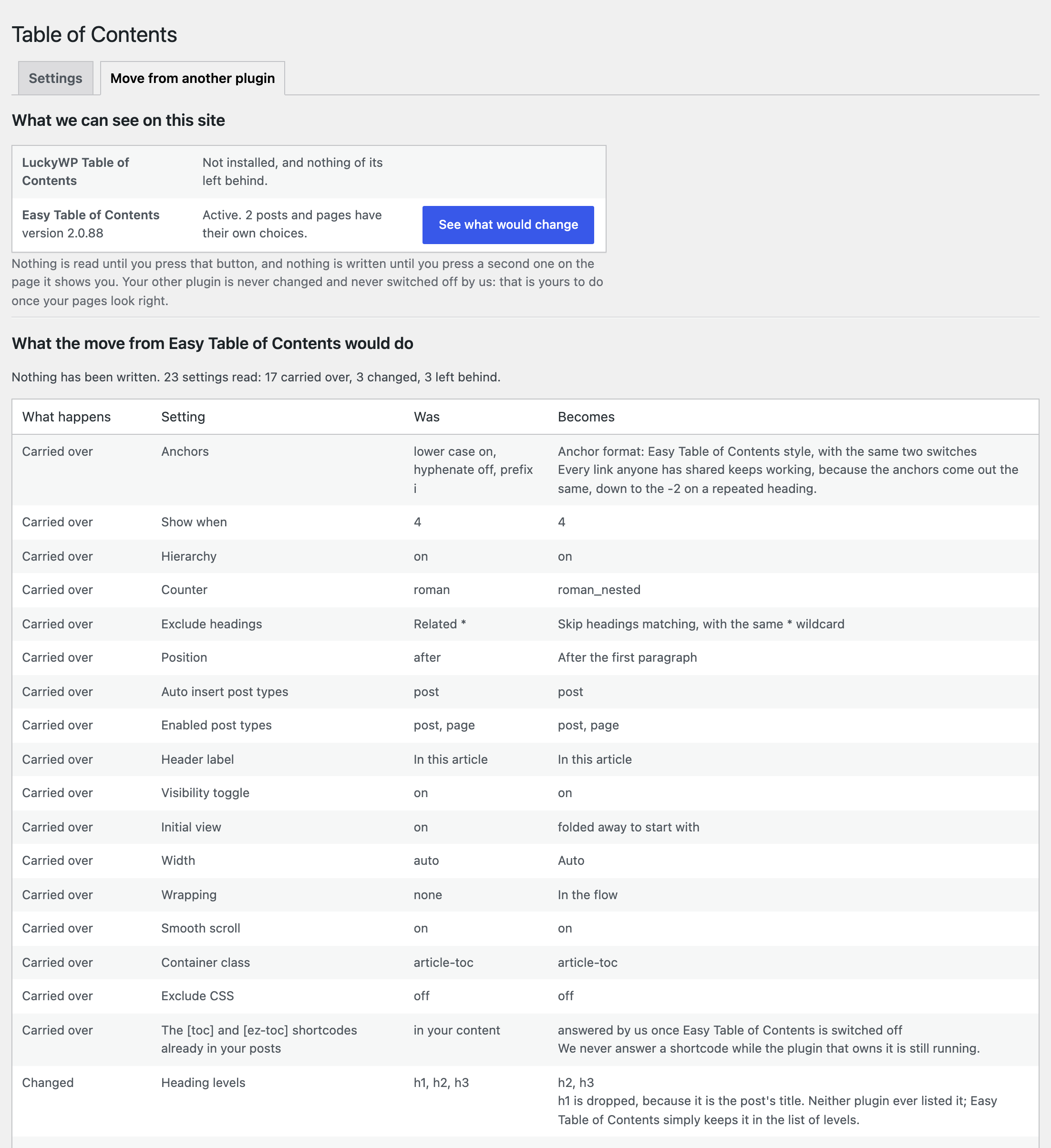
If your site runs LuckyWP Table of Contents or Easy Table of Contents, Settings, Table of Contents has a tab that reads their settings and your posts’ own choices and shows you exactly what each one becomes, before anything is written. Then one button does it, and another puts your old settings back.
The important part: it keeps the anchor format your old plugin used, so every link anyone has ever shared to a section of your posts goes on working. Your old plugin is not changed and not switched off; that is yours to do once you have looked at your pages. The shortcodes already in your posts keep showing a list too.
Placing a list by hand
A block, a shortcode and a widget, so you can put a list where you want it, including in a page builder. The shortcode is [essence_toc] and takes title, levels, min, numbering, collapsible and class.
What it does not do
It does not change your headings: the anchors are added when the page is shown. It does not touch schema, sitemaps or any other SEO setting; a contents list is for readers, and search engines find the anchors by themselves. It sends nothing anywhere, shows no notices in your admin, and asks you for nothing.