
Odoo Integration for WooCommerce
v2.3.9Niraj Gupta · 2026年7月22日 上架
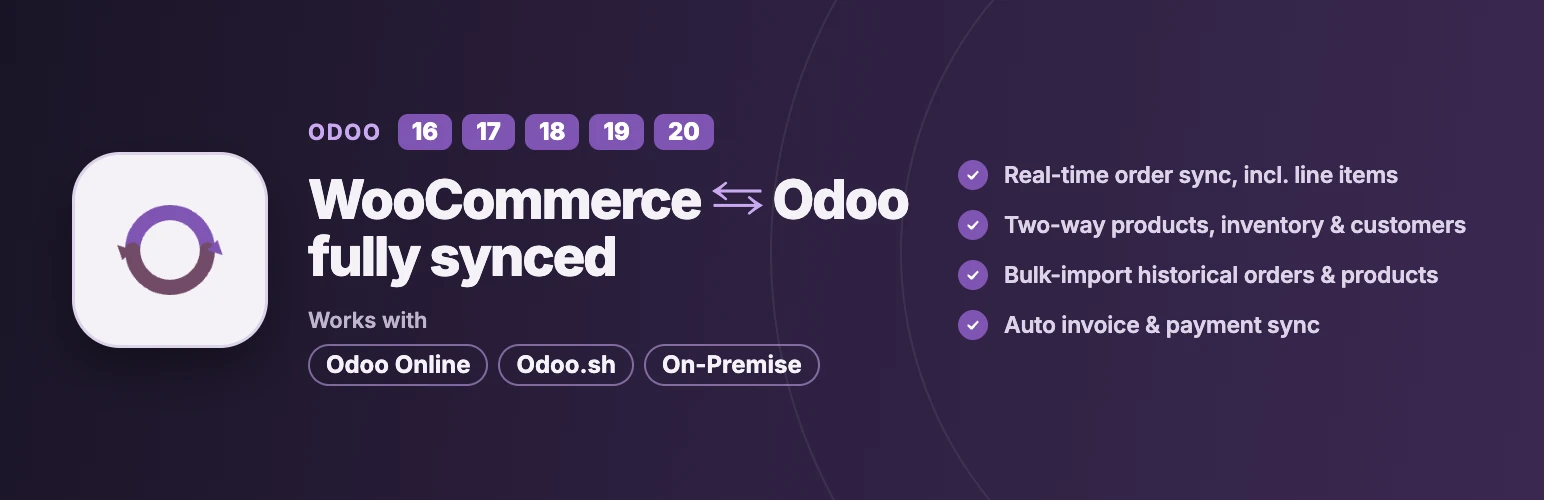
WooCommerce Odoo integration: sync orders, products, inventory, customers, invoices and payments automatically. Odoo 16 to 20, HPOS ready.
- 正在使用
- 50+
- 评分
- 5.0 / 5
- 累计下载
- 3,021
- 最近更新
- 2026年11月24日
贡献者
 Niraj Gupta
截图


Sync WooCommerce and Odoo automatically — orders, products, inventory, customers, invoices and payments, in both directions, with no CSVs and no manual re-keying.
This WooCommerce Odoo integration connects your storefront to your back office. Set it up once and every order, customer, product and payment reaches Odoo’s Sales, Inventory and Invoicing apps on its own. Read the setup guide.
Built for stores that cannot afford synchronization errors, this connector runs on an asynchronous background queue. This means a slow Odoo server will never slow down your WooCommerce checkout.
Fully compatible with Odoo 16, 17, 18, 19, and 20, WooCommerce HPOS, and block-based checkouts.
Automated Order Management (Bi-Directional)
- Triggered on Checkout: Orders export to Odoo before the customer even sees the thank-you page.
- Status-Based Rules: Choose exactly which orders export. (e.g., Send “Processing” orders automatically, but hold “Pending Payment” or “COD” orders).
- Quotation or Sales Order: Draft incoming WooCommerce orders as Odoo Quotations for manual review, or push them straight through as confirmed Sales Orders.
- Custom Numbering: Keep your exact WooCommerce order numbers in Odoo (with optional prefixes/suffixes) so your referencing stays clean.
- Discount & Shipping Mapping: Shipping costs and coupon codes land on their own specific Odoo order lines, keeping your accountant happy and reporting accurate.
- Odoo to WooCommerce Import: Pull Odoo sales orders down into WooCommerce on a schedule or on demand.
- Built for Volume: Orders travel to Odoo in batches of 25 rather than one at a time, which is what turns a backlog of several thousand orders into a job of hours rather than days.
Smart Invoicing & Payment Routing
- Automated Financials: Odoo invoices are created automatically based on the order statuses you define.
- Payment Journal Mapping: Route funds correctly. Stripe payments, PayPal funds, and Cash on Delivery can each land in their own dedicated Odoo payment journal — eliminating month-end reclassification.
- Automated Credit Notes: Processing a refund in WooCommerce automatically generates the corresponding credit note in Odoo.
- Invoice State Control: Separate your triggers. Choose one status to mark an invoice in payment and another to mark it fully paid.
Complete Product & Inventory Sync
- Two-Way Product Sync: Import and export products, including complex variations, attributes, nested categories, and high-res images.
- Intelligent Stock Rules: Sync Quantity Available or Quantity On Hand based on what your fulfillment team actually trusts. Limit stock sync to specific Odoo warehouses.
- Field Mapping: Carry custom data between systems. Map WooCommerce standard or custom fields directly to Odoo custom fields (
x_...), in either direction, including fields on variants. - Barcode & SKU Matching: Prevent duplicates. Link your existing Odoo catalog to your store via Internal Reference (
default_code) or Barcode matching. - Safe Updates: On re-import, choose to update everything, update price/stock only, or leave existing WooCommerce product details untouched.
- Images on Their Own Terms: Import images on a dedicated Media tab, at the size you choose (thumbnail through to the full 1920px), and an image is downloaded again only when Odoo’s copy has actually changed.
Customer & CRM Alignment
- Flexible Customer Handling: Create a unique Odoo contact for every buyer, log guest checkouts, route orders by tag, or map all B2C retail orders to one single “Web Sales” customer account.
- Role-Based Export: Choose which WordPress user roles sync to Odoo, keeping your ERP contacts free of store administrators and subscribers.
Built for Enterprise Reliability
We know what happens when a sync fails during a busy sales event. We built this connector to be transparent, resilient, and honest.
- Asynchronous Background Queue: Every sync runs through a background queue with automatic retries. Your site performance is completely isolated from Odoo’s uptime.
- Human-Readable Logs: No cryptic error codes. Get plain-language messages (e.g., “Odoo returned a temporary error — retrying automatically”). Full technical payloads are one click away for debugging.
- Secure Webhooks: Authenticated webhook callbacks confirm every synchronization result.
- Honest Dashboards: Live progress reporting. See exactly how many records synced and how many failed. Failures never quietly disappear from the total.
- Multi-Company Odoo Support: Explicitly pick which Odoo company your store synchronizes with.
Pricing & Transparency
Every single feature listed above is fully functional in the plugin itself. There are no disabled code paths, trialware gates, or hidden “Pro-only” toggle switches inside WordPress. The connection runs through the OdooConnector service.
- Free Plan: Currently 25 orders, 25 products, and 25 customers synced per month, free forever — enough for testing and very low-volume setups. The plugin’s Features tab always shows your store’s current allowance.
- Paid Plans: Removes the volume limits for growing stores. Cancel at any time, and the plugin shows the price and any free trial a plan carries before you subscribe.
- Real Support: Live-chat support is built directly into the plugin settings page — and yes, we provide support to Free plan users, too.
Technical Requirements
- WooCommerce 7.0 or higher
- Compatible with WooCommerce High-Performance Order Storage (HPOS)
- An active Odoo instance (URL, database name, username, password)
- Compatible with Odoo versions 16, 17, 18, 19, and 20
- Network access to the OdooConnector service
Ready in 3 Minutes
- Install and activate the plugin.
- Enter your Odoo URL and credentials, then click “Test Connection.”
- Place a test order in WooCommerce and watch it appear in Odoo instantly.
External services
This plugin relies on two outside services. Nothing is sent to either of them
until you choose to use the feature that needs it.
OdooConnector
Every call this plugin makes to Odoo goes through OdooConnector, a service run
by this plugin’s authors at https://wp.odooconnector.cloud. The plugin never
contacts your Odoo server directly.
What is sent: your site’s address and the token identifying it to the service;
the Odoo server address, database name and API key or password you enter on the
settings screen, which the service stores so it can sign in to Odoo on your
behalf; and the records each sync carries – orders (number, date, status,
totals, taxes, line items, coupon codes, and the billing and shipping name,
address, email and phone on them), customers (name, email, phone and
addresses), and products (name, reference, price, stock levels and categories).
When it is sent: nothing at all before you connect Odoo on the settings screen.
After that, when you press an export or import button, when a scheduled sync
runs, when an order reaches a status you chose to export, and when Odoo pushes
a stock change to your store. The account screens also ask the service for your
plan and usage figures.
If you take a paid plan, the service passes the payment to Stripe. Card details
are entered on Stripe’s own pages; this plugin never receives or sends them.
Terms: https://odooconnector.cloud/terms
Privacy policy: https://odooconnector.cloud/privacy
Zoho SalesIQ
The support chat widget on this plugin’s settings screens is loaded from Zoho
SalesIQ, at https://salesiq.zohopublic.in. It loads only on this plugin’s own
settings pages – never anywhere else in wp-admin, and never on your storefront.
Zoho receives what any website chat widget receives: your browser and IP
address, the page you are on, and anything you type into the chat.
Terms: https://www.zoho.com/terms.html
Privacy policy: https://www.zoho.com/privacy.html