

Embedded learning videos and practice material by TEST4U
v1.3TEST4U · 2018年3月21日 上架
40000+ categorized videos for Microsoft Office, LibreOffice, OpenOffice, Long Docs, Data Analysis, UBER. Enhance your site with notes, queries.
- 正在使用
- 10+
- 评分
- 5.0 / 5
- 累计下载
- 3,521
- 最近更新
- 2018年8月30日
贡献者
 TEST4U
截图


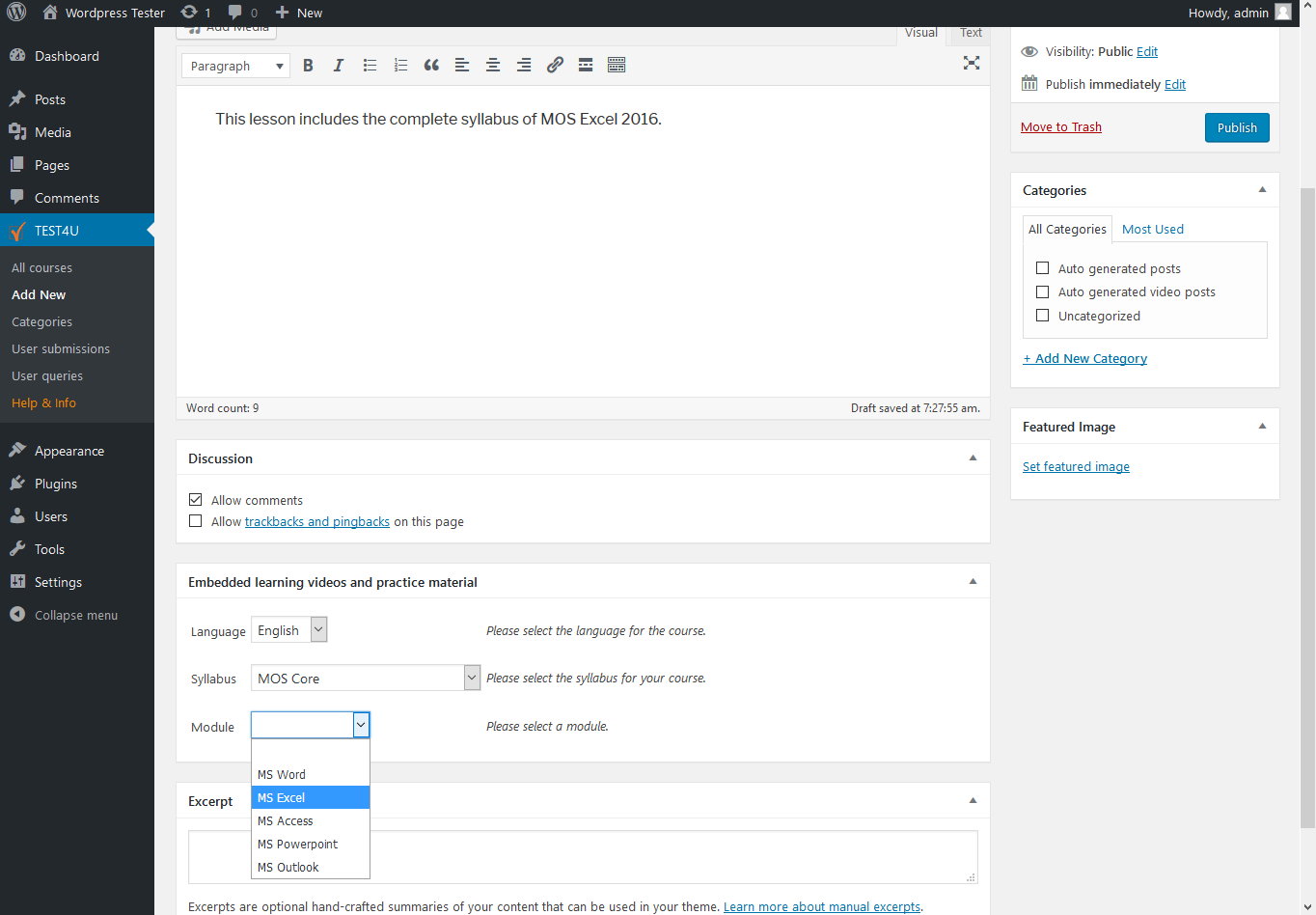


Embedded learning videos and practice material plugin is offered by TEST4U, the famous interactive training platform for IT Training and preparation for successful participation in Certification Exams. TEST4U counts more than 700.000 satisfied users since 2003! Be the next one!
This plugin enhances your website by adding free training resources to be used by end-users, candidates or anyone who is interested in gaining new skills.
These resources include video training for Microsoft Office Excel, Word, PowerPoint, Access, Outlook and Internet Explorer, Windows, LibreOffice, OpenOffice, Long Documents, Data Analysis, UBER. They are categorized into basic and expert levels according to MOS, ECDL or the TEST4U syllabus.
The training material (categories, instructions, video tutorials) is available in English, German, Greek and Russian, for more than one versions of each application / Operating System (e.g. Microsoft Office 2016, 2013, 2010, 2007 and 2003, OpenOffice.org 3.3, LibreOffice 4 and 4.4, Windows 10, 8.1, 8, 7, Vista, XP).
Spanish is next to come!
All you need to do is install the plugin and create new courses!
That’s it! Professional quality material will be added to your website.
Enhance your website with the TEST4U Training material
A TEST4U course may contain:
* Syllabus/Module: The entire syllabus of a module such as MOS Word Core 2016.
* Categories: A certain category (or categories) of the syllabus such as Manage Tables, Format a Form, etc. or
* Videos: A specific video (or videos) such as Rotate the contents of the cell A1 by 45 degrees.
Use the entire syllabus of a module
You may add the entire syllabus of a module (e.g. MOS Excel Expert 2016) to your website to create a course for your audience. The categorized material will help your audience get the big picture of the syllabus and understand their strengths and weaknesses. Candidates may revise and consolidate the topics they are already familiar with, or focus on the parts that they feel weaker.
Use a certain category (or categories) of the syllabus
Once you decide upon the syllabus, you may split it into different courses. Distinct categories help the audience clarify their understanding of a certain object, such as “Create an Excel Chart”.
Use a specific video (or videos) of a category
Specific videos help for targeted training. Certain questions, especially in advanced topics may raise the need for a dedicated course to reach the big audience. Publish video-courses for the tough ones.
Training (practice) files
You may include the training (practice) files displayed in the video tutorials and give your students the option to submit their practice files to you. You can then assess or grade their progress.
Student queries
You may enable student queries to allow your students to send you feedback about the videos.
Course notes
You may add custom notes for each video and customize it according to your student needs allowing you to explain it in depth.