
Ecomverify for WooCommerce
v1.3.2ecomverify · 2026年10月11日 上架
Sends your WooCommerce orders to your ecomverify account as they happen, for bookkeeping and VAT returns.
- 正在使用
- 10 以下
- 评分
- 暂无
- 累计下载
- 179
- 最近更新
- 2026年10月11日
贡献者
 ecomverify
截图
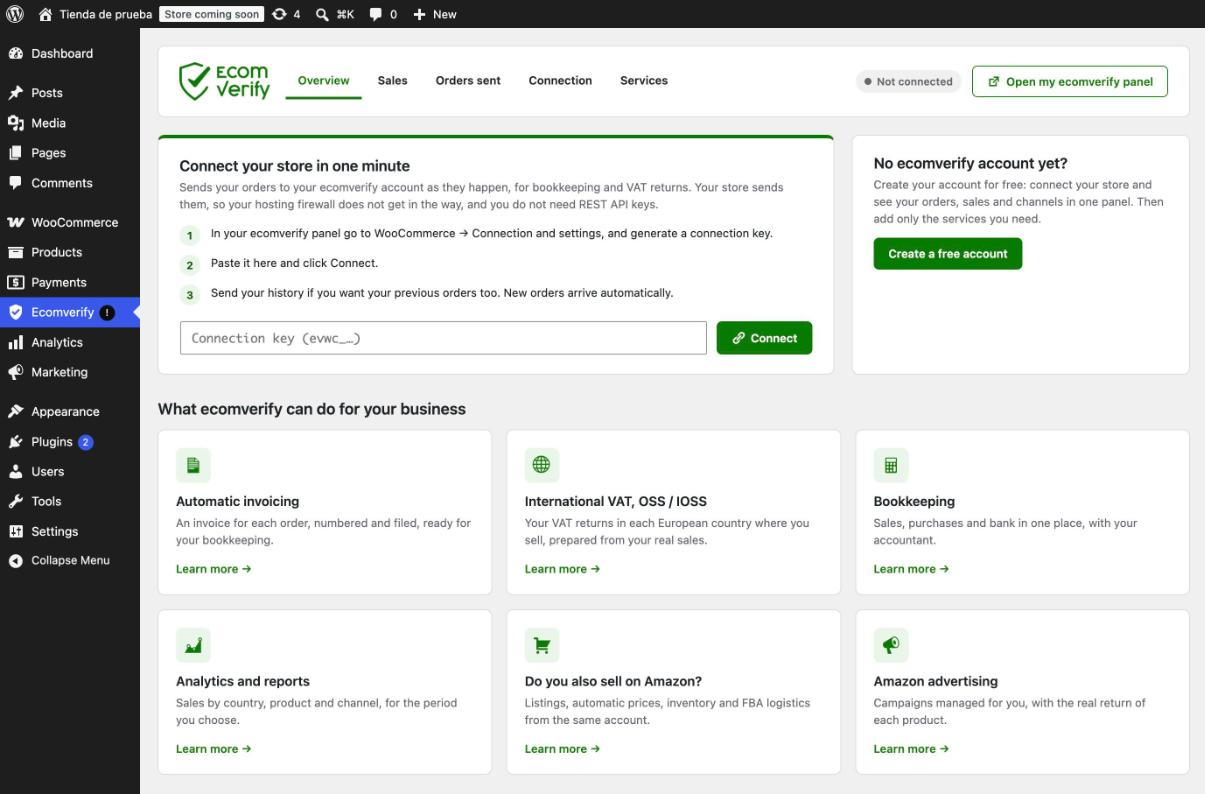


ecomverify keeps the accounting and VAT returns of online sellers. This plugin connects your WooCommerce store to your ecomverify account:
- Every new or updated order (including refunds) is sent automatically, in the background. Checkout never waits for it.
- Your previous orders can be sent with one click (“Send history”).
- Your store sends the orders, so firewalls and bot protection at your hosting (Cloudflare, Kinsta, Sucuri…) do not block them, and you do not need to create REST API keys.
- If ecomverify cannot be reached, orders wait in a queue and are retried automatically. Nothing is lost.
- Compatible with High-Performance Order Storage (HPOS) and with the Cart and Checkout blocks.
An ecomverify account is required. The plugin does nothing until you connect it with the key from your ecomverify panel.
External services
This plugin connects to the ecomverify service, operated by Verify Solutions, S.L. (Spain), which is its only purpose.
- What is sent: each order as WooCommerce stores it — order number, dates, status, currency, customer billing and shipping details (name, company, address, email, phone, VAT number), products, taxes, shipping, fees, coupons, refunds and totals — plus your store address and the WordPress, WooCommerce and plugin versions.
- When: only after you connect the plugin with your key, whenever an order is created or changes, and when you click “Send history”. Nothing is sent before you connect or after you disconnect.
- Where: https://ecomverify.com/WOOCOMMERCE/conector.php, over HTTPS. Every request is signed with your key.
- Why: to keep the accounting and VAT returns of your business in your ecomverify account.
-
What is received back: to show its dashboard (Sales and Orders sent tabs), the plugin asks ecomverify for figures about your own orders (counts, amounts excluding VAT, VAT, totals, refunds, countries, statuses) and for the list of orders it has received in the last 30 days. Only for the store connected with your key.
-
Terms of use: https://ecomverify.com/en/terms
- Privacy policy: https://ecomverify.com/en/privacy