EcomTrade24 Pay for WooCommerce
v2.5.9ecomtrade24 · 2026年10月26日 上架
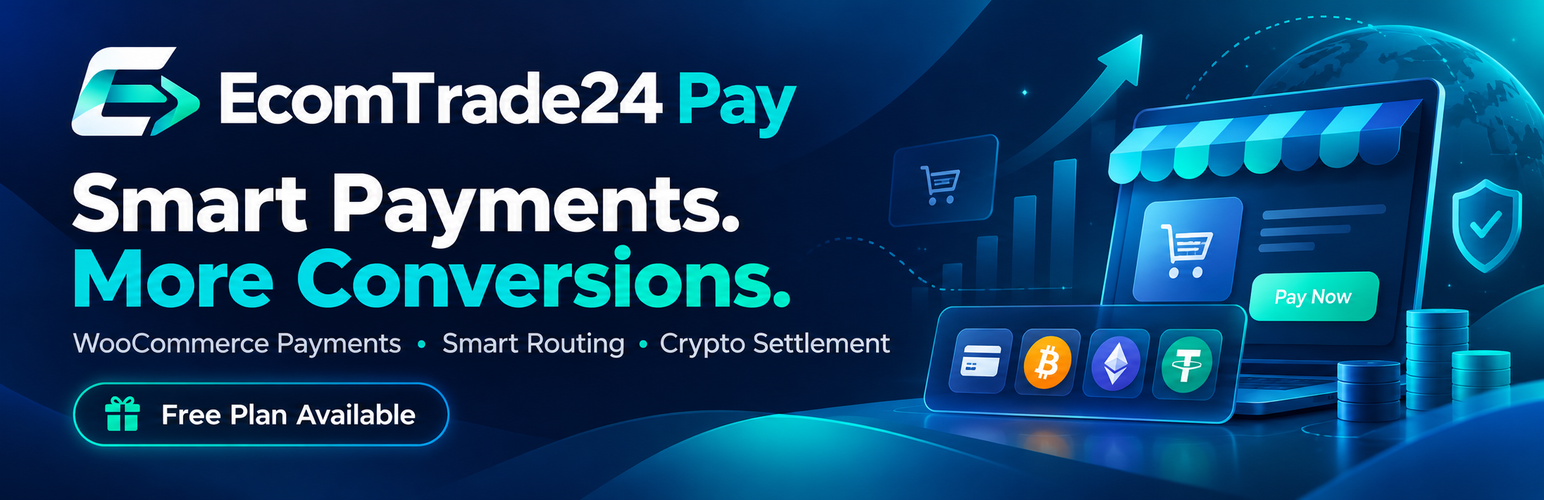
Accept cryptocurrency payments in WooCommerce with secure checkout, order updates and optional fiat-to-crypto onramp methods.
- 正在使用
- 10 以下
- 评分
- 暂无
- 累计下载
- 499
- 最近更新
- 2026年11月17日
贡献者
 ecomtrade24
Accept cryptocurrency payments in WooCommerce
EcomTrade24 Pay is a WooCommerce crypto payment gateway that connects your online store to cryptocurrency checkout, secure payment sessions and automatic order-status updates. Offer your customers a crypto payment option without building your own payment infrastructure.
Start with a free merchant account and Hosted Checkout. Eligible paid plans can enable Smart Routing and supported fiat-to-crypto onramp options for customers who prefer local payment methods.
Create a free merchant account | Setup documentation | Plans and fees
Why choose EcomTrade24 Pay?
- Crypto payments for WooCommerce: Offer supported cryptocurrency assets and networks configured for your merchant account.
- Fiat-to-crypto checkout options: Eligible paid plans may display card, Google Pay, Apple Pay, Venmo, Cash App, PayPal, Revolut, iDEAL, Klarna and other available payment routes when enabled and available through the gateway API. These are onramp methods, not direct fiat settlement.
- One-click merchant connection: Securely authorize your shop to import its API key and per-shop webhook secret, register its callback automatically, and verify signed webhook delivery.
- Automatic WooCommerce order updates: Synchronize payment-session status using authenticated, signed webhooks.
- Classic Checkout and Checkout Blocks: Compatible checkout integrations for both WooCommerce checkout experiences.
- Dynamic payment method sync: Classic and Blocks checkouts read payment methods and order directly from the gateway API. Only methods enabled, configured and available for the buyer are presented; new gateway methods and their payment logos need no plugin code change as long as the gateway API returns a supported, trusted HTTPS logo URL.
- Free Hosted Checkout: Get started without a monthly plan subscription; payment processing fees still apply.
Connect your shop in three steps
- Save your receiving USDC Polygon wallet in the EcomTrade24 merchant dashboard, then install and activate the plugin in WordPress. Open WooCommerce > EcomTrade24 Pay.
- Click 1. Authorize / reconnect shop. Sign in to EcomTrade24 Pay and approve the connection for the correct merchant and shop.
- After approval, EcomTrade24 Pay automatically registers the WooCommerce webhook URL and returns you to the store. The plugin saves the credentials and requests a signed, order-free test webhook. Connected – Webhooks Active appears only after the test receives a valid HTTP 200 acknowledgement. If verification fails, review the WAF/Cloudflare settings and use Retry signed webhook test (within 15 minutes) or reconnect.
A valid USDC Polygon payout wallet is required before you can connect your shop or create new payment sessions. Existing connections must use Connect / Reconnect Shop after upgrading when prompted. Before connecting, configure your payout wallet in the EcomTrade24 merchant dashboard. When you click Connect, the webhook callback is registered per shop automatically: no manual URL or secret entry is needed. Select checkout options allowed by your plan and complete a test order. Successful webhook verification is not a substitute for testing signed session creation and a real payment.
How fiat-to-crypto payments work
A customer can choose a method available in their country and for their transaction. Where an eligible fiat onramp method is shown, an independent provider handles the payment and conversion into cryptocurrency; EcomTrade24 Pay does not turn your WordPress site into a card processor. Providers can require additional verification and apply their own terms, limits and fees.
Payment methods depend on merchant settings, plan eligibility, buyer location, currency, order amount and provider availability. No specific card, wallet or local payment method is guaranteed for every order.
Secure checkout and merchant configuration
Checkout-session requests are signed with HMAC-SHA256. Payment notifications are verified using webhook signatures. Keep API credentials private and connect the correct merchant account to avoid rejected session requests.
Your merchant account and API key are required to use this hosted payment service. The plugin is free to download; service fees and plan options are listed on the pricing page.
External services
This plugin connects to the EcomTrade24 Pay service at https://pay.ecomtrade24.com to create and track payment sessions, retrieve merchant capabilities, authorize the merchant/shop connection, register the shop-specific webhook URL and test signed webhook delivery, and process payment notifications. Data sent as needed for transactions can include order identifiers, amounts, currency, store domain, customer email and the customer IP address captured by WooCommerce. The gateway uses this address for payment-session security, fraud prevention and applicable routing checks. It also records the connecting shop-server IP separately. Canonical payment logos may be downloaded from https://pay.ecomtrade24.com/assets/logos/ using the WordPress HTTP API and cached locally when available. API-supplied checkout logo URLs from that same first-party HTTPS directory can also be displayed directly in the store checkout (SVG, PNG or WebP); visitors requesting such logos may transmit standard HTTP request data, including their IP address and user-agent, to the EcomTrade24 Pay service. Optional telemetry is disabled by default and only enabled when the merchant explicitly opts in under gateway settings. If enabled, it sends store URL/domain, WordPress/WooCommerce/PHP/plugin versions, enabled payment options, currency and checkout configuration approximately every 15 minutes and while checkout pages are visited. Merchants may disable this at any time without disabling payment processing. A manually requested heartbeat sends the same diagnostic information once. These requests authenticate the configured merchant and report connection / integration context. Gateway connection tests also transmit merchant configuration and diagnostic information. API credentials are used to authenticate merchant requests. Depending on the checkout route, customers may be redirected to independent payment or on-ramp providers, which apply their own terms and privacy policies.
Service: EcomTrade24 Pay (https://pay.ecomtrade24.com/). Terms of Service: https://pay.ecomtrade24.com/terms . Privacy Policy: https://pay.ecomtrade24.com/privacy . Documentation: https://pay.ecomtrade24.com/docs/ . The merchant is responsible for informing customers about payment-related data transfers.