跳到内容

Eazy Flickity Slider

v1.2.1

Rob Scott · 2016年5月9日 上架

Eazy Flickity Slider is an easy to use responsive slider that uses Flickity.js by Metafizzy to animate the slider.

正在使用
100+
评分
5.0 / 5
累计下载
6,736
最近更新
2018年1月3日
1 条评价需要 WordPress 4.5+已测试到 4.9.36

贡献者

截图

Eazy Flickity Slider main screen.
Add a slide. Include title & add slider using Eazy Flickity Sliders box
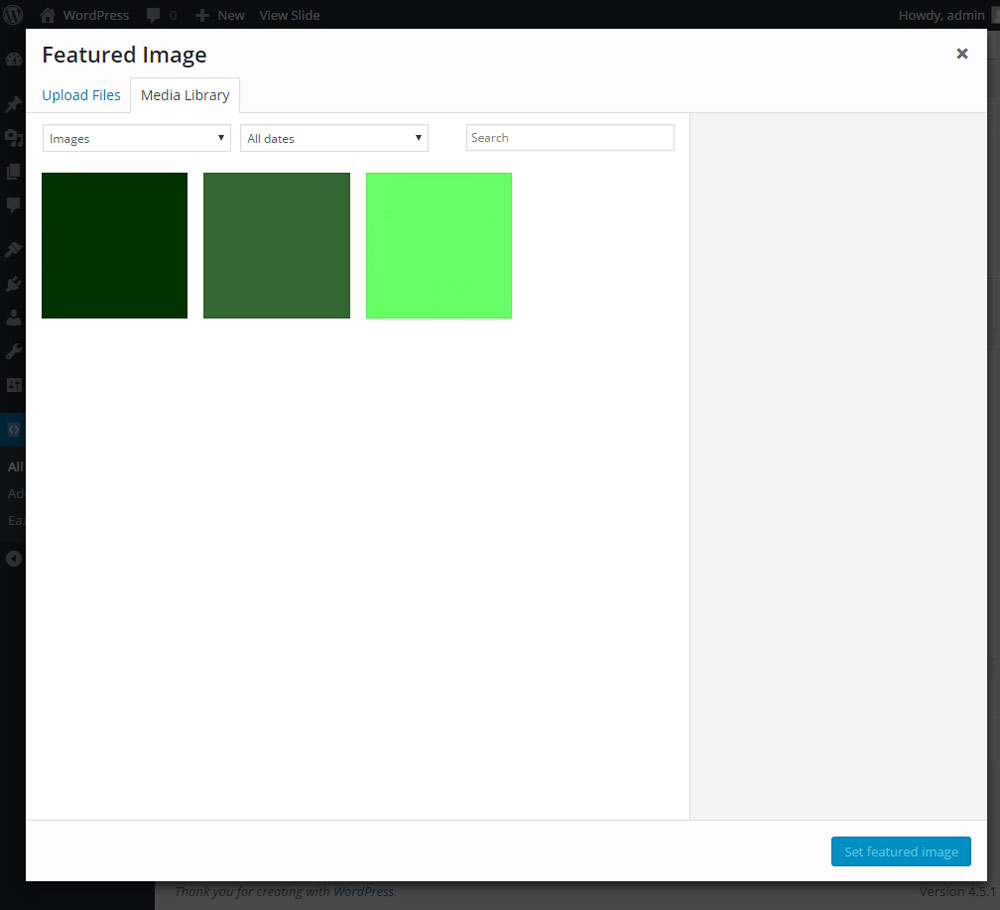
Click add featured image to include slide image using media library.
Shows a slide completed. (includes title, slider category & image)
Add a slider using the Flickity Slider button next to the Media Library button.
Select your slider from the drop down menu and add the size.
Shows shortcode added to editor.
Slider appears via WordPress magic.

Eazy Flickity Slider lets you create responsive sliders, without being overly complex.
Adding slides is as easy as adding a post. Creating a slider works like adding a post to a category. You can then use a shortcode to get the slider to display on your site. There is a shortcode generator that shows up next to the add media button on the edit post & edit page sections of the admin.
The plugin uses flickity.js by Metafizzy to animate the slider.

Plums

按场景查找 WordPress 插件。安装量、评分和兼容版本来自官方目录。

导航

说明

WordPress 是 WordPress Foundation 的商标。本站与 WordPress Foundation、Automattic 没有隶属关系。这里不托管插件文件,下载和安装以 WordPress.org 上的页面为准。

© 2026 Plums