
Easy Upload Files During Checkout
v3.1.1Fahad Mahmood · 2015年10月26日 上架
Let customers attach files to WooCommerce orders during checkout, with settings for placement, file types, size and required uploads.
- 正在使用
- 400+
- 评分
- 4.7 / 5
- 累计下载
- 13 万
- 最近更新
- 2026年11月25日
贡献者
 Fahad Mahmood
截图
- Author: Fahad Mahmood
- Project URI: http://androidbubble.com/blog/wufdc
- Multiple Attachments (For Advanced Users): https://shop.androidbubbles.com/product/woocommerce-upload-files-checkout
- Demo URI: http://demo.androidbubble.com/product/furniture
- License: GPL 2 or later. See License below for copyright jots and tittles.
Attach files during checkout process with ease. Easy Upload Files During Checkout is a free plugin with a few premium features. It provides the facility of attaching files with orders during checkout.
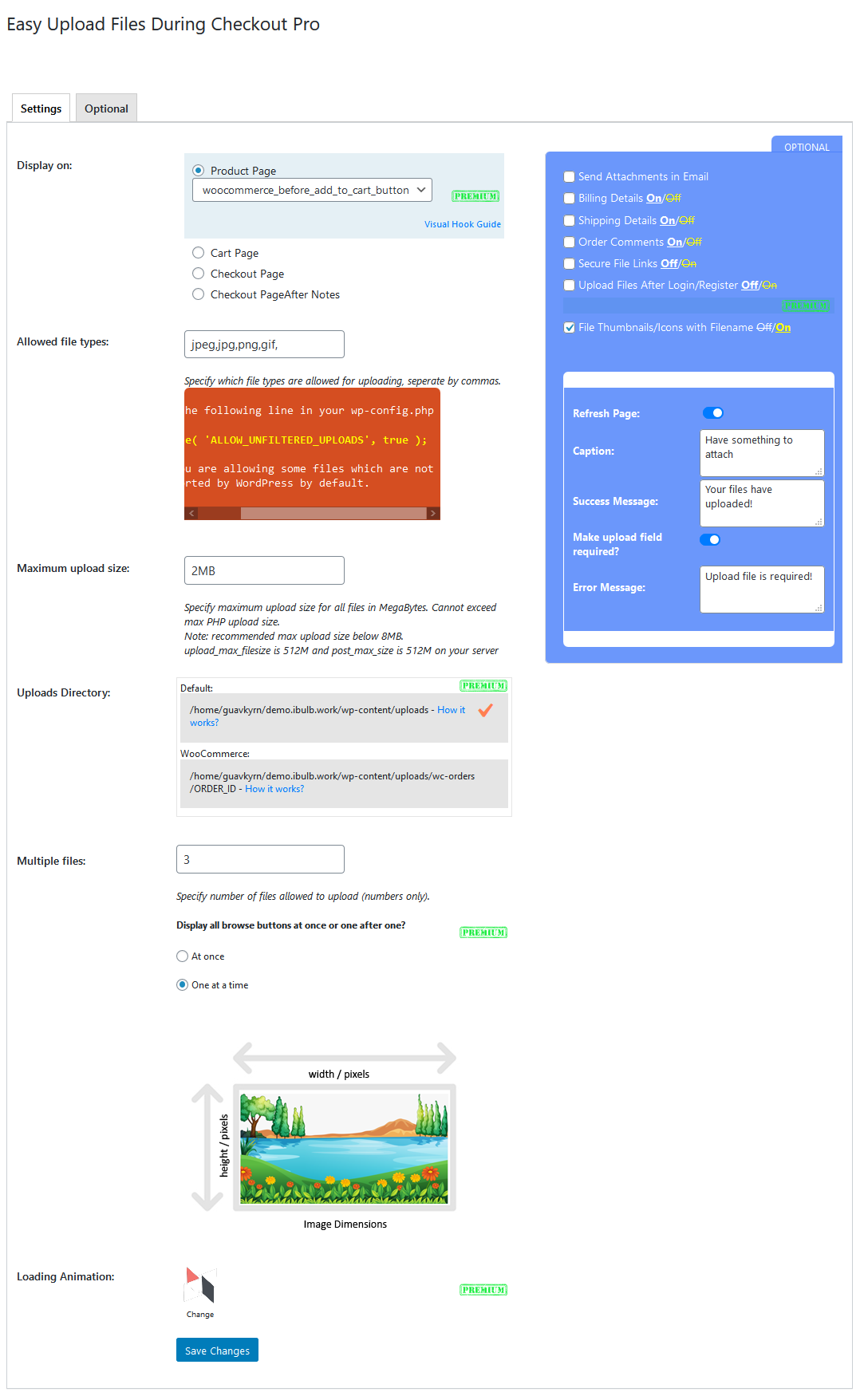
New in 3.1: a redesigned settings screen. Everything is grouped by task in five sections: Where to show, Upload rules, Messages & look, Orders & emails and Storage & security. Pick where customers upload with visual cards, choose file types from quick groups (Images, Documents, Spreadsheets and more), set the maximum size with a number and unit, and watch a live preview update as you type. A bar at the bottom tells you when you have unsaved changes.
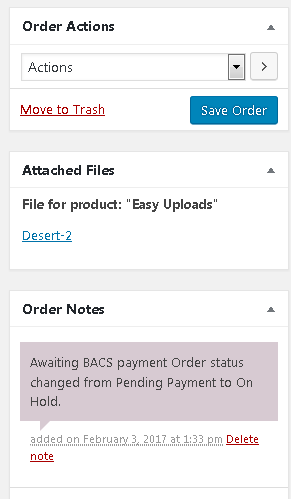
You can show the upload box on the cart page or the registration page. For product pages, checkout page positions, the thank you page, the customer order page and the shortcode, you will need the premium version. You can also hide the billing/shipping details and order notes sections, use private file links, require customers to log in before uploading, and send attachments in order emails.
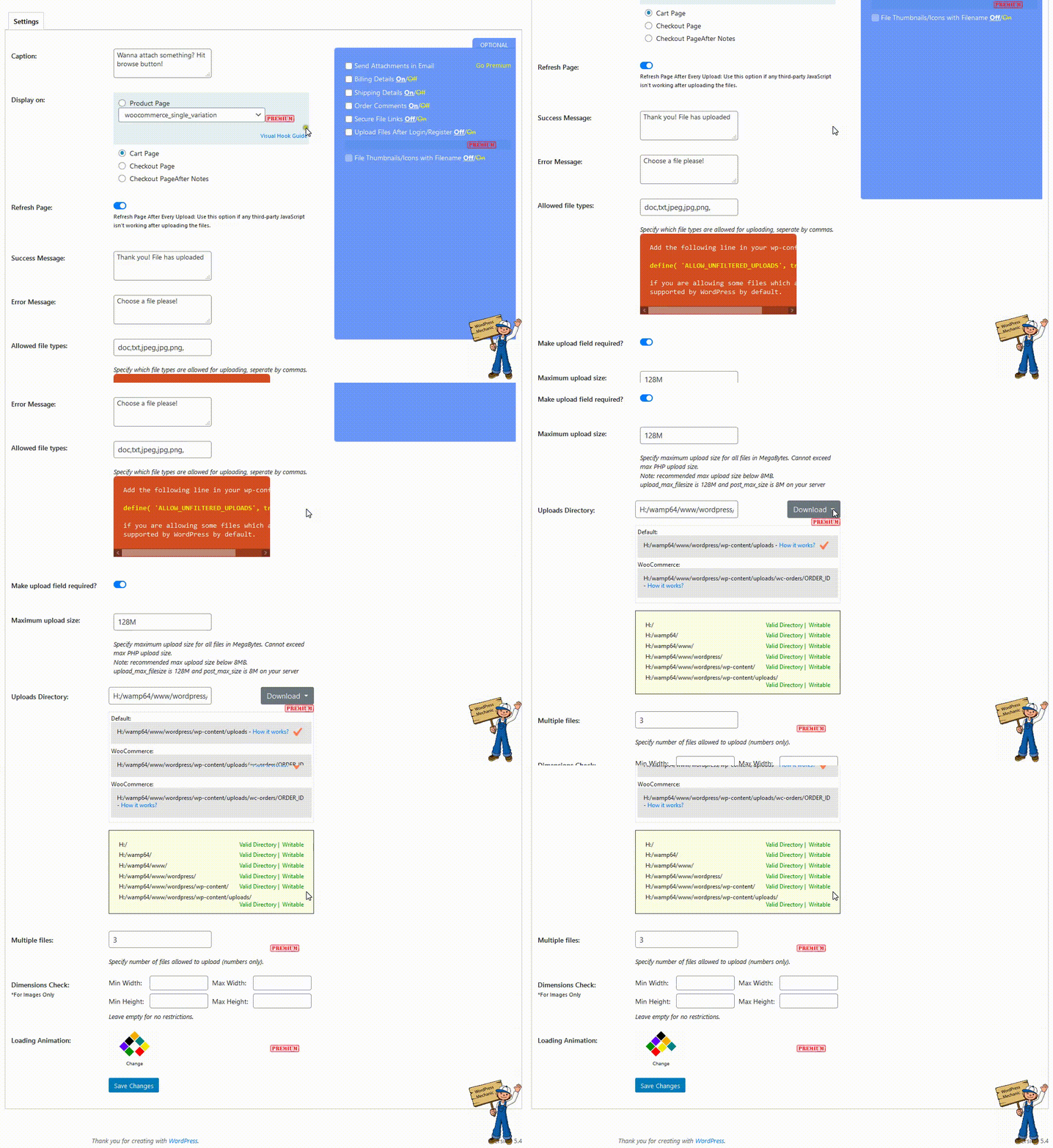
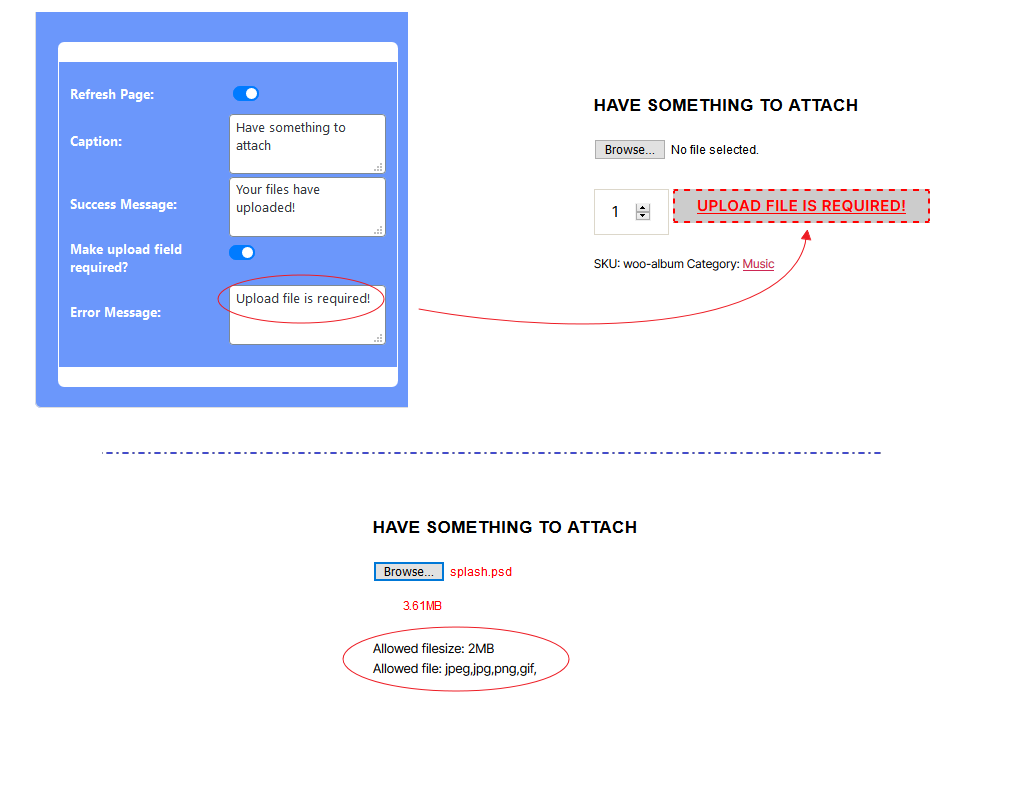
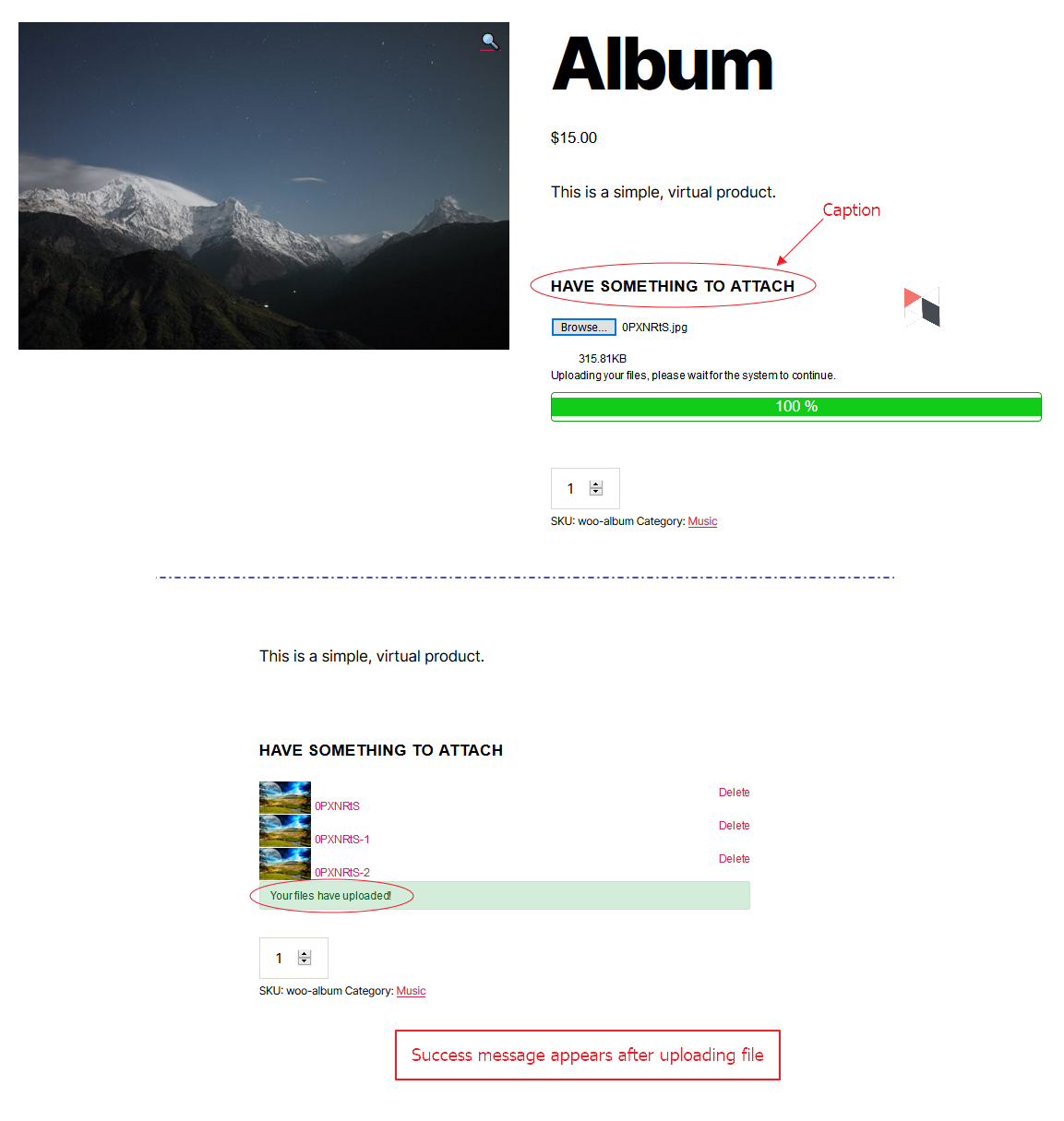
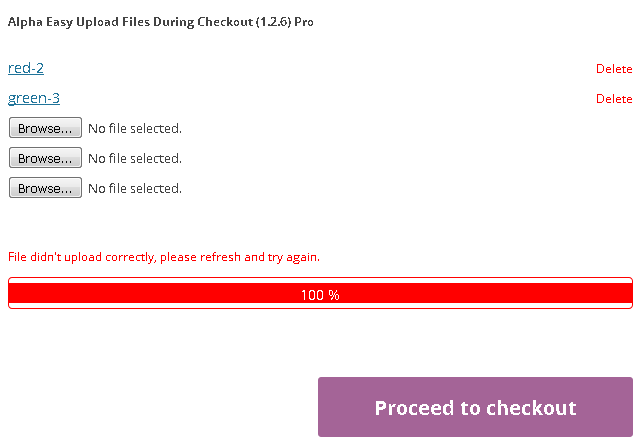
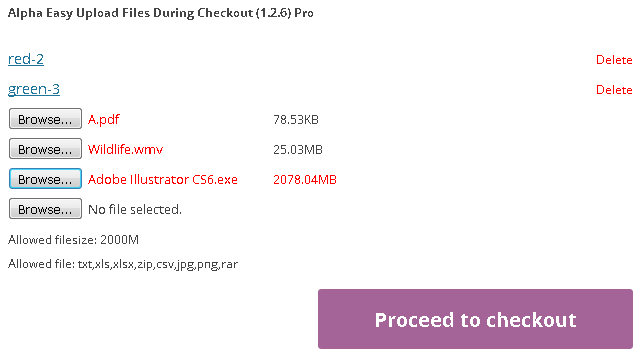
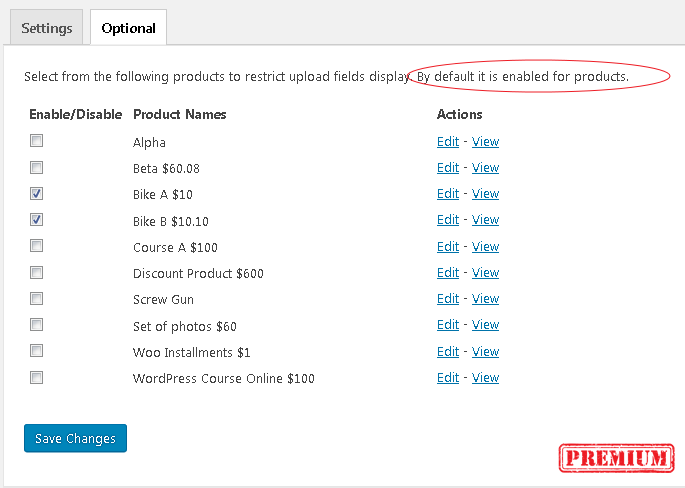
You can control allowed files types on settings page like doc,txt,jpeg,png in an input text field. You can set upload file required with toggle button and specify maximum upload size in Megabytes on settings page. Example is available there. It provides secure storage for your upload files/directories with Amazon, it’s a new and premium feature. Setup your account on Amazon and get safe and secure storage for your important uploads. The premium version allows you to upload multiple files, change loading animation and display browse button on product page. It also provides an optional tab, with that tab you can select products which you want to whiteflag for upload files. By default, it is enabled for all products.
If you want new users to provide some required information (ID, resume etc.) you can enable new users to upload file(s) while registering even for the first time. On settings tab check the radio button “Registration Page” next to “Display on:” and browse button will appear on registration page. If you make upload field required, a warning message will appear that file is not uploaded.
Basic Features
- Display on cart on page (during checkout) or on the registration page
- Redesigned, guided settings screen with live preview
- Visual placement picker, file type chips and quick groups
- Warnings for risky file types and for sizes above your server limit
- Editable caption and success message
- Set image dimensions for uploading
- Define maximum upload size
- Specify allowed file types
- Upload single file (Only one file one)
- Make upload field required
- Define error message
Advanced Features
- Shortcode + Compatibility with Hello Elementor WordPress Themes
- Display on product page
- Display on top of the checkout page
- Display on thank you page
- Display on order view page
- Upload files to directory with Amazon (Optional)
- File thumbnails/icons with filename
- Change loading animation
Beta Features
- Display on registration page
- Upload multiple files during registration
- Make upload field required on registration page
- Define error message on registration page
Basic Version Demo
Premium Version Demo
Variable Products Demo
Using Hello Elementor WordPress Themes?
License
This WordPress Plugin is free software: you can redistribute it and/or modify it under the terms of the GNU General Public License as published by the Free Software Foundation, either version 2 of the License, or any later version. This free software is distributed in the hope that it will be useful, but WITHOUT ANY WARRANTY; without even the implied warranty of MERCHANTABILITY or FITNESS FOR A PARTICULAR PURPOSE. See the GNU General Public License for more details. You should have received a copy of the GNU General Public License along with this software. If not, see http://www.gnu.org/licenses/gpl-2.0.html.