

- 正在使用
- 10+
- 评分
- 暂无
- 累计下载
- 1,581
- 最近更新
- 2026年6月22日
 Maulik Vora
 Divyesh kakrecha
截图


Transform your website’s credibility with Easy Testimonials Carousel – the most user-friendly WordPress testimonial plugin that converts visitors into customers through powerful social proof.
🎯 Why Choose Easy Testimonials Carousel?
✅ Boost Conversions by 34% – Social proof increases trust and sales
✅ Zero Coding Required – Drag-and-drop interface, works in minutes
✅ Mobile-First Design – Perfect on all devices and screen sizes
✅ SEO Optimized – Built-in schema markup for better search rankings
✅ Lightning Fast – Lazy loading and optimized performance
✅ Multiple Designs – 3 stunning carousel styles + grid layouts
✅ Frontend Submission – Let customers submit testimonials directly
✅ Import/Export – Easy backup and migration between sites
🎯 Perfect For:
- E-commerce stores (increase product trust)
- Service businesses (showcase client success)
- SaaS companies (build user confidence)
- Agencies (display client testimonials)
- Restaurants (customer reviews)
- Healthcare (patient testimonials)
Features
🎨 Multiple Layouts:
- Responsive carousel slider with 3 professional designs
- Grid layout option for organized display
- Masonry style display for dynamic layouts
- Custom shortcode for each design
- Multiple testimonial categories
🎨 Advanced Customization:
- 3 professional carousel designs to choose from
- Custom colors and fonts for brand matching
- Image styling options and effects
- Text alignment controls
- Star rating system (1-5 stars)
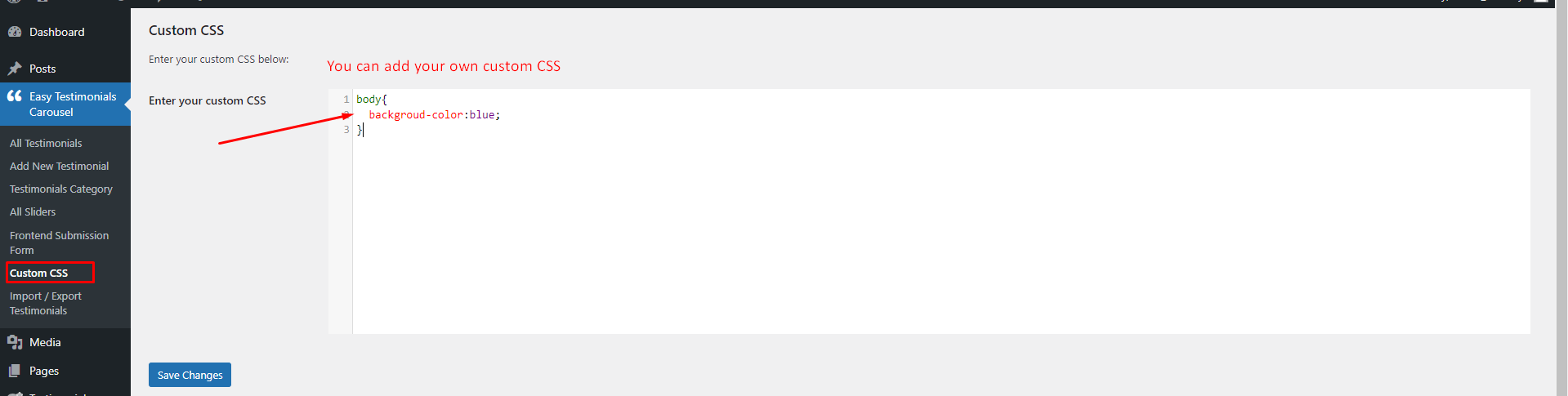
- Custom CSS support for advanced styling
📱 Mobile Optimization:
- Touch/swipe support for mobile devices
- Responsive breakpoints for all screen sizes
- Mobile-first design approach
- Fast loading on all devices
- Optimized for tablets and smartphones
🔧 Easy Management:
- Drag-and-drop interface for easy setup
- Bulk import/export functionality
- Category organization system
- Frontend submission form for customers
- Custom CSS support for developers
- Multiple shortcode management
⚡ Performance Features:
- Lazy loading for faster page speeds
- Optimized database queries
- Cached shortcode generation
- Minimal resource usage
- SEO-friendly structure
🚀 Advanced Features:
- Slider autoplay with customizable speed
- Slider loop and infinite scroll
- Pause on hover functionality
- Navigation arrows and dots
- Swipe/touch support
- Lazy loading for images
- Top-rated testimonials showcase
Use of 3rd party services
This plugin uses the following third-party services and libraries:
- Google Sheets API
- Description: This plugin integrates with the Google Sheets API to store form submissions directly into a Google Sheet.
- Purpose: Used to store the plugin deactivation reasons
- Link: Google Sheets API Documentation
- Privacy Notice: By using this feature, you may be subject to Google’s Terms of Service and Privacy Policy.
Requirements
- WordPress 6.0 or higher
- PHP 8.0 or higher
- Modern web browser (Chrome, Firefox, Safari, Edge)
- Basic WordPress knowledge (no coding required)
How to Use Easy Testimonials Carousel
💡 Get Started in 3 Easy Steps:
Step 1: Add Testimonials
- Go to Easy Testimonials Carousel Add New Testimonial
- Fill in testimonial details:
- Title (testimonial headline)
- Content (testimonial text)
- Excerpt (short summary)
- Featured image (customer photo)
- Designation (job title/company)
- Star rating (1-5 stars)
- Category (optional)
- Click Publish to save
Step 2: Create Shortcodes
- Go to All Shortcodes Add New
- Give your shortcode a title
- Configure settings in these tabs:
- Post Settings – Choose testimonials and display options
- Color Settings – Customize colors and styling
- Category – Filter by testimonial categories
- Slider Designs – Choose from 3 professional designs
- Slider Settings – Configure autoplay, navigation, etc.
- Click Publish to save
Step 3: Display Testimonials
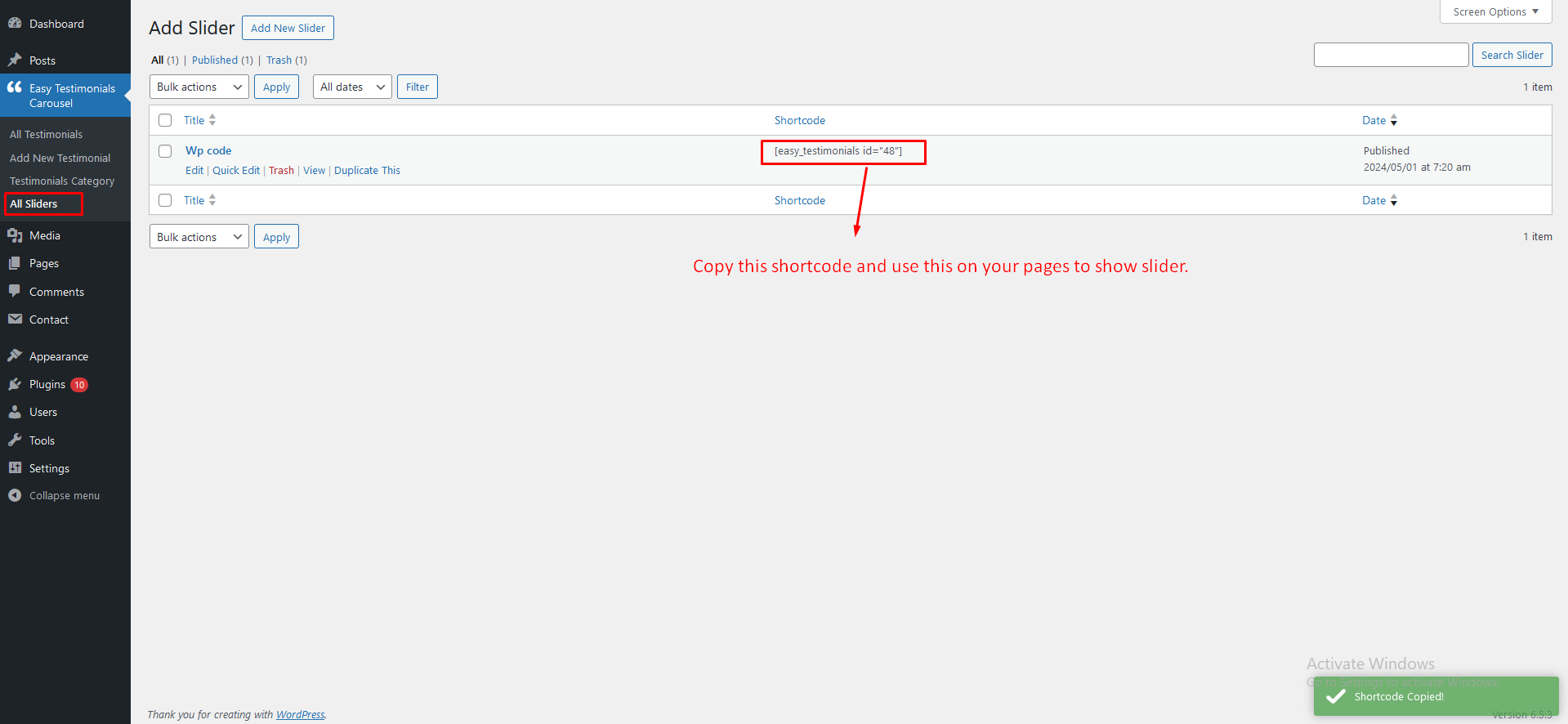
- Copy the generated shortcode
- Paste it into any page, post, or widget
- Your testimonials will display automatically
- Create multiple shortcodes with different settings
🎨 Design Options:
- Design 1: Modern carousel with navigation arrows
- Design 2: Clean slider with dots indicator
- Design 3: Elegant testimonial cards
- Grid Layout: Masonry-style testimonial grid
📱 Frontend Submission:
- Enable frontend form for customer submissions
- Customers can submit testimonials directly
- Automatic moderation and approval system
- Email notifications for new submissions
Uncompressed Source Files
The uncompressed source files for this plugin are included within the plugin package. You can find them in the ‘assets’ directory of the plugin repository.
If you wish to modify or study the source code, follow these steps:
- Clone or download the plugin repository from GitHub.
- Navigate to the ‘assets’ directory to access the uncompressed JavaScript and CSS files.
- Make any necessary changes to the source files.
- Use build tools like npm and webpack to generate the compressed files from the uncompressed source files, if needed.
- Test your changes and contribute back to the plugin repository by opening a pull request.
Feel free to explore, modify, and contribute to the code. We believe in the power of open-source collaboration!