
Easy Nivo Slider
v1.6.1ecurtain · 2011年3月18日 上架
Adds Nivo Slider to a post/page with no coding. Builds sliders from a post images, featured images in posts, or from NextGen galleries.
- 正在使用
- 200+
- 评分
- 2.3 / 5
- 累计下载
- 9.8 万
- 最近更新
- 2011年3月22日
贡献者
 ecurtain
截图
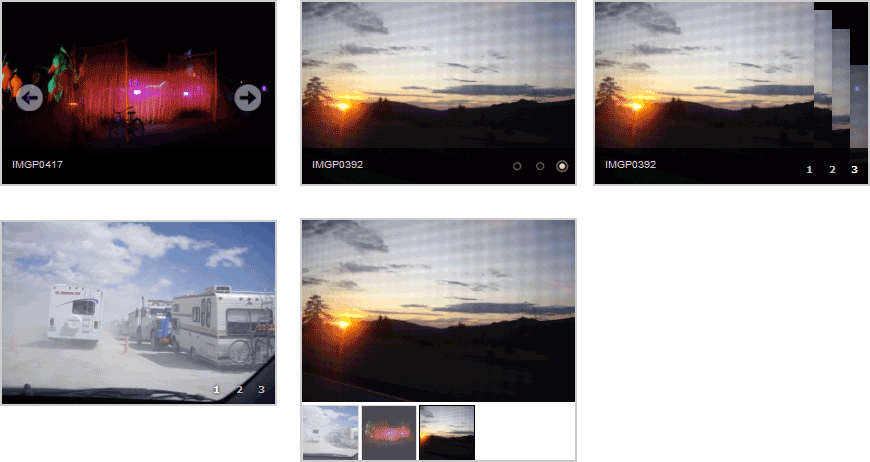


Easy Nivo Slider allows you to easily add the awesome Nivo Slider to any post, page, or sidebar without writing any code. This plugin generates the slideshow for you, allowing many customizations including size, speed, type of animation, navigation behavior, etc. Select which images are used in the slider – all images attached to a post/page, featured images from a category/custom post type/taxonomy/term, or images in a NexGen gallery.
Define up to three slider configurations, setting the slider size and navigation behavior. Then add as many sliders as you want using those configurations, customizing each one for image selection, animation, and speed.
A plugin for the visual editor makes adding shortcodes a snap. Choose the options you want with a form and the plugin generates the shortcode for you.
Add sliders to your sidebar with widgets, which also allow images selection and slider behavior.
Easy Nivo Slider uses WordPress’s thumbnail support to automatically create copies of images you add to your site, re-sized and cropped to fit the slider exactly.
Features:
* Generates a slider using the attached images from a post or page.
* Generates a slider using the featured images from posts.
* Generates a slider using images from a NextGen gallery.
* No coding required, not changes to the them files needed.
* Add slider to any post or page with the Visual Editor button
* The shortcode system writes the shortcodes for you.
* Slider widgets to add sliders to the sidebar.
* Preview mode lets you see how the sliders and widget will appear.
* Customize behavior, navigation, and captions.
* Customize transition animation and speed.
* Images (optionally) link to the posts where they are featured
* Add as many sliders as you want to a page – each with its own settings.
Acknowledgements
This plugin was developed around the Nivo Slider, “The world’s most awesome jQuery slider” by dev7studios. It’s really an amazing piece of work. Check out their site at http://nivo.dev7studios.com/ Plugin settings allow you to exclude the Nivo plugin if it’s installed separately.
This plugin uses the very handy Custom Image Sizes plugin by Filosofo to support resizing the sliders. The Custom Image Sizes plugin is automatically included, but settings allow you to exclude it if it’s installed separately.
Known Issues
- This plugin doesn’t handle resizing of NextGen galleries very well. NextGen images are handled a little differently, and I’m working on a way to address this.