Yoast Duplicate Post
v4.7Yoast · 2007年12月5日 上架
The go-to tool for cloning posts and pages, including the powerful Rewrite & Republish feature.
- 正在使用
- 300 万+
- 评分
- 4.7 / 5
- 累计下载
- 4.3 千万
- 最近更新
- 2026年10月6日
 Yoast
 Enrico Battocchi
截图


This plugin allows users to clone posts of any type, or copy them to new drafts for further editing.
How it works:
-
In ‘Edit Posts’/’Edit Pages’, you can click on ‘Clone’ link below the post/page title: this will immediately create a copy and return to the list.
-
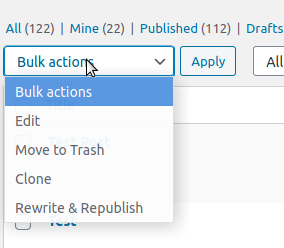
In ‘Edit Posts’/’Edit Pages’, you can select one or more items, then choose ‘Clone’ in the ‘Bulk Actions’ dropdown to copy them all at once.
-
In ‘Edit Posts’/’Edit Pages’, you can click on ‘New Draft’ link below the post/page title.
-
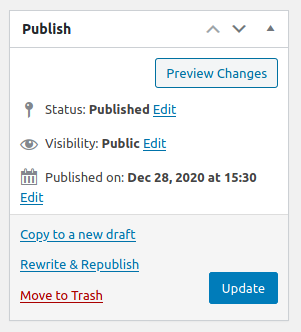
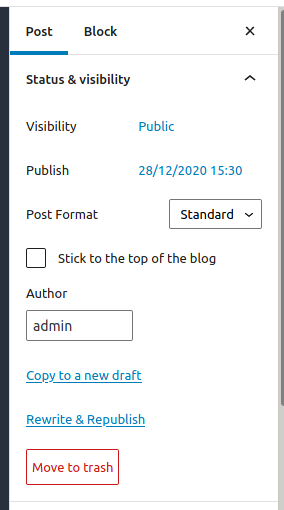
On the post edit screen, you can click on ‘Copy to a new draft’ above “Cancel”/”Move to trash” or in the admin bar.
-
While viewing a post as a logged in user, you can click on ‘Copy to a new draft’ in the admin bar.
3, 4 and 5 will lead to the edit page for the new draft: change what you want, click on ‘Publish’ and you’re done.
There is also a template tag, so you can put it in your templates and clone your posts/pages from the front-end. Clicking on the link will lead you to the edit page for the new draft, just like the admin bar link.
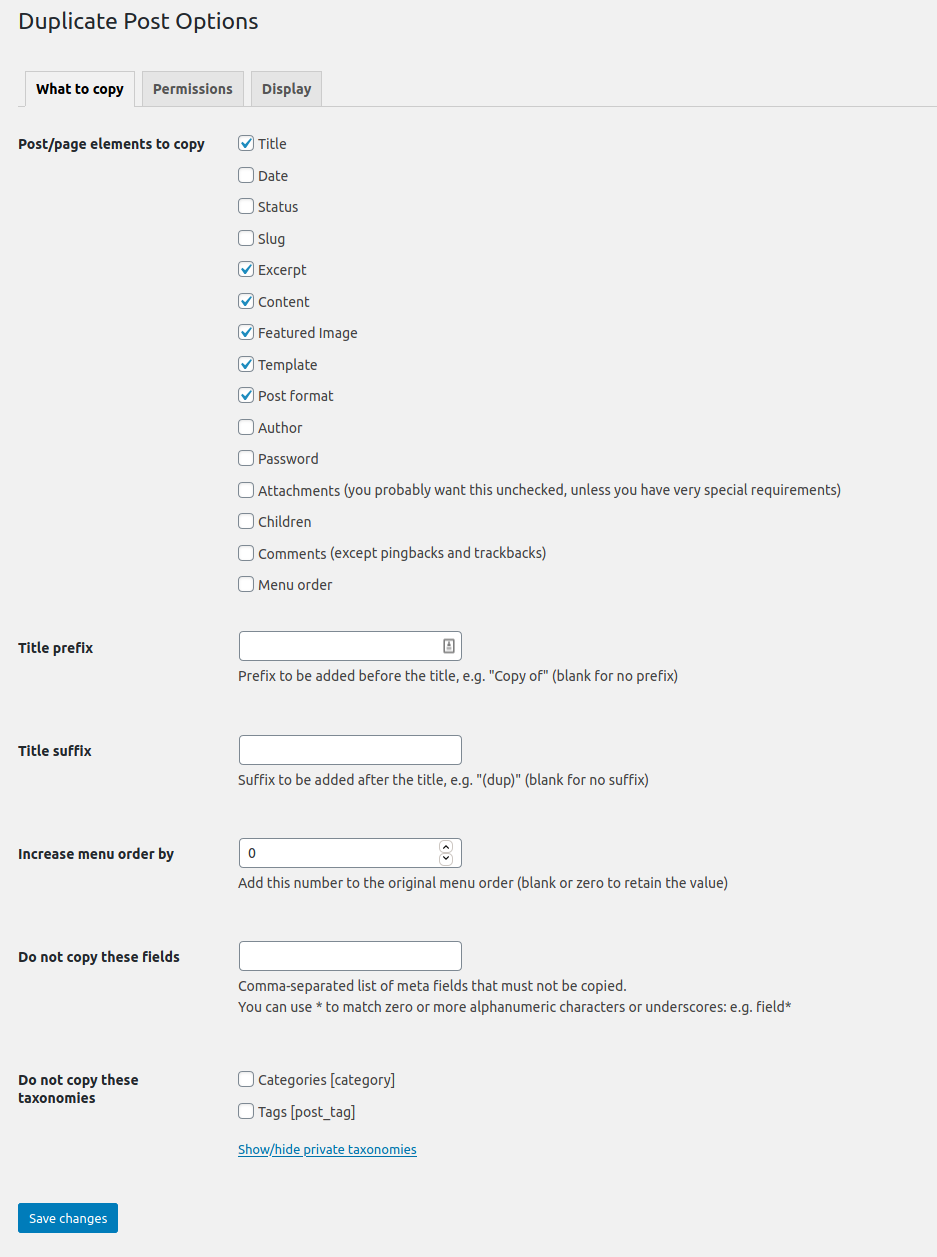
Duplicate Post has many useful settings to customize its behavior and restrict its use to certain roles or post types. Check out the extensive documentation on yoast.com and our developer docs.
Contribute
If you find this useful and if you want to contribute, there are two ways:
- Submit your bug reports, suggestions and requests for features on GitHub;
- If you want to translate it to your language (there are just a few lines of text), you can use the translation project;