Dropshipping Product Export for WooCommerce
v2.1.9wpdesk · 2025年7月1日 上架
Effortlessly export your WooCommerce products to CSV or XML — perfect for dropshipping partners.
- 正在使用
- 10+
- 评分
- 5.0 / 5
- 累计下载
- 1,864
- 最近更新
- 2026年11月21日
贡献者
 wpdesk
 marcinkolanko
截图




Fast product export for dropshipping partners 🚀
Flexible formats, smooth workflows, integration-friendly.
What is Dropshipping Product Export for WooCommerce?
Dropshipping Product Export for WooCommerce helps you quickly generate product data files ready to share with your dropshipping partners. With just a few clicks, you can export CSV or XML files containing key WooCommerce product information — ideal for suppliers, wholesalers, and integration services.
The FREE version allows you to create basic exports, filter products, and choose which fields to include in the file. This makes it easy to prepare product lists in formats commonly accepted by most partners.
The PRO version adds advanced automation options such as scheduled exports, additional product fields, and more flexibility for complex dropshipping setups.
Key Features
Features available in the FREE version
* Export WooCommerce products to CSV or XML
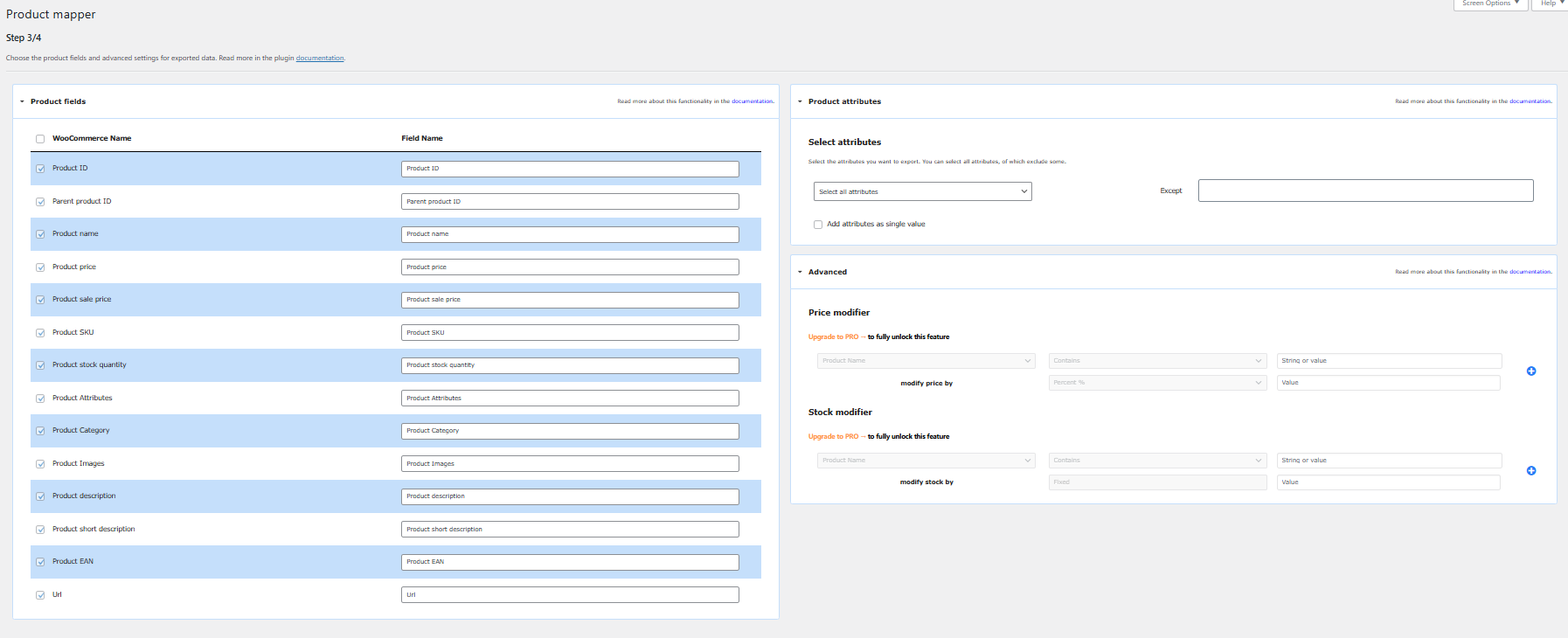
* Select which product fields to export (e.g., name, SKU, price, stock quantity)
* Filter products by category, status, or visibility
* Support for simple products
* Easy-to-use export wizard — no technical knowledge required
* Download the export file directly from the WordPress dashboard
Perfect for:
* Stores working with dropshipping suppliers
* WooCommerce owners who need quick product feeds
* Anyone looking to streamline product data exchange with business partners
Features available in PRO
What’s included in PRO?
The PRO version unlocks advanced tools designed for larger stores or more complex workflows:
- Automatic export generation (schedules, cron)
- Support for variable products
- Advanced field mapping
- Multiple export profiles
- Export of attributes, categories, metadata, and custom fields
- Options tailored to requirements used by popular dropshipping wholesalers
If you work with multiple suppliers or want to fully automate file generation, PRO offers additional flexibility and workflow enhancements.
Learn more about PRO Features!
How it works (quick guide)
Step 1: Install and activate the plugin in WordPress.
Step 2: Go to WooCommerce Dropshipping Export.
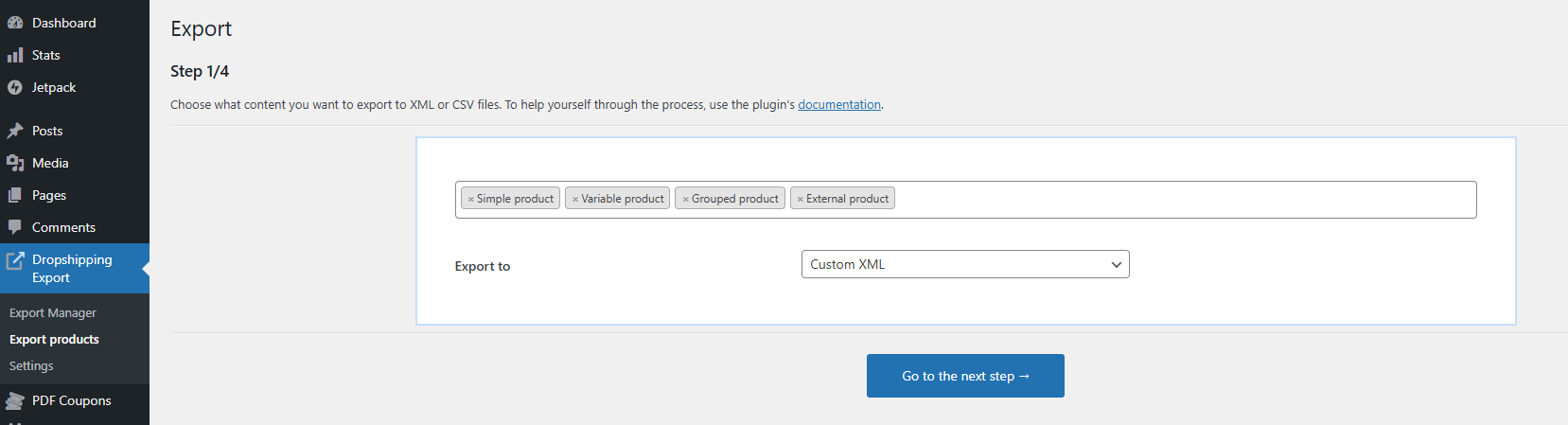
Step 3: Choose your export format (CSV or XML).
Step 4: Configure the field list and product filters.
Step 5: Click Generate File and download your export.
In PRO, you can also set up scheduled exports or automatic file delivery.
Data usa policy
Learn about Use of Data Policy by WP Desk Plugins.