

DriveVault for Easy Digital Downloads
v1.0.0Tanin's Dev · 2026年10月24日 上架
Connect Google Drive to Easy Digital Downloads with a modern React UI and native Google Drive downloads.
- 正在使用
- 10 以下
- 评分
- 暂无
- 累计下载
- 178
- 最近更新
- 2026年10月24日
贡献者
 Tanin's Dev
截图
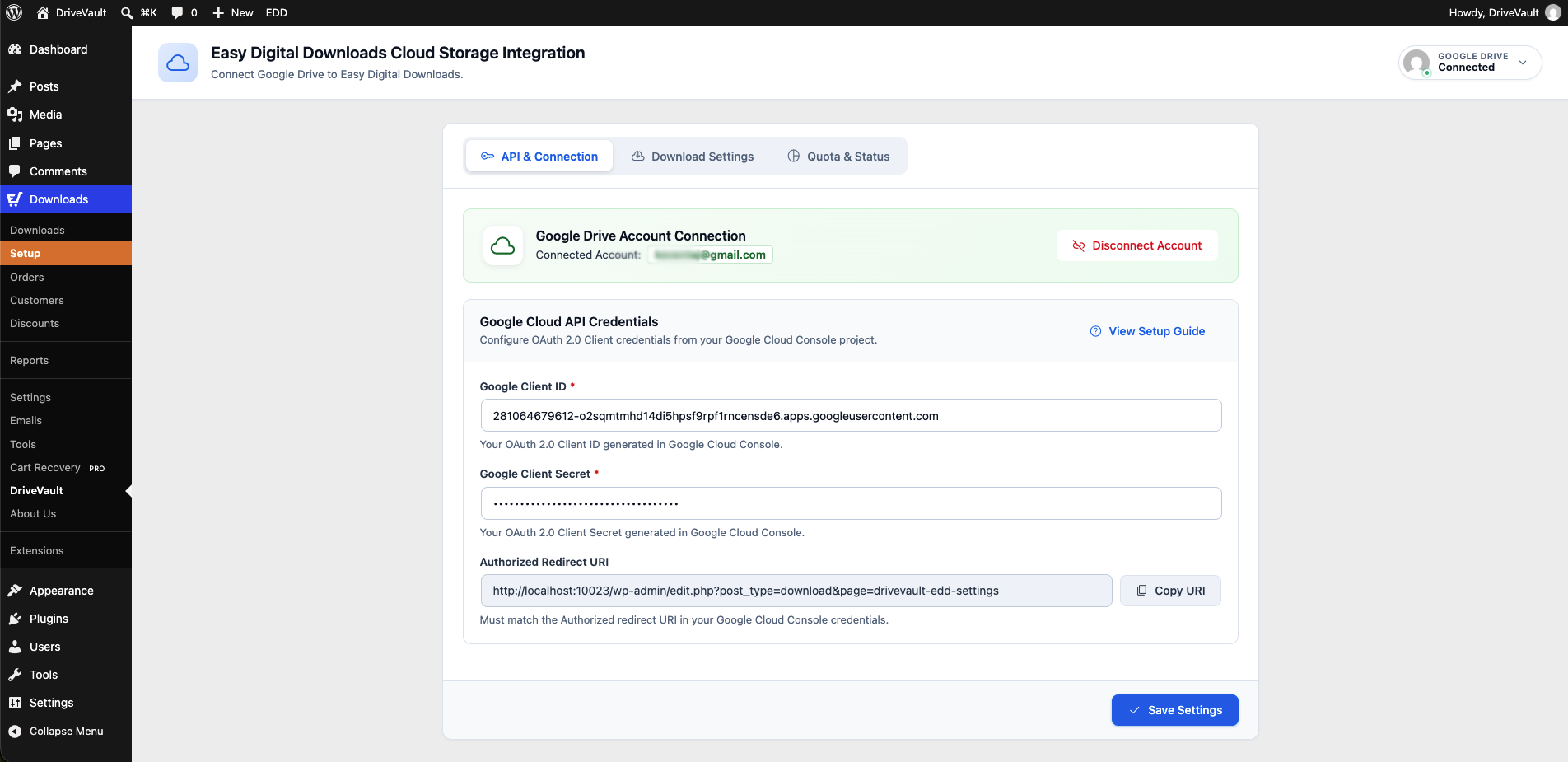
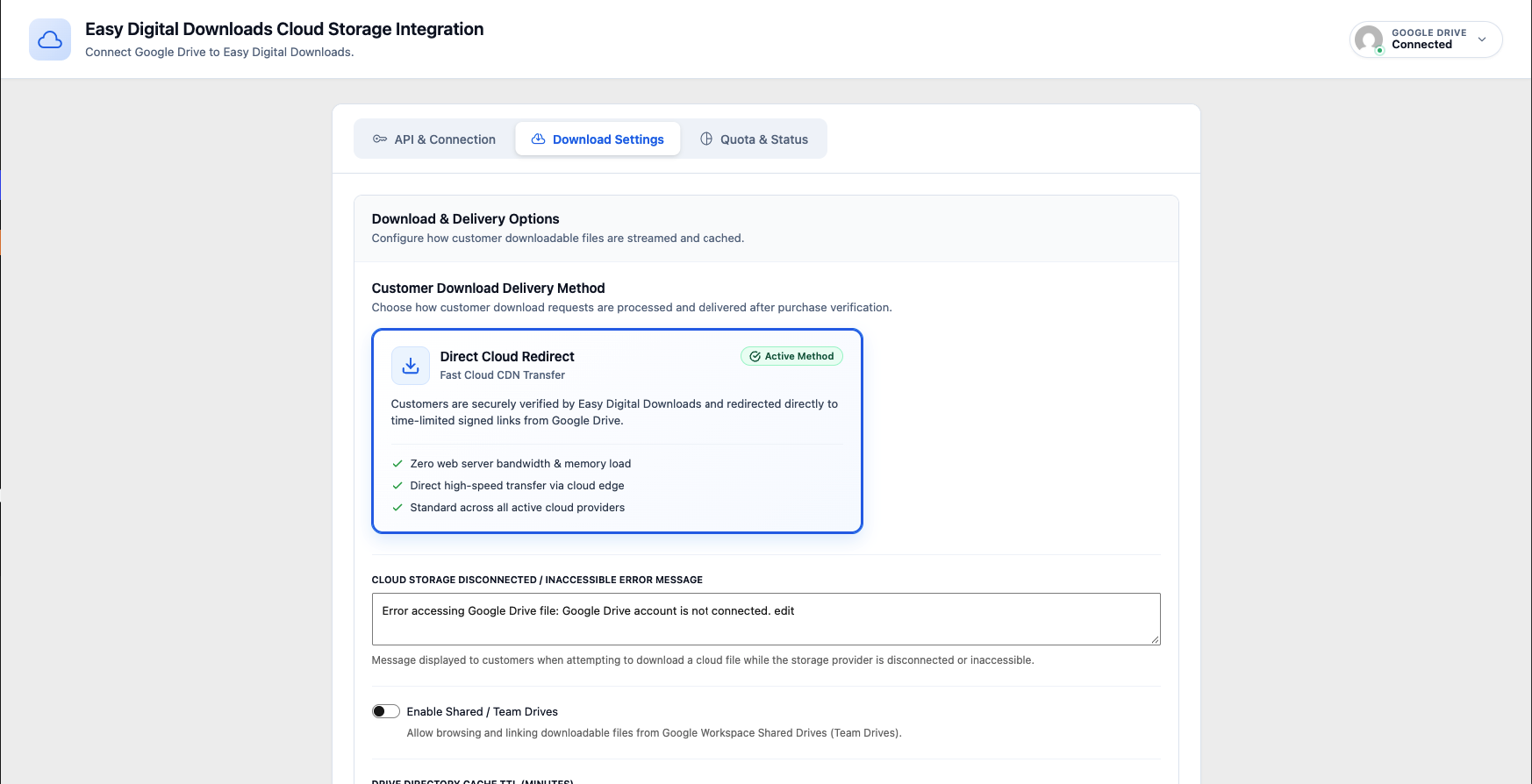

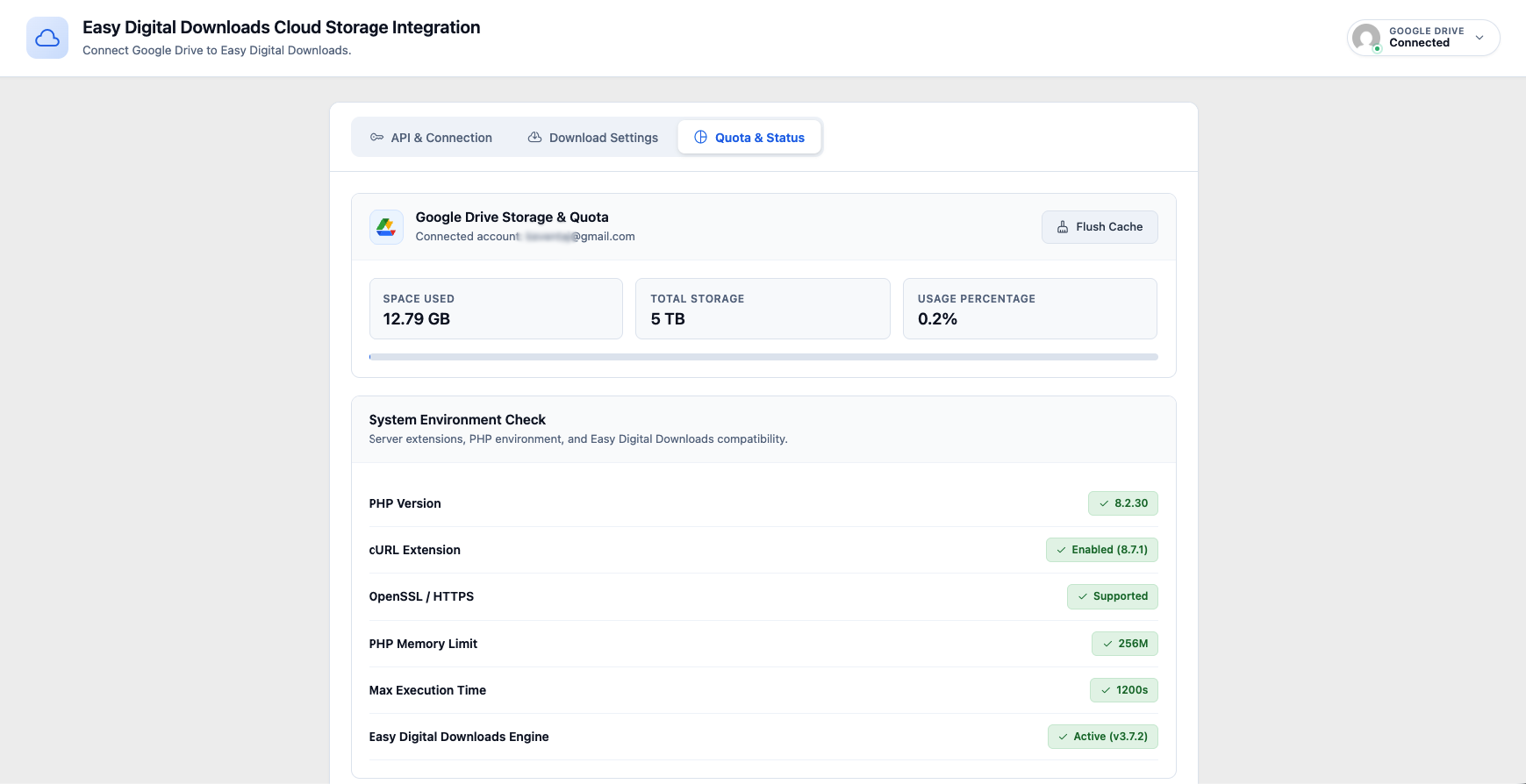

DriveVault for Easy Digital Downloads allows store owners to effortlessly attach files stored on Google Drive directly to Easy Digital Downloads digital products.
Built with a fast, modern React user interface powered by WordPress core packages (@wordpress/components, @wordpress/data, @wordpress/api-fetch), you can browse folders, search files, and insert download links directly inside the Easy Digital Downloads download editor.
Key Features:
- Seamless Google Drive Connection: Connect your Google Cloud project using OAuth 2.0 with a single authorization flow.
- Modern React File Picker: Browse Google Drive folders, search in real-time, and multi-select files directly from the Easy Digital Downloads Edit Download screen.
- Repeatable Files & File Names: Full compatibility with EDD downloadable files, custom file names, and price assignments.
- Native Google Drive Downloads: Directs authorized buyers to Google Drive’s native browser download endpoint while verifying Easy Digital Downloads purchase and order access rules.
- Native EDD Tracking & Download Limits: Preserves native Easy Digital Downloads download logging, customer purchase records, and file download limits.
- Fast Caching: Folder listings and metadata are cached using WordPress Transients with instant manual refresh.
External Services
This plugin connects to external 3rd-party services provided by Google to enable Google Drive integration for Easy Digital Downloads digital products.
Google OAuth 2.0 API
- What the service is and what it is used for: Securely authenticates the store administrator’s Google account via OAuth 2.0 and generates API access and refresh tokens.
- What data is sent and when:
- When connecting your Google account in plugin settings, your OAuth Client ID, Client Secret, authorization code, and redirect URI are transmitted to Google’s token endpoint (
https://oauth2.googleapis.com/token) to exchange for API access/refresh tokens. - When viewing connection status, basic user profile information (email address and display name) is retrieved from
https://www.googleapis.com/oauth2/v2/userinfoto display the connected account in the admin dashboard. - When disconnecting your account, a revocation request is sent to
https://oauth2.googleapis.com/revoketo invalidate tokens.
- When connecting your Google account in plugin settings, your OAuth Client ID, Client Secret, authorization code, and redirect URI are transmitted to Google’s token endpoint (
- Service Provider: Google LLC
- Terms of Service: Google Terms of Service (https://policies.google.com/terms)
- Privacy Policy: Google Privacy Policy (https://policies.google.com/privacy)
Google Drive API v3
- What the service is and what it is used for: Browses Google Drive folders, searches files, retrieves file metadata, and serves downloadable digital files attached to Easy Digital Downloads products.
- What data is sent and when:
- When store managers browse or search files within the Easy Digital Downloads download editor, API queries containing folder IDs, search terms, and pagination tokens are sent to
https://www.googleapis.com/drive/v3/files. - When customers download purchased digital files, authorized buyers are redirected to Google Drive’s native browser download endpoint.
- When store managers browse or search files within the Easy Digital Downloads download editor, API queries containing folder IDs, search terms, and pagination tokens are sent to
- Service Provider: Google LLC
- Terms of Service: Google APIs Terms of Service (https://developers.google.com/terms)
- Privacy Policy: Google Privacy Policy (https://policies.google.com/privacy)
Third-Party Assets
- Google Material Symbols / Icons Font
- File:
assets/fonts/drivevault-icon.woff2 - Source: https://fonts.google.com/icons
- Copyright: Google LLC
- License: Apache License 2.0 (https://www.apache.org/licenses/LICENSE-2.0)
Source Code and Build
The unminified React and SCSS source code for the admin dashboard and product file picker is open source and publicly hosted on GitHub:
- File:
- GitHub Repository: https://github.com/tanindev/drivevault-for-easy-digital-downloads
To compile production assets:
1. Ensure Node.js (v18+) and npm are installed.
2. Run npm install
3. Run npm run build to generate production assets in assets/build/.