跳到内容

Drive Upload for Gravity Forms (Google Drive)

v2.2

Hemant Jodhani · 2026年1月29日 上架

Automatically sync Gravity Forms file uploads to Google Drive. Securely store and manage attachments in the cloud.

正在使用
40+
评分
5.0 / 5
累计下载
1,315
最近更新
2026年8月2日
2 条评价需要 WordPress 5.0+已测试到 7.0.9PHP 7.4+

贡献者

截图

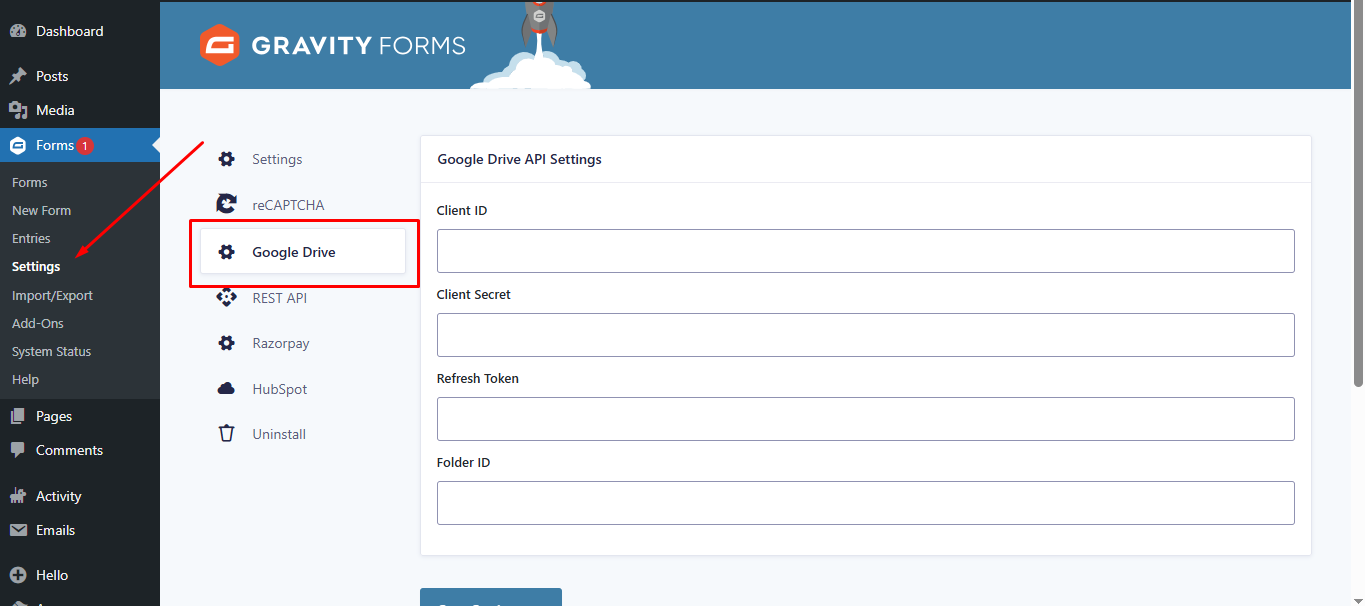
Google Drive API Settings: Configure your Client ID, Client Secret, and destination Folder ID in the main settings.
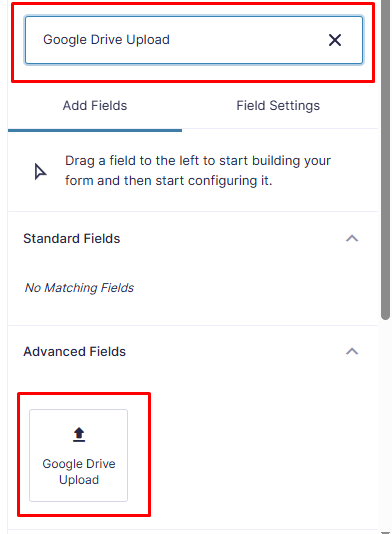
Easy Integration: Drag and drop the "Google Drive Upload" field from the Advanced Fields section in the form editor.
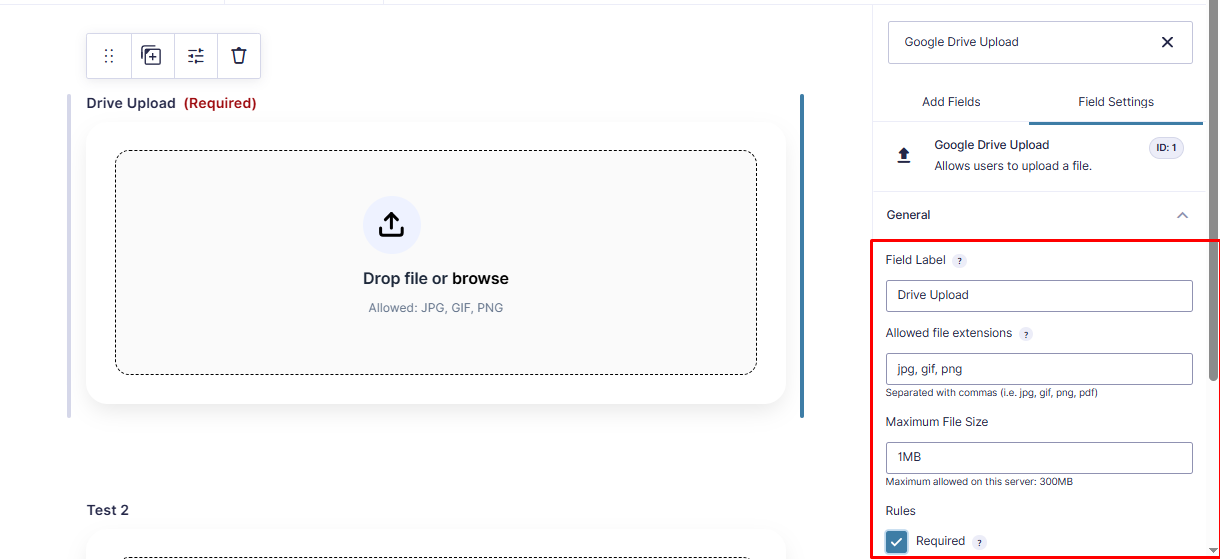
Field Configuration: Customize file restrictions, including allowed extensions and maximum file size limits directly in the field settings.
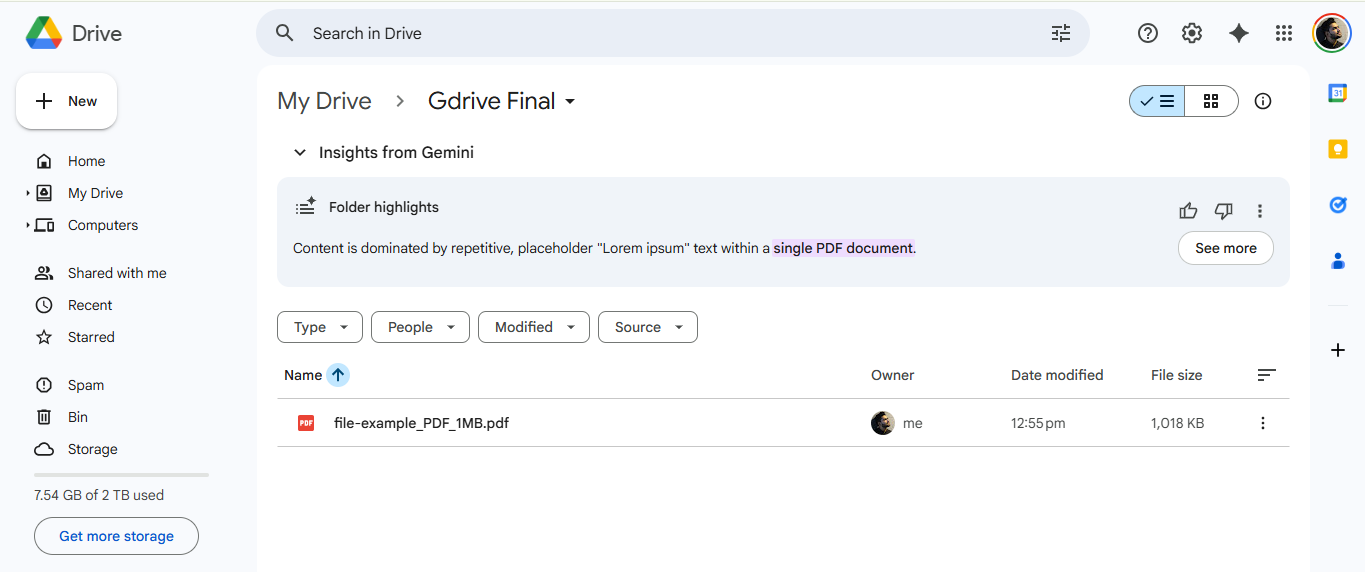
Seamless Uploads: Submissions are automatically uploaded and organized in your connected Google Drive folder.

Automatically upload files directly to your Google Drive when users submit forms.

Features:
– Direct file uploads to Google Drive
– Support for multiple file types
– Easy Google authentication

Video Tutorial

Watch this step-by-step guide to setting up the plugin, including how to get your Google API Client ID, Secret, and Refresh Token.

Configuration

  1. Connect your Google Drive account
  2. Select destination folder
  3. Map form fields to Drive metadata
  4. Save and test with a form submission

Support

For support, visit the plugin documentation or contact support.

License

This plugin is licensed under the GPL v2 or later.

Plums

按场景查找 WordPress 插件。安装量、评分和兼容版本来自官方目录。

导航

说明

WordPress 是 WordPress Foundation 的商标。本站与 WordPress Foundation、Automattic 没有隶属关系。这里不托管插件文件,下载和安装以 WordPress.org 上的页面为准。

© 2026 Plums