

Download List Block with Icons
v5.0.1threadi · 2022年1月15日 上架
Use a Gutenberg Block to manage a download list with file type specific icons. No configuration is necessary.
- 正在使用
- 400+
- 评分
- 5.0 / 5
- 累计下载
- 1.7 万
- 最近更新
- 2026年10月24日
7 条评价需要 WordPress 6.6+已测试到 7.2PHP 8.2+
贡献者
 threadi
截图
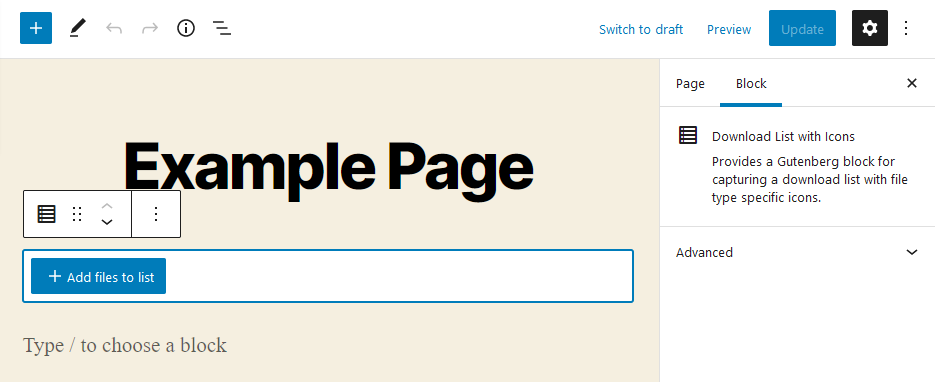

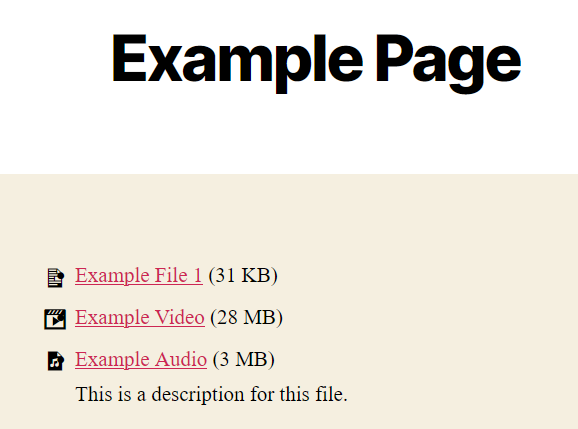
Use a Gutenberg Block to manage a download list with file type specific icons. No configuration is necessary. The Block can be used immediately after installation.
Features
- Choose files from media library
- Output chosen files as list with file-type-specific icon, download-link, title, size and description from media library
- Ships with multiple iconsets (Bootstrap-Icons, Dashicons, FontAweSome-Icons, Themify-Icons)
- Optional preview images for images, PDF files and audio or video files with cover image
- Optional frame for icons and preview images with color, radius, inner spacing and background
- Overview of all posts, pages, patterns and templates, which use the block
- Show all files of a folder from folder plugins like Folderly, HappyFiles or Folders
- Abilities for AI agents and automations via the Abilities API of WordPress
- Drag & Drop sorting for the list
- Remove files from list
Supports
- Display of file size, description and icon can be switched on and off
- Choose what link should be published: direct link or attachment page
- Choose an iconset for each Block; manage custom icons in unlimited lists
- Usage of multiple hooks to change or add icons to shipped iconsets
- Sort list by title or filesize with one click
- The Block can be used in widgets
- Set colors, typography and borders for each Block
- Use External files in media library if you want to link to external files
The development repository is on GitHub.