

Doohickey's Dev Tools
v1.0.4mosaiclifecreative · 2026年2月25日 上架
Essential web development utilities right in your WordPress dashboard — CSS generators, color tools, code formatters, and more.
- 正在使用
- 10 以下
- 评分
- 暂无
- 累计下载
- 623
- 最近更新
- 2026年3月6日
 mosaiclifecreative
截图


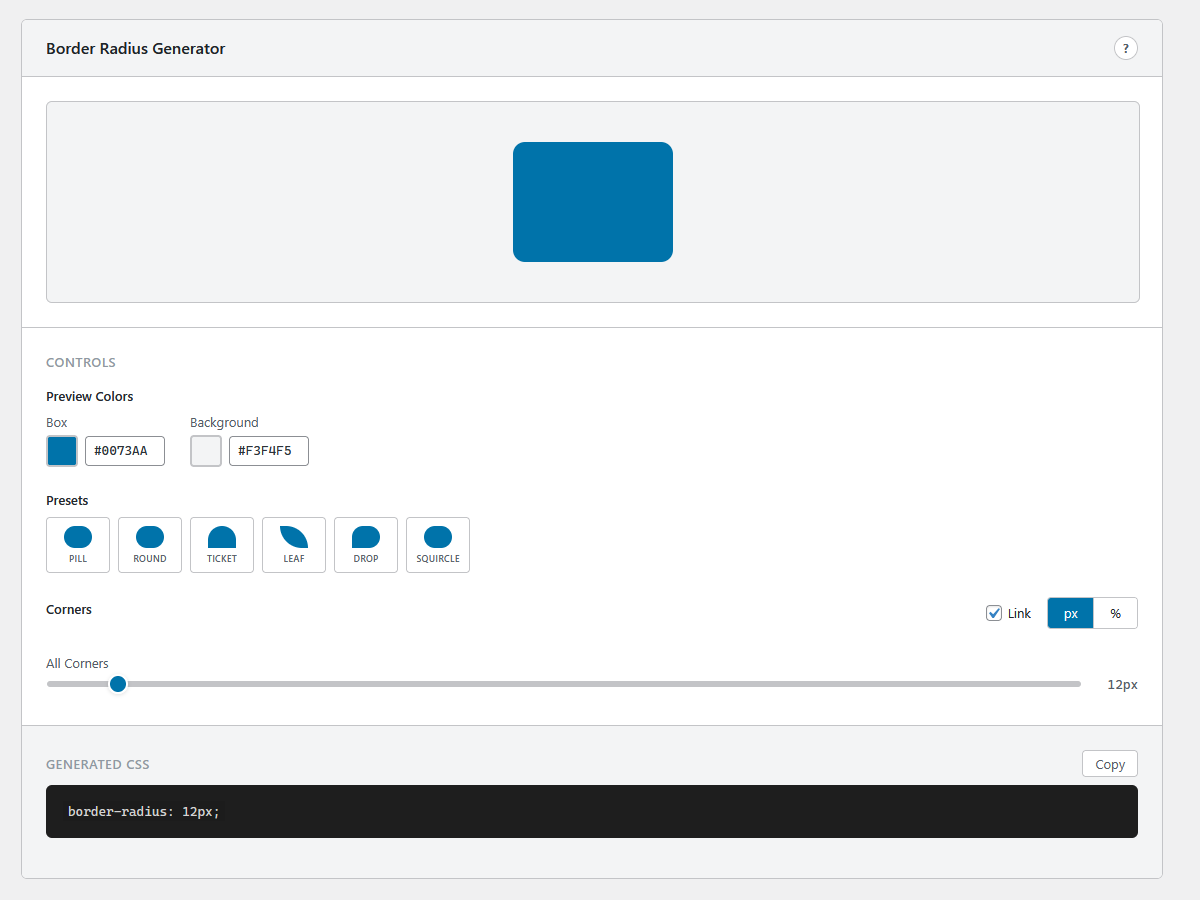


Doohickey’s Dev Tools puts a full suite of developer utilities right inside your WordPress admin. No more juggling browser tabs and bookmarking random websites — everything you need is one click away.
Free Tools
CSS Tools
* Gradient Generator — Linear and radial gradients with unlimited color stops
* Box Shadow Generator — Visual box-shadow builder with layered shadows
* Border Generator — Shorthand and per-side border controls
* Border Radius Generator — Per-corner radius with visual preview
* Clip-Path Maker — Polygon, circle, ellipse, and inset clip paths
* Flexbox Generator — Visual flexbox playground with container controls
* CSS Grid Generator — Set columns, rows, gaps, and alignment visually
Color Tools
* Color Picker — HSV color picker with HEX, RGB, and HSL output
* Contrast Checker — WCAG 2.1 AA/AAA compliance testing
* Color Converter — Convert between HEX, RGB, HSL, and CMYK
Code Tools
* String Utilities — Case conversion, reverse, slug, character/word count
* Encoder / Decoder — Base64, URL encoding, HTML entities, and more
Generators
* Placeholder Image — Custom-sized placeholder images for mockups
* Lorem Ipsum — Paragraphs, sentences, or words of filler text
* QR Code Generator — Instant QR codes from any text or URL
SEO & Meta
* Schema.org Generator — Structured data for Article, Local Business, and FAQ
* Meta Tag Generator — SEO meta tags, Open Graph, and Twitter Cards
Converters
* SVG to PNG — Client-side SVG conversion with scale options
* HTML to Markdown — Convert HTML markup to clean Markdown
* Markdown Preview — Live Markdown editor with rendered preview
* Aspect Ratio Calculator — Calculate ratios from dimensions, scale with locked ratios, common size presets
Pro Version
Upgrade to Doohickey’s Dev Tools Pro for additional tools and features:
- Palette Generator — Interactive color wheel with 7 harmony modes. Export as CSS or SCSS variables.
- Code Formatter — Auto-format JSON, HTML, CSS, JavaScript, and SQL
- Diff Checker — Side-by-side text comparison with highlighted differences
- HTML Table Generator — Visual table builder with CSV import
- Test Data Generator — Generate realistic fake data (names, emails, addresses, etc.)
- Flexbox — Per-item controls (flex-grow, flex-shrink, flex-basis, align-self, order)
- CSS Grid — Templates (Holy Grail, Dashboard, 12-Col, etc.), custom definitions, per-cell spans
- Placeholder Image — Social media presets and Data URI export
- Schema.org — 5 additional types (Product, Person, Organization, Event, Recipe)
- QR Code — Custom logo overlay
Why Doohickey’s Dev Tools?
- Zero external dependencies — Everything runs client-side in your browser
- No data leaves your site — Your code and content stay private
- Copy-ready output — One-click copy for all generated CSS, HTML, and code
- Consistent interface — Every tool follows the same clean, intuitive layout
- Lightweight — Single JavaScript bundle, loads only on the tools page
Source Code & Build Instructions
The full source code for this plugin, including uncompiled JavaScript and CSS, is available at:
https://github.com/mosaiclifecreative/doohickeys-dev-tools
To build from source:
- Clone the repository
- Run
npm installto install dependencies - Run
npm run buildto compile the production bundle - The compiled files are output to the
build/directory
The project uses @wordpress/scripts for building. Source files are in admin/js/ (JSX) and admin/css/ (CSS).