
DMValdez Clean Post Toolkit
v1.3.5donaldmvaldez · 2026年7月5日 上架
Keep standard blog posts clean and fast: block Elementor on posts, then give editors native buttons and accordions instead.
- 正在使用
- 40+
- 评分
- 暂无
- 累计下载
- 683
- 最近更新
- 2026年11月24日
贡献者
 donaldmvaldez
截图
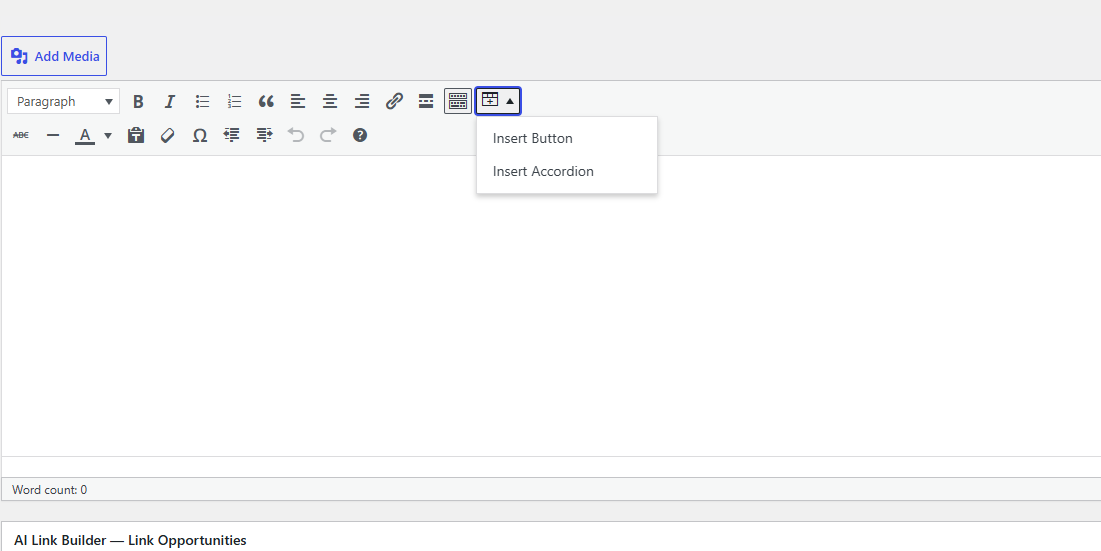
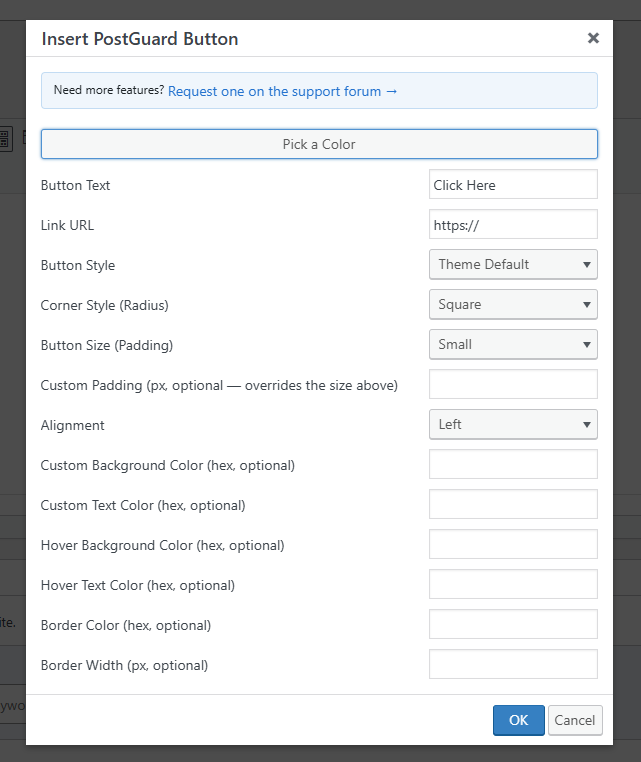
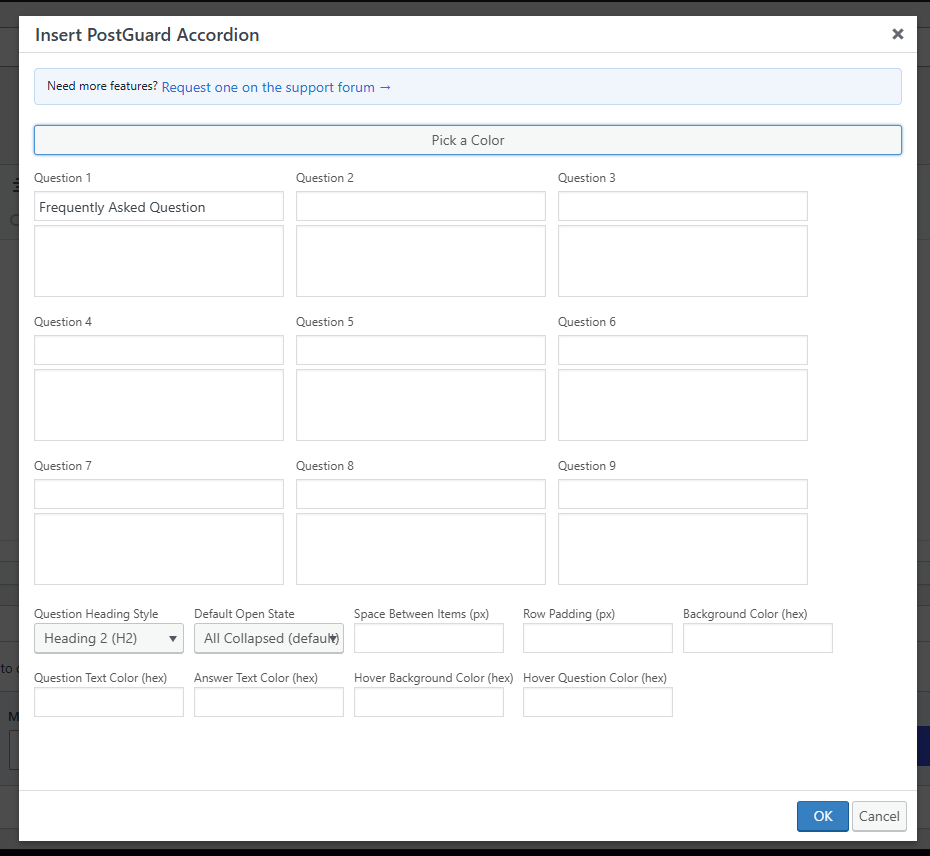
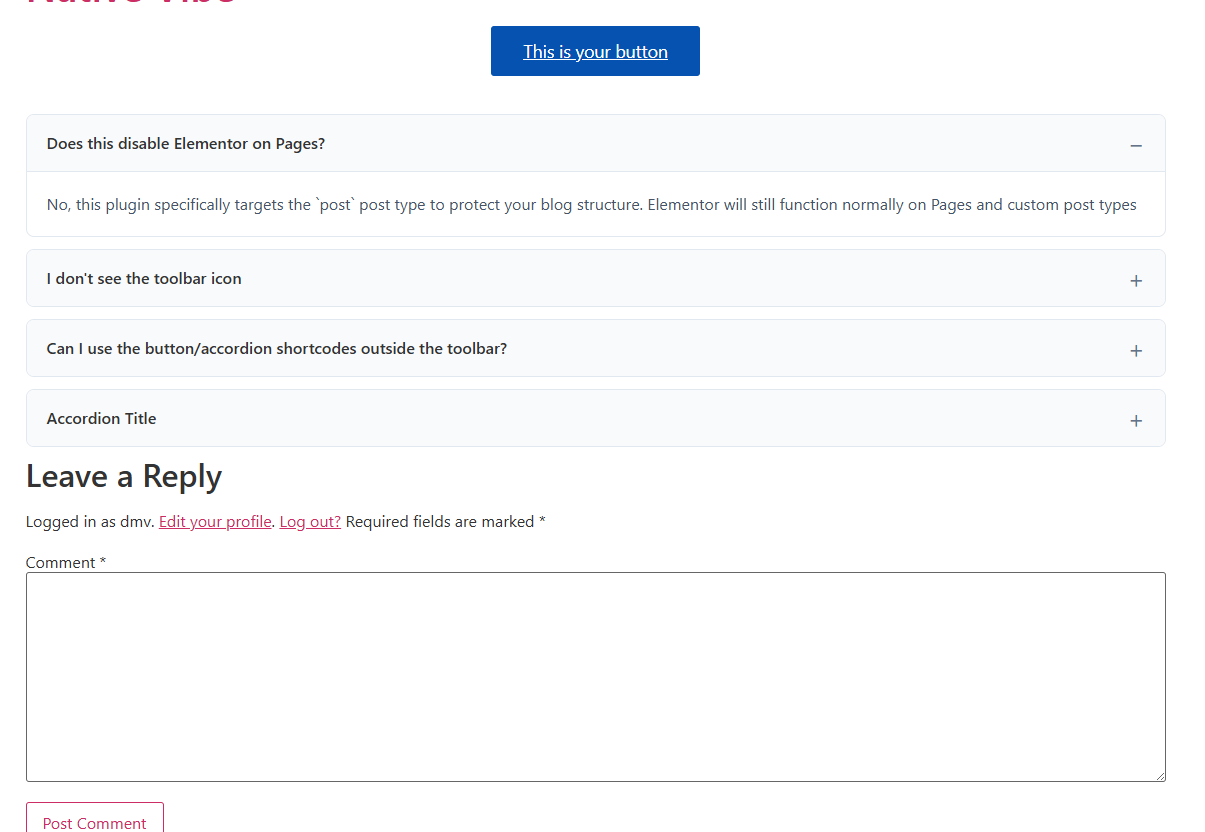

DMValdez Clean Post Toolkit solves the classic battle between clean site architecture and editor convenience.
When editors use heavy page builders like Elementor on standard blog posts, it creates “div soup,” slows down page loads, and makes future theme migrations a nightmare. This plugin programmatically disables Elementor on the standard post post type and shows a friendly one-time modal explaining why — then hands editors a lightweight Classic Editor toolbar so they never have to reach for a page builder just to add a button or an FAQ.
Everything the toolbar inserts renders as clean, semantic HTML5 — no page-builder markup, no extra database bloat, and styling ships as a single small CSS file shared by the frontend, the block editor, and the Classic Editor’s own WYSIWYG iframe.
What’s included
The Enforcer — removes Elementor support from the post post type only (Pages and custom post types are untouched), and shows a one-time educational modal on post-new.php explaining the policy.
Buttons — [postguard_btn] — a theme-styled button that inherits your active theme’s Elementor button classes, so it looks native even with Elementor disabled. Inserted via a toolbar dialog with a live color-picker popup; every option is optional and defaults to your theme’s normal look:
text,link— button label and URL.style—default(inherits theme),primary, oroutline.radius—square,md(rounded), orpill.padding—sm,md, orlg; orpadding_custom(px) to override with an exact value.align—left,center,right, orfull(full width).bg_color,text_color,hover_bg_color,hover_text_color— hex colors, independent hover state.border_color,border_width— add or override a border on any style.
Accordions — [postguard_accordion_group] / [postguard_accordion_item] — pure HTML5 <details>/<summary> accordions, zero JavaScript on the frontend. The toolbar’s “Insert Accordion” dialog builds a full FAQ block in one pass — a 3-column grid for up to 9 question/answer pairs, plus shared styling options:
question_tag— render each question ash2,h3,h4, or plain text (semantically valid — a heading is allowed as the sole child of<summary>).default_state—none(all collapsed),first(first item open), orall(all open) on page load; any individual item can also force itself open withopen="yes".item_spacing,row_padding— px values controlling the gap between cards and internal padding.bg_color,title_color,content_color,hover_bg_color,hover_title_color— hex colors, cascading to every item in the group automatically.
The legacy single-item shortcode [postguard_accordion title="..."]answer[/postguard_accordion] still works standalone for hand-written content.
Code blocks — [postguard_code language="php"]...[/postguard_code] — real syntax-highlighted code, not a plain gray box. Colors ship via a self-hosted copy of Prism.js (no third-party CDN requests) in a dark editor-style theme, with line numbers and a one-click Copy button. Supports Plain Text, HTML, CSS, JavaScript, PHP, Python, SQL, Bash, and JSON. The highlighting assets only load on posts/pages that actually use the shortcode.
Toolbar helpers — a “Pick a Color” popup gives editors a real color picker with a copyable hex readout for any of the fields above, and a “Request a feature” link in every dialog points straight to the support forum.
Requirements
The Classic Editor (either natively, or via the Classic Editor plugin) is required to see the toolbar button — the toolkit hooks into TinyMCE’s mce_buttons/mce_external_plugins filters. Shortcodes themselves render correctly regardless of which editor inserted them.