Variation Price Display For WooCommerce
v1.3.0Tanvirul Haque · 2020年10月1日 上架
Disable the WooCommerce variation price range and show the lowest price, highest price or all variation prices in WooCommerce variable products.
- 正在使用
- 800+
- 评分
- 3.8 / 5
- 累计下载
- 2.9 万
- 最近更新
- 2026年11月20日
贡献者
 Tanvirul Haque
截图


Are you looking for a way to control the WooCommerce variation price range display on your store?
When you create a WooCommerce variable product with multiple prices, the WooCommerce variation prices are shown as a range like $10 - $99. This WooCommerce product variation price range can be confusing for your customers and bad for sales conversion rates.
Variation Price Display for WooCommerce is a simple WooCommerce variable product price plugin that fixes this. It hides the price range for WooCommerce variable products and shows only one price, like From: $10. You decide how the price looks on the shop page, category pages and the single product page.
Variation Price Display for WooCommerce plugin allows you to disable the variation price range and show only the lowest price or the highest price in your WooCommerce variable products. You can also show the minimum to maximum price, the maximum to minimum price, or list all variation prices.
With the help of this Variation Price Display for WooCommerce plugin, you can take full control of the WooCommerce variation price range display. You can set different variation prices of your WooCommerce variable product but this plugin helps you to show only the lowest or highest price instead of the full range of WooCommerce variation prices.
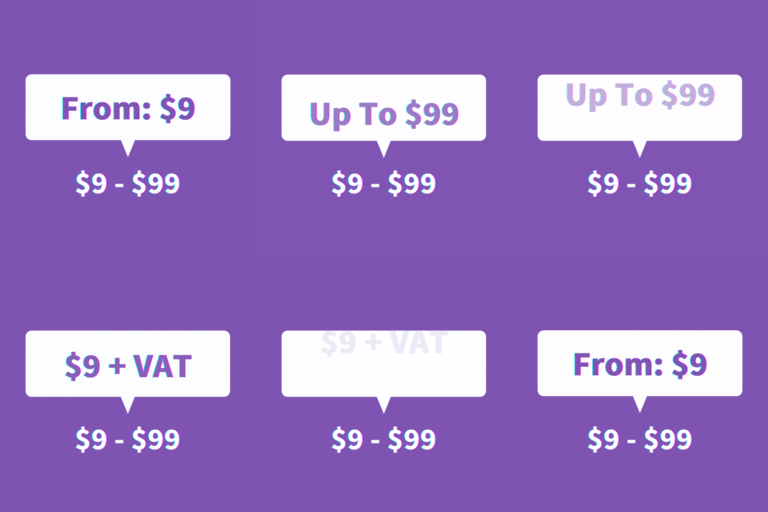
It also allows you to add custom text with the WooCommerce variable price as display variation price prefix and variation price suffix. For example, 'Starting from $19', 'Up to $99', '$49 +VAT'
It’s made for stores that use variable pricing for sizes, colors or packs. WooCommerce Variation Price Display plugin helps you control how the WooCommerce variable price is displayed to your customers in a more user-friendly way.
No coding needed. Install it, pick a price type and save.
What changes on your store?
Here is how a WooCommerce product price range looks before and after:
- WooCommerce default:
$10 - $99 - Lowest price:
From: $10 - Highest price:
Up to $99 - Minimum to maximum:
$10 - $99(with your own text, likePrice: $10 - $99) - List all variation prices:
Small - $10,Medium - $25,Large - $99
It’s a lightweight plugin that gives you lots of features such as:
Key Features:
👉 Disable WooCommerce Variation Price Range
By installing this WooCommerce variation price display plugin, you can easily hide price range and show the lowest variation price or the highest variation price in your WooCommerce variable products.
👉 Show Only Lowest WooCommerce Variation Price (Minimum Price)
This plugin gives a way to show only the lowest variation price in your variable products instead of the full range of variation prices.
👉 Show Only Highest WooCommerce Variation Price (Maximum Price)
You may want to show only the highest variation price instead of variation price range, this plugin helps you to display only the highest price in your variable products.
👉 Show Minimum to Maximum Price or Maximum to Minimum Price
Want to keep a range? You can show the lowest to the highest variation price ($19 - $99) or the highest to the lowest ($99 - $19).
👉 List All Variation Prices
Show every variation price in a list, with the variation name next to each price. Great when your customers like to compare sizes or packs.
👉 Add Custom Text Before The Price. (E.g. 'From: $50')
When you are showing the lowest price in your variable product, you might want to add text before price in WooCommerce. Using this plugin, you can easily add any custom text before the price. For example, 'From: $9', 'Starting From $19', 'Up to $99'.
👉 Add Custom Text After The Price (Before and After Text). (E.g. '$50 +VAT')
This plugin also lets you add WooCommerce price suffix like: '$99 Only', '$49 +VAT', '$50 (Tax excluded)', '$99 with free delivery'. This option will help your customers to make purchase decisions with more detailed information. If you have been searching for how to add text after price in WooCommerce, this is the easy way.
👉 Remove WooCommerce Variation Sale Price Strikethrough
Hide the crossed out regular prices and show the sale price as a “regular price” of the WooCommerce variable product sale price.
👉 Remove Variation Clear Link
With the help of this WooCommerce Variation Price Display plugin, you can simply hide the “Clear” link that appears when selecting a variation.
👉 Turn It On for Shop Page, Product Page or Both
You choose where the plugin changes the price: on the Shop/Archive pages, on the single product page, or on both.
👉 “From” Text in Your Store’s Language
The default “From:” text uses WooCommerce’s own translation, so it shows in your store’s language. Your own text before and after the price can be translated with WPML and Polylang.
👉 Smart With Same Prices and $0 Variations
If all variations have the same price, you will see the plain price without “From:”. Variations with a $0 price are skipped when the plugin finds the lowest price.
🔥 Premium Features:
Upgrade to PRO | Documentation | Get Help & Support
👉 Instant Update The Main Price When Variation Is Selected
With the help of the PRO version, you can replace the variable price range by the chosen variation price in WooCommerce variable products (change prices instantly).
WooCommerce normally shows the single variation price below the dropdowns, while the price range at the top stays the same. PRO moves the selected variation price up to the main price, so your customers see the price change as soon as they pick an option.
👉 Enable Discount Percentage Badge With The Sale Price
You might want to show product discount badge when your product variations are on sale, you can display the discount percentage number as a badge on sale alongside the variation price. E.g. -30%
👉 Individual Product Level Settings
This feature allows you to modify the globally added settings in each product. That means, you can replace your globally added price range settings, price title, etc.. from the product level settings.
👉 Keep Enable Default Price Range For Specific Product
This plugin disables the WooCommerce variable product price range for all variable products, but you can keep the default display price range enabled from the product level settings for each product.
👉 Control The Variation Price Type For Each Product
There are five options for variation price types: the lowest price, the highest price, minimum to maximum, maximum to minimum, or a list of all variation prices. You can control the globally added price type from the product level settings for each product.
👉 Change Globally Added Text BEFORE the Price For Each Product
You can easily replace the globally added variation price title “From:” by inserting new custom text from the product level settings for each variable product.
👉 Change Globally Added Text AFTER the Price For Each Product
Yes, you can also replace the globally added variation price suffix by inserting new custom text after the price for each variable product from the product level settings.
👉 Many more features are coming soon…
If you have any suggestions for improvements to this plugin, please let us know your feedback, we will try to add it.