
Disable Toolbar
v1.0Michael Dance · 2014年7月31日 上架
Control who sees the WP Toolbar when viewing your site.
- 正在使用
- 1,000+
- 评分
- 4.9 / 5
- 累计下载
- 2.9 万
- 最近更新
- 2017年11月9日
17 条评价需要 WordPress 3.1+已测试到 4.9.36
贡献者
 Michael Dance
截图
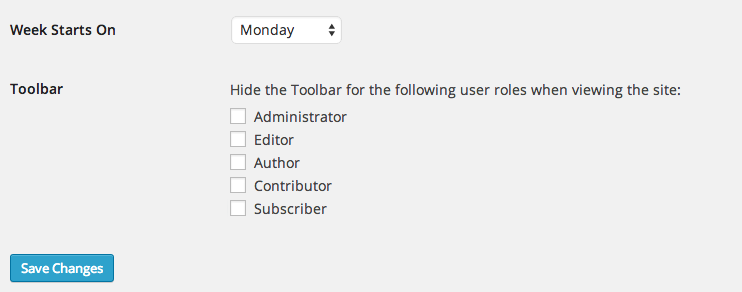
This humble plugin adds an option in Settings > General that controls who sees the WP Toolbar when viewing your site.
You can turn the Toolbar on or off per user role.
Note that this controls the public, front-end version of your site. When viewing the dashboard, the toolbar always appears.
How is this different from other plugins that do similar things? It’s smaller, cleaner, and doesn’t add any unnecesary settings pages. It’s also smart enough to hide the Toolbar option on user profiles if that user is already restricted from seeing the toolbar.