
dgtl-labs Shipping with GLS for WooCommerce
v0.9.5dgtl-labs · 2026年10月25日 上架
GLS shipping for WooCommerce: ParcelShop selection in the block checkout, label creation from the order, and shipment tracking.
- 正在使用
- 10 以下
- 评分
- 暂无
- 累计下载
- 228
- 最近更新
- 2026年11月16日
贡献者
 dgtl-labs
截图
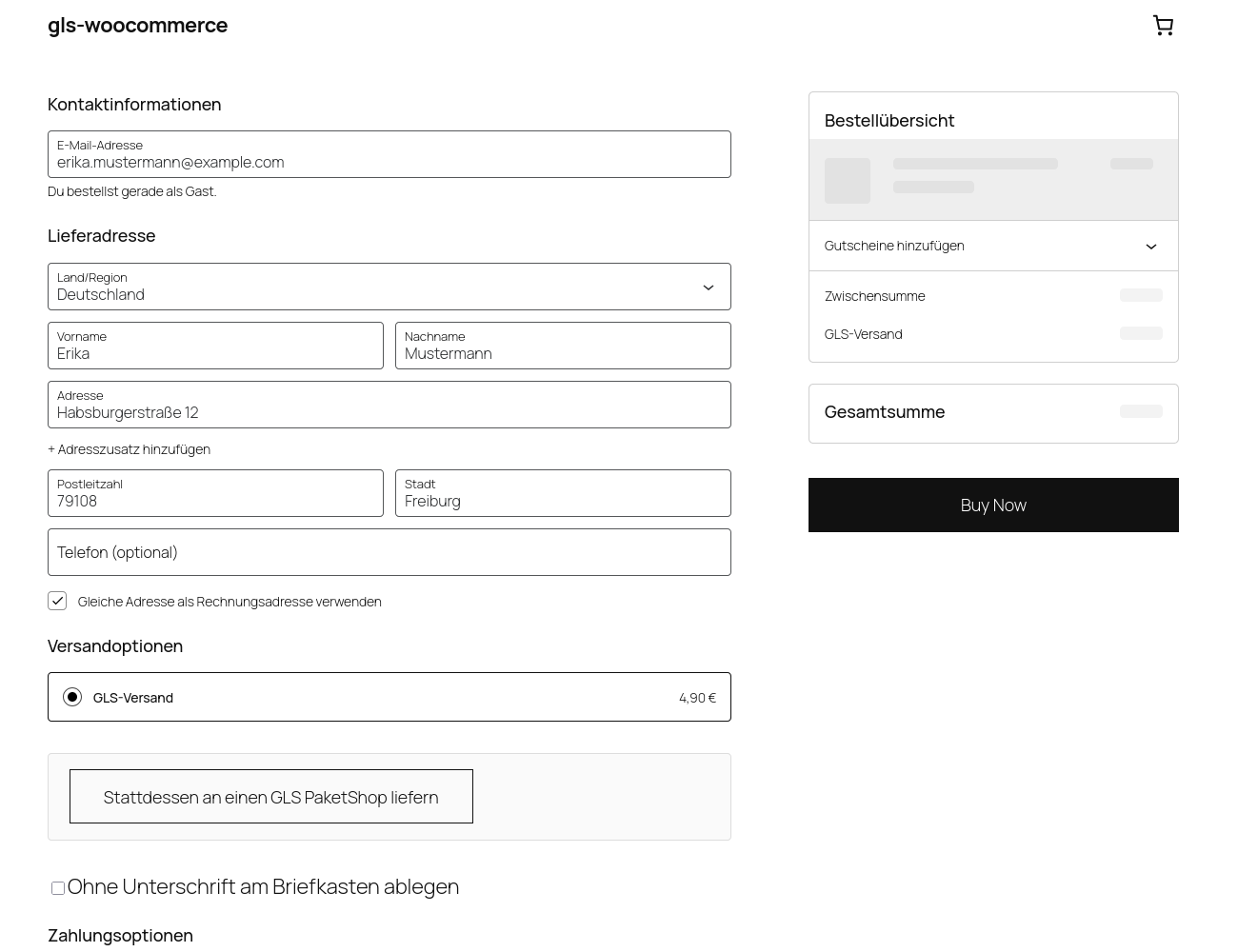
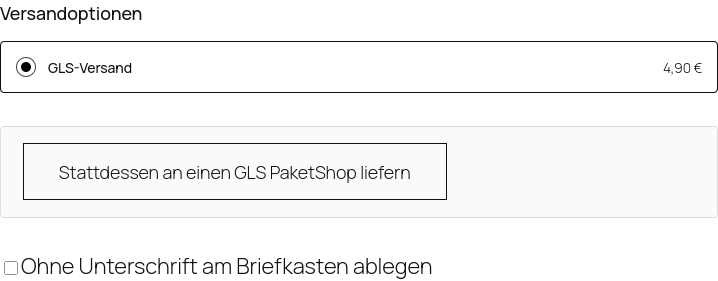
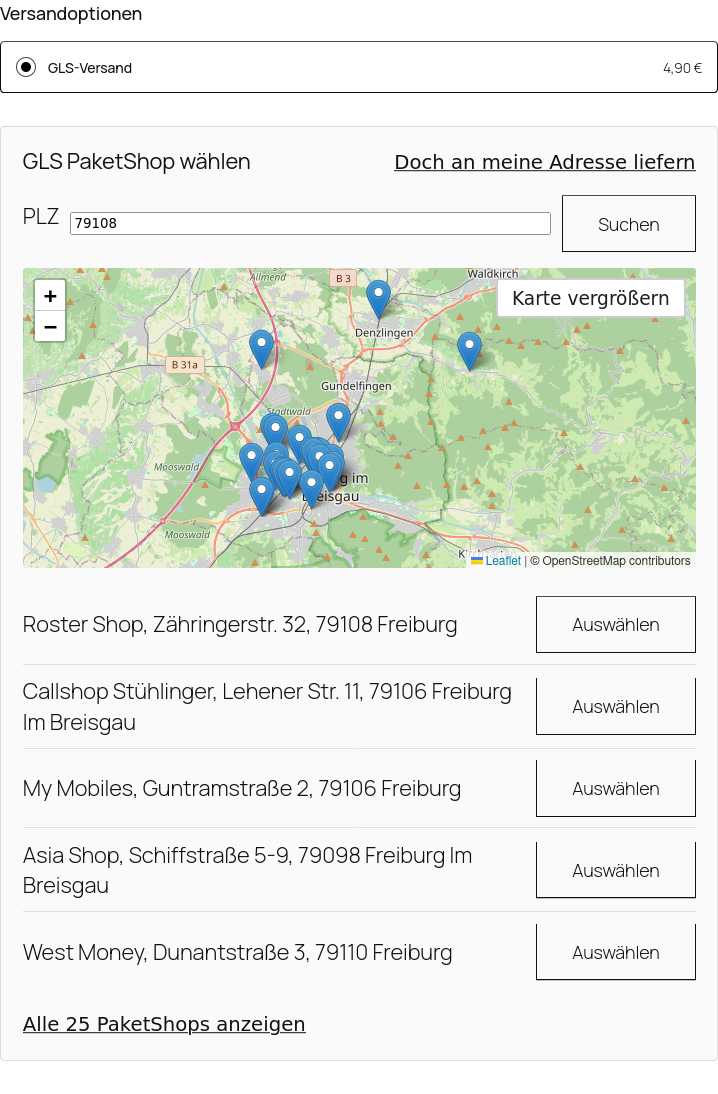
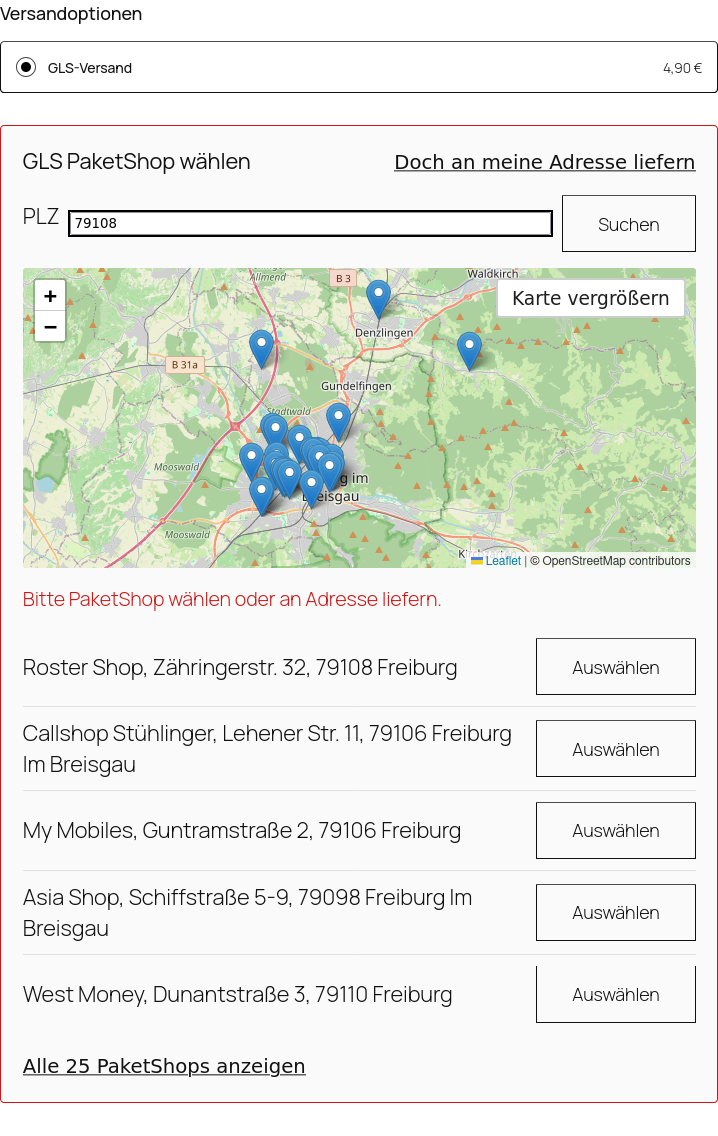
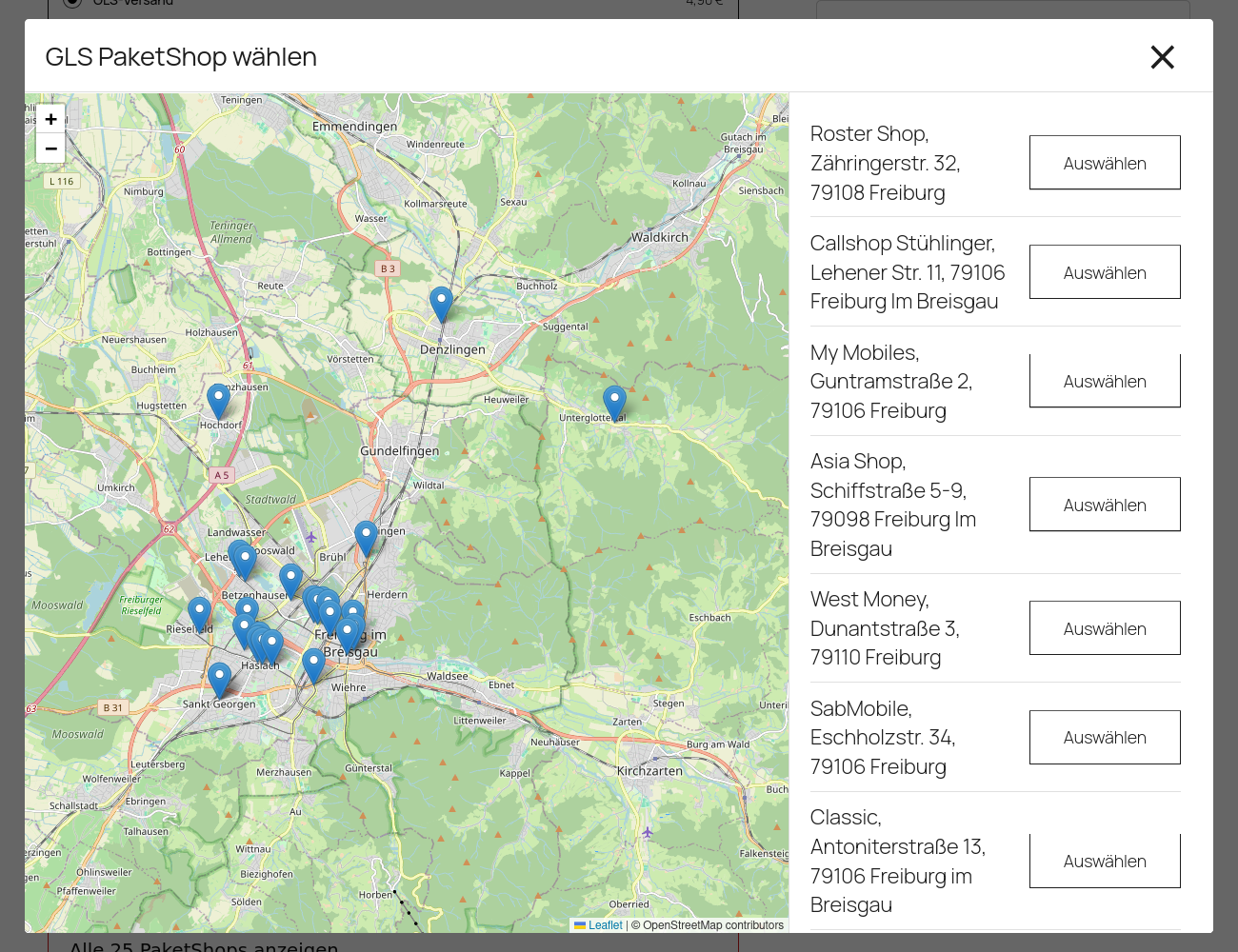
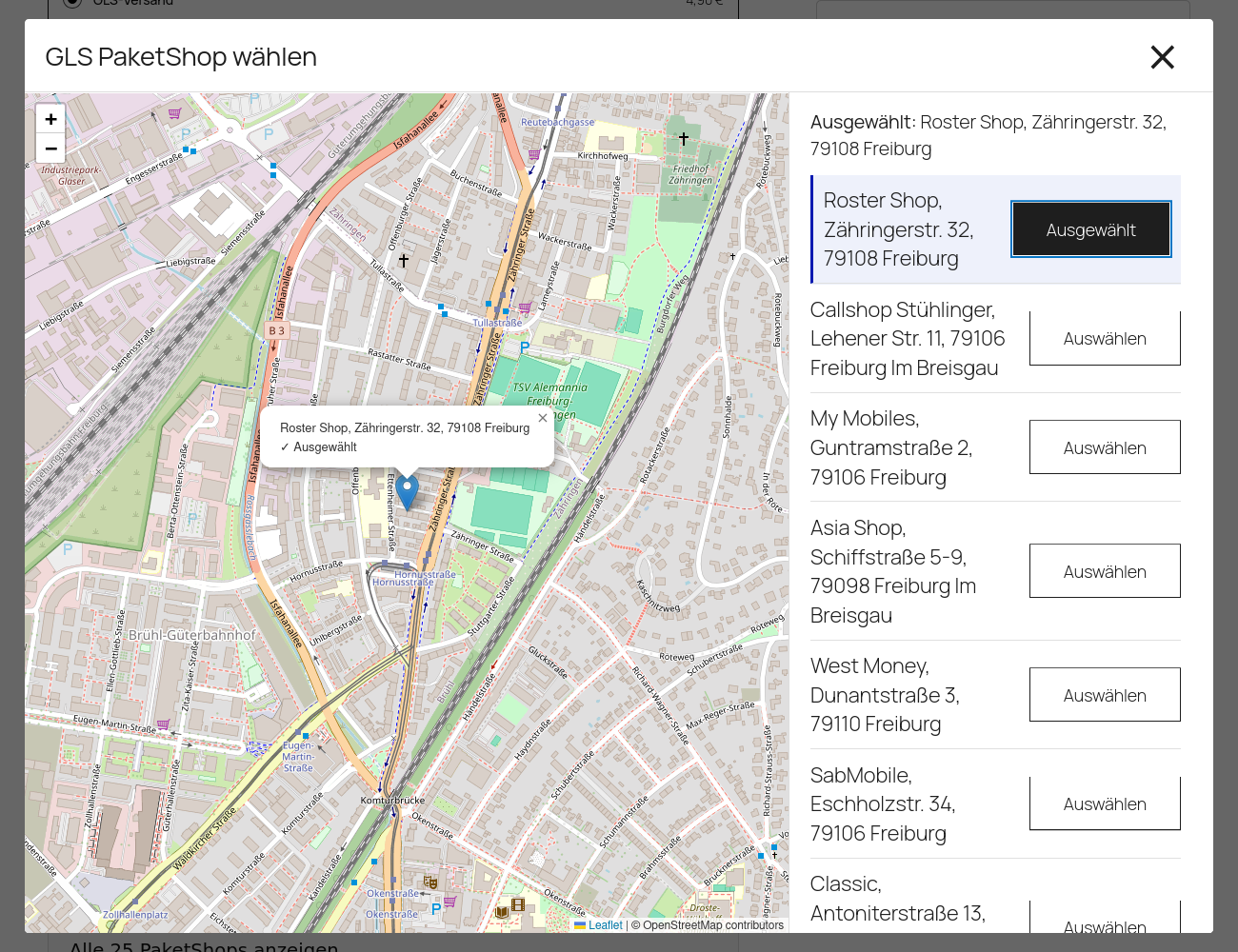
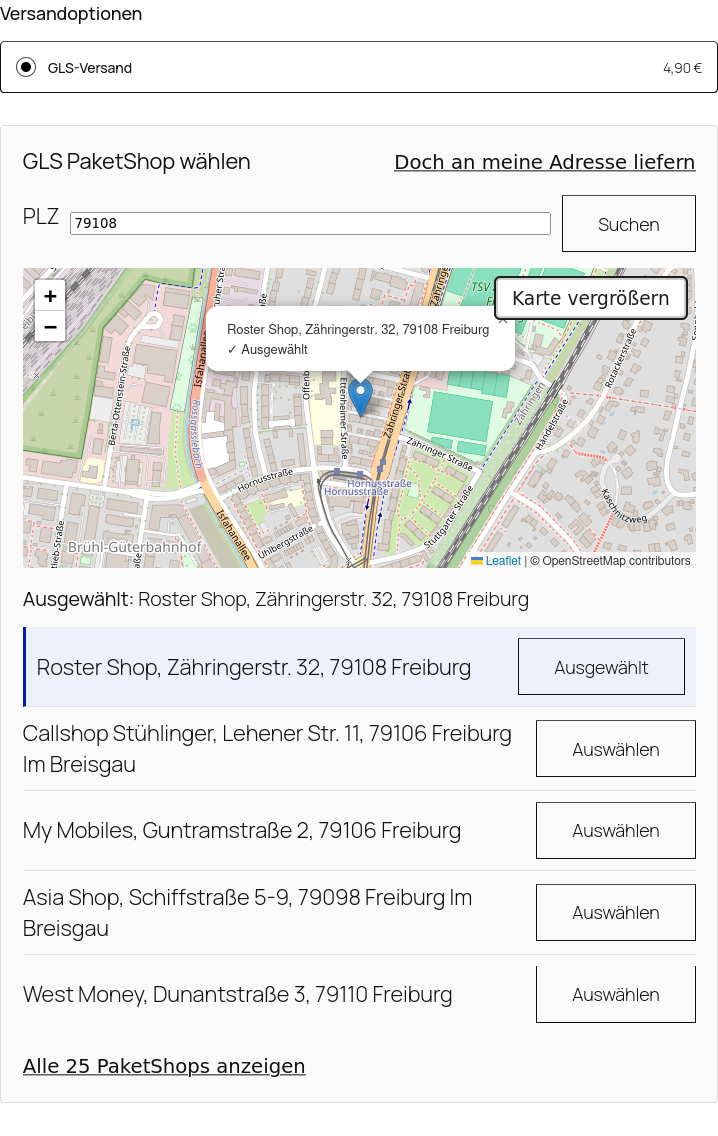
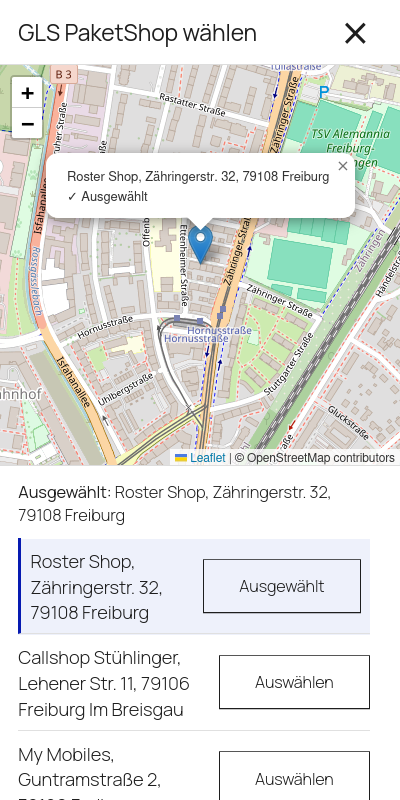
dgtl-labs Shipping with GLS for WooCommerce connects a WooCommerce store to shipping with GLS: customers choose at checkout between delivery to their address and delivery to a GLS ParcelShop, and the store creates GLS shipping labels directly from the order and checks shipment status.
Supported country: Germany. Built against GLS Germany’s ShipIT-Farm API (not MyGLS, the API used by GLS’ other national subsidiaries) — addresses, ParcelShop search, and translations are all for the German market.
At checkout
- Works with the WooCommerce Cart and Checkout blocks (the default checkout since WooCommerce 8.3) — not the older shortcode checkout.
- Home delivery is the default. A customer who wants a ParcelShop instead clicks a button to search; the search starts from the shipping address ZIP code and shows the nearest shops on a map (OpenStreetMap) and in a list, with a full-screen picker (works on phones too) for the complete result.
- Once a ParcelShop is chosen, the choice is required to place the order — a missing shop is rejected in the browser and again on the server.
- Changing the delivery ZIP code after choosing a shop drops the choice if it’s no longer nearby, with a clear notice.
- The chosen ParcelShop (name and address) appears on the order confirmation, in the customer’s account, and in order e-mails.
In the WordPress admin
- Create a GLS shipping label as an order action; the PDF is available for download from the order and from the order list.
- Tracking number on the order, in the order list, and in customer order e-mails, linked to GLS tracking.
- Check shipment status as an order action.
- Package weight is calculated from the order’s line items; if an item has no weight, a configurable default package weight is used, or label creation stops with a clear message listing the items that need a weight — the plugin never reports a lower weight than the shipment actually has.
- FlexDeliveryService (GLS notifies the customer by e-mail before home delivery, with the option to reschedule or redirect) as an opt-in setting for home deliveries — only enable it if the service is booked in your GLS contract.
- Ships ready to use against GLS’ live API — no endpoint URLs to look up or enter. A developer-only Sandbox/Live switch and the underlying endpoint fields are available when
WP_DEBUGis enabled, for testing against GLS’ sandbox before you have production credentials. - Test connection button that checks login and reachability against your saved settings and shows a clear result, instead of a silent failure.
Requirements
- WordPress 6.4+ and WooCommerce 8.3+ with the block checkout (the WooCommerce default since 8.3). High-Performance Order Storage (HPOS) is supported.
- A GLS business shipping contract with access to the GLS ShipIT-Farm API. The FAQ explains how to request API credentials.
- Compatible with WooCommerce Germanized.
Known limitations (current version)
- Only the WooCommerce block checkout is supported, not the older shortcode checkout.
- Cancelling a shipment from the admin isn’t available yet.
- Built and tested for the German market (addresses, ParcelShops, translation).
External services
This plugin connects to two external services to work:
GLS ShipIT-Farm API — used to search ParcelShops during checkout (the delivery ZIP code and country), and, when you use an order action, to create a shipping label (delivery address, e-mail address and phone number) or check shipment status (the tracking number). Both the checkout search and the order actions are actions you or your customer explicitly take; nothing is sent in the background. Requests go to GLS’ live API by default; a developer-only Sandbox mode (visible with WP_DEBUG) can switch to the GLS sandbox and sandbox endpoints instead (see Installation).
Terms of service: https://www.gls-pakete.de/agb-standard — Privacy policy: https://www.gls-pakete.de/datenschutzerklaerung (GLS Group’s own privacy page redirects here too, so it’s the same document; both confirmed correct by GLS, 2026-10-02)
OpenStreetMap tiles — the ParcelShop map on the checkout page loads its map tiles directly in the customer’s browser from OpenStreetMap (tile.openstreetmap.org), which sees the customer’s IP address. This only happens while a customer has the ParcelShop search open.
OpenStreetMap Copyright and License