
Devllo Accessibility Controls
v1.1.1devllo · 2026年7月10日 上架
Easy, visitor-controlled accessibility tools and admin guidance to improve readability and user experience.
- 正在使用
- 10 以下
- 评分
- 暂无
- 累计下载
- 379
- 最近更新
- 2026年9月15日
需要 WordPress 6.0+已测试到 7.1.5PHP 7.4+
贡献者
 devllo
 Devllo Plugins
截图
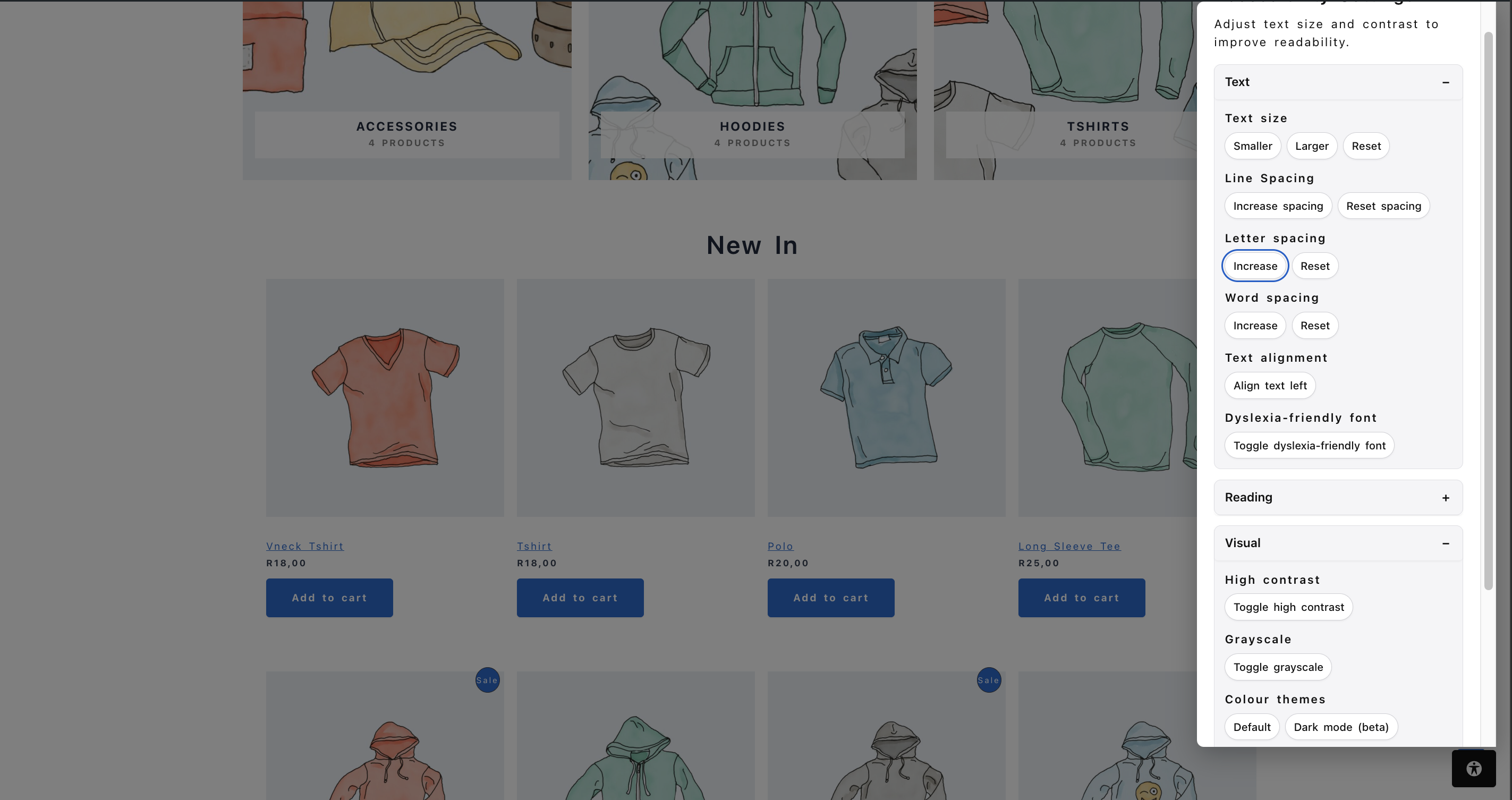
Devllo Accessibility Controls provides a lightweight, privacy-first accessibility widget that lets visitors adjust how they read and interact with your site. It focuses on user-controlled presentation (text size, contrast, reading preferences) and admin guidance (checks and hints). The plugin complements good accessible design—it does not replace design, development, or manual accessibility testing.
Key visitor controls:
- Text size (increase, decrease, reset)
- Line, letter, and word spacing
- Text align left
- Dyslexia-friendly font (OpenDyslexic, bundled)
- High contrast, grayscale, and dark modes
- Brightness control
- Reading mode (narrower column, focus state)
- Reading guide and reading mask
- Big cursor and link highlighting
- Focus outline enhancement, high visibility focus, and reduced motion
- Calm mode (reduces sidebars, sticky bars, and auto-rotating content)
- Larger click targets
- Hide images and reset preferences
- Preferences stored locally (localStorage) and restored on return visits
Admin features:
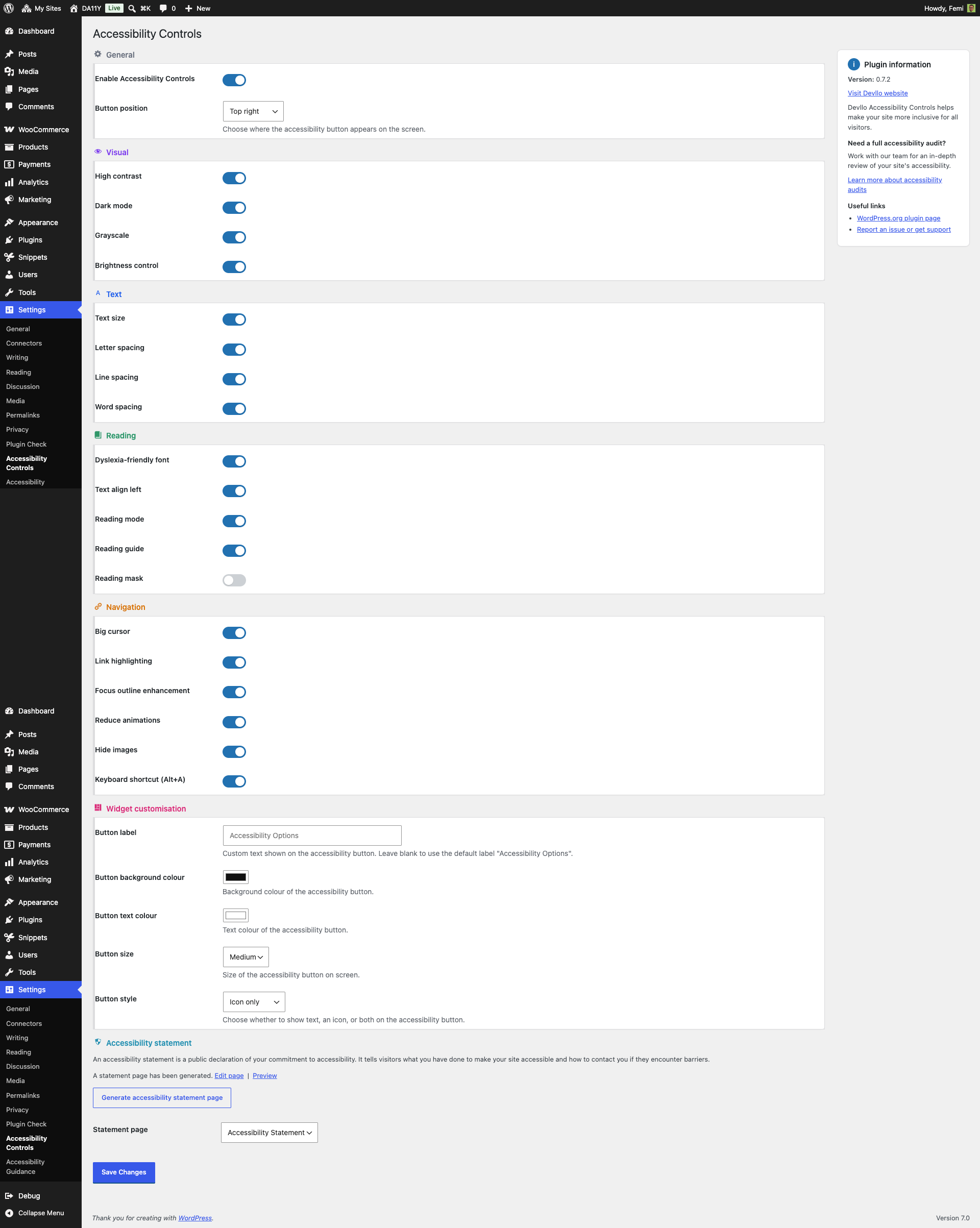
- Tabbed settings page with categorized, per-feature toggles (General, Visual, Text, Reading, Navigation, Widget, Statement)
- Widget customization (label, colors, size, position)
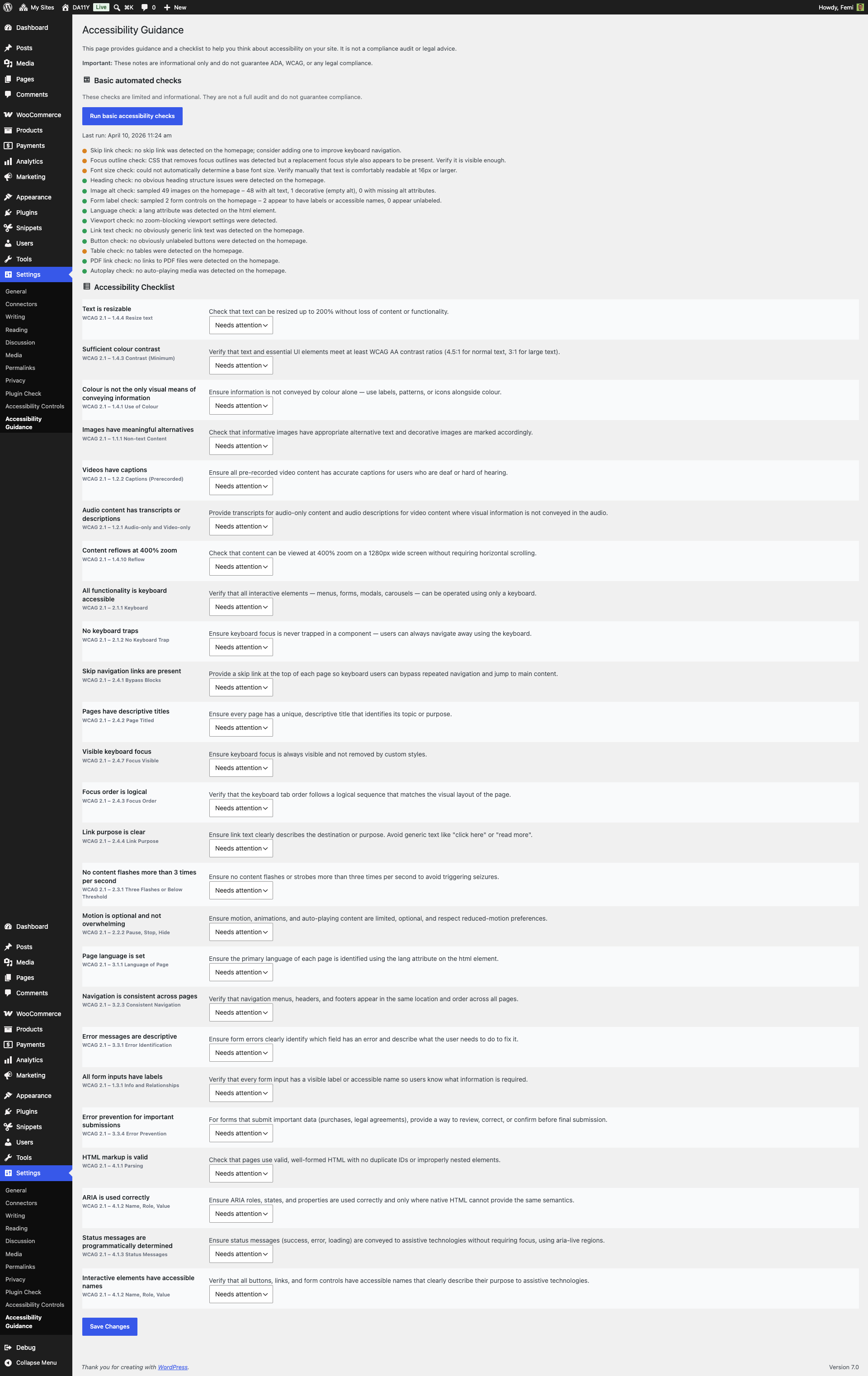
- Accessibility Guidance page: 25-item WCAG-inspired checklist grouped by principle (Perceivable, Operable, Understandable, Robust), with a live summary of reviewed / needs attention / not applicable items
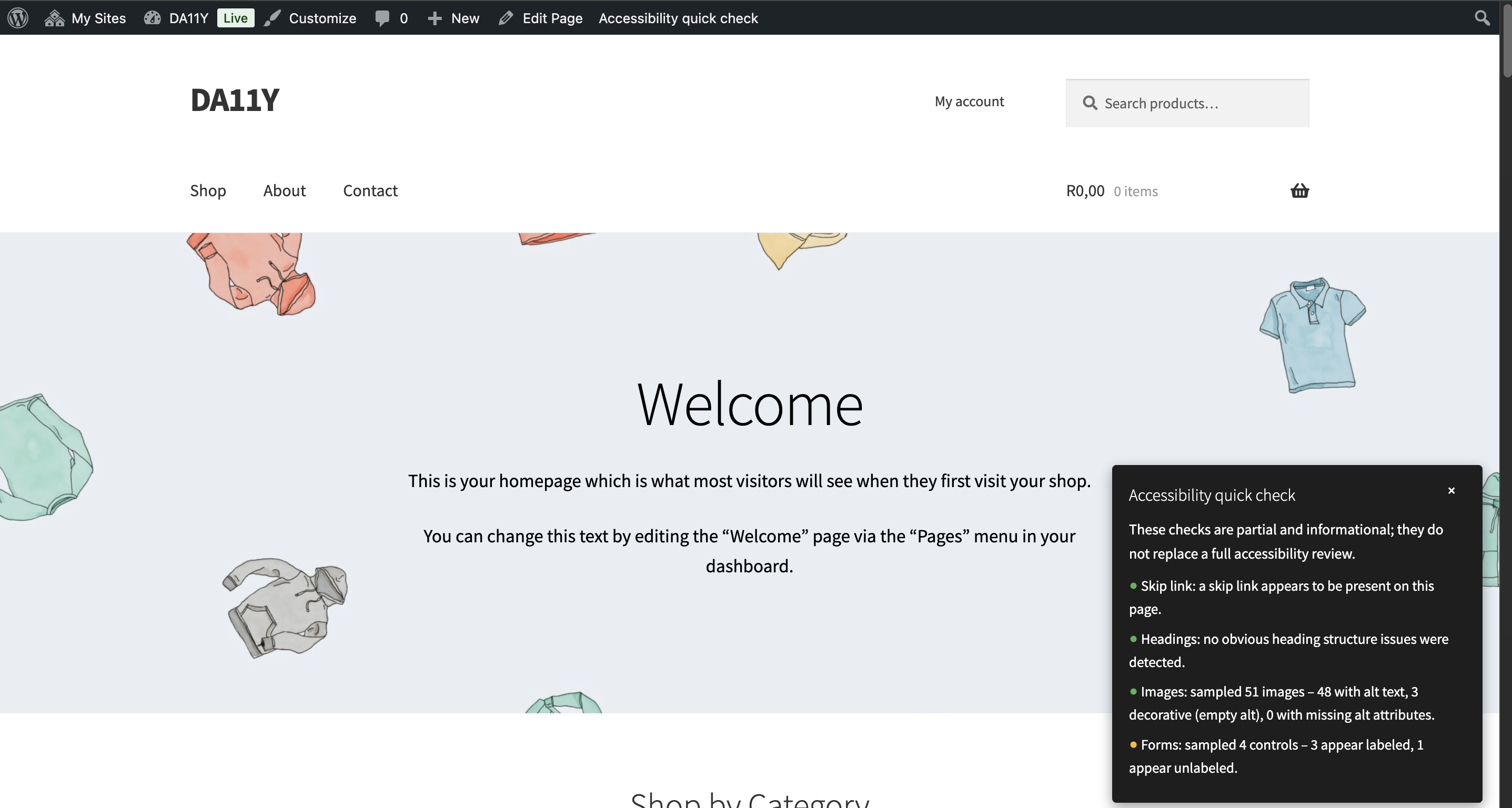
- Automated, informational checks (skip link, headings, image alt sampling, etc.) with clear status indicators
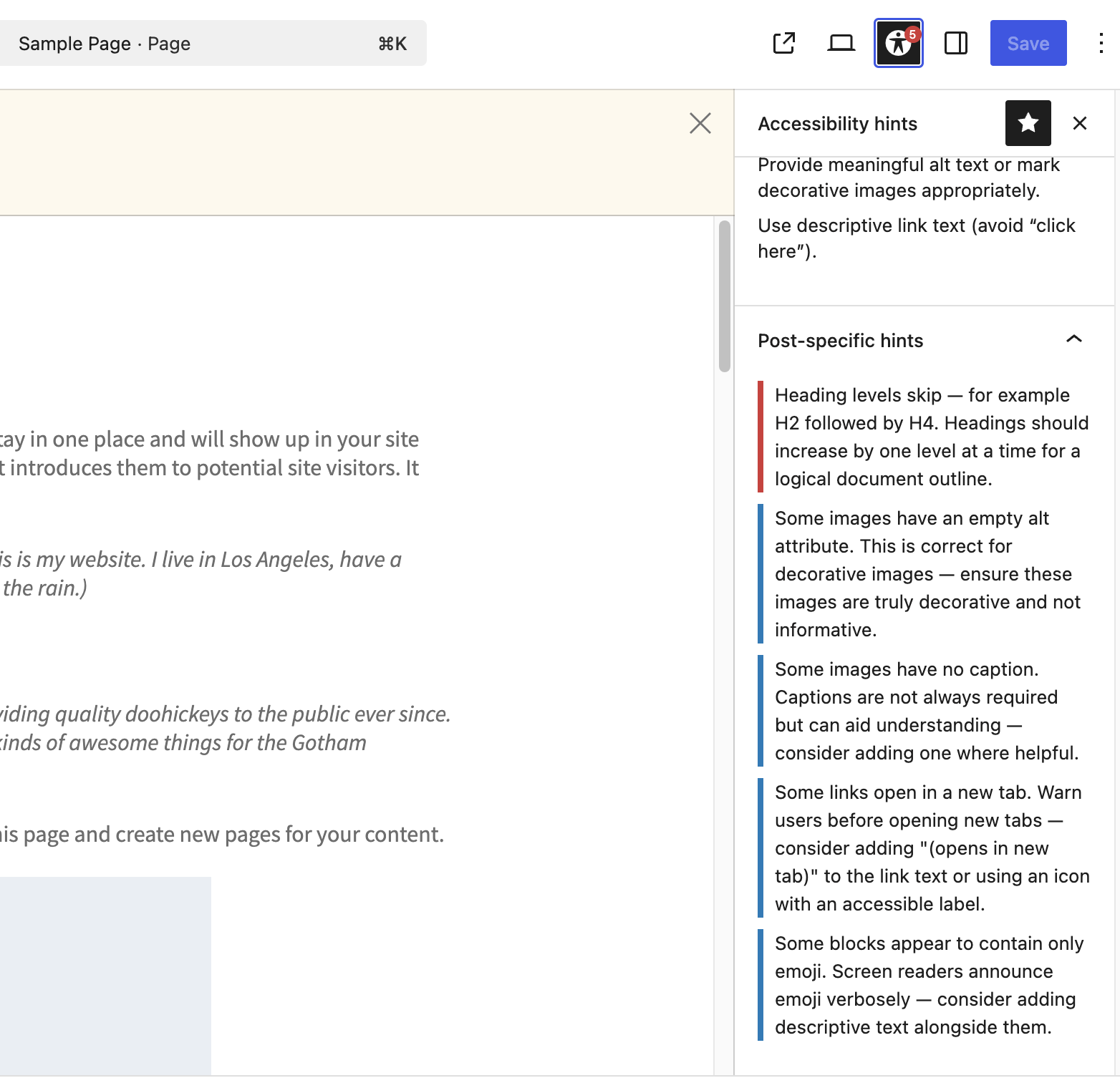
- Block editor hints panel with contextual suggestions
- Frontend quick check via the admin bar
- Accessibility statement generator (creates a draft page)
What this plugin does NOT do:
- It does not perform a full accessibility audit or produce legally-binding compliance reports.
- It does not automatically fix content — it helps visitors and site owners identify and mitigate presentation issues.
Developer Notes
Filters:
da11y_default_settings— Modify the plugin’s default settings array before initialization.da11y_frontend_config— Alter the configuration object passed to the frontend script (da11yConfig).
Actions:
da11y_before_trigger/da11y_after_trigger— Hooks before/after the frontend trigger markup.da11y_before_dialog/da11y_after_dialog— Hooks before/after the accessibility dialog markup.