
Devlin Accessibility Monitor for WooCommerce
v0.2.0devlinduldulao · 2026年4月7日 上架
See live WooCommerce accessibility friction as shoppers hit it — privacy-first monitoring without custom tables or session recordings.
- 正在使用
- 10 以下
- 评分
- 暂无
- 累计下载
- 464
- 最近更新
- 2026年4月13日
贡献者
 devlinduldulao
截图


Devlin Accessibility Monitor for WooCommerce helps WooCommerce merchants observe live accessibility barriers while shoppers are actively using the storefront.
The plugin focuses on real-time friction signals instead of persistent analytics. Events are sanitized, streamed into a short-lived live buffer, displayed in the WooCommerce dashboard, and discarded automatically. Settings are stored with standard WordPress options, and the live buffer uses a WordPress transient rather than a custom database table or replay store.
This plugin is built for merchants, accessibility reviewers, QA teams, and WooCommerce builders who need to understand where accessibility friction is interrupting conversion-critical journeys without introducing heavy analytics tooling or long-lived shopper tracking.
What merchants get
- A WooCommerce dashboard that surfaces live accessibility friction as it happens
- Merchant-only preview scenarios for demos, QA walkthroughs, and stakeholder reviews
- Recommended actions that adapt to the current friction summary
- Privacy-first capture with coarse categories only
- No custom tables, no Redis requirement, and no third-party telemetry
Good fit for
- Stores that want a lightweight live accessibility signal layer inside WooCommerce
- Teams that need stakeholder demos before live storefront traffic is available
- QA and product teams reviewing cart, checkout, product, and catalog usability
- Merchants who want operational visibility without session replay or behavioral surveillance
Signals detected
- Dead clicks on non-interactive elements
- False interactivity after repeated dead clicks
- Missing focus visibility during keyboard navigation
- Broken aria relationships
- Repeated invalid form interactions and unlabelled fields
- Repeated tab loops inside overlays
- Keyboard trap risk
- Recovery events when a previously detected issue resolves
Privacy-first design
- No typed values are stored
- No IP addresses are stored
- No session recordings are created
- No external analytics or tracking libraries are used
- No custom database tables are created
- No Redis or paid cache service is required
WooCommerce implementation
The first release targets WooCommerce cart, checkout, product, and catalog experiences. It uses the WooCommerce Settings API, the WordPress REST API, and standard hooks so the plugin remains portable to future platform-specific adapters.
Merchant preview mode
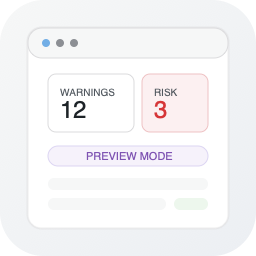
Store owners can turn on a merchant-only preview mode from the dashboard to simulate realistic accessibility issues without requiring live storefront traffic. The preview includes walkthrough scenarios for checkout friction, keyboard navigation, catalog browsing, payment failures, and mobile tap audits. The dashboard also surfaces recommended actions that adapt to the current live or synthetic friction signals.
Operational guardrails
- Incoming event payloads are capped at 1 KB
- Per-visitor event submission is rate limited
- Dashboard and preview controls require merchant capability checks
- Live signals expire automatically after the configured buffer window
- Published plugin packages do not require Composer on the destination site