
DesignCrate Product Designer for WooCommerce
v1.2.3wpmilan · 2026年10月9日 上架
WooCommerce product designer and t-shirt customizer. Customers add text and images, pick a product colour and preview it live before buying.
- 正在使用
- 60+
- 评分
- 暂无
- 累计下载
- 876
- 最近更新
- 2026年11月18日
贡献者
 wpmilan
截图
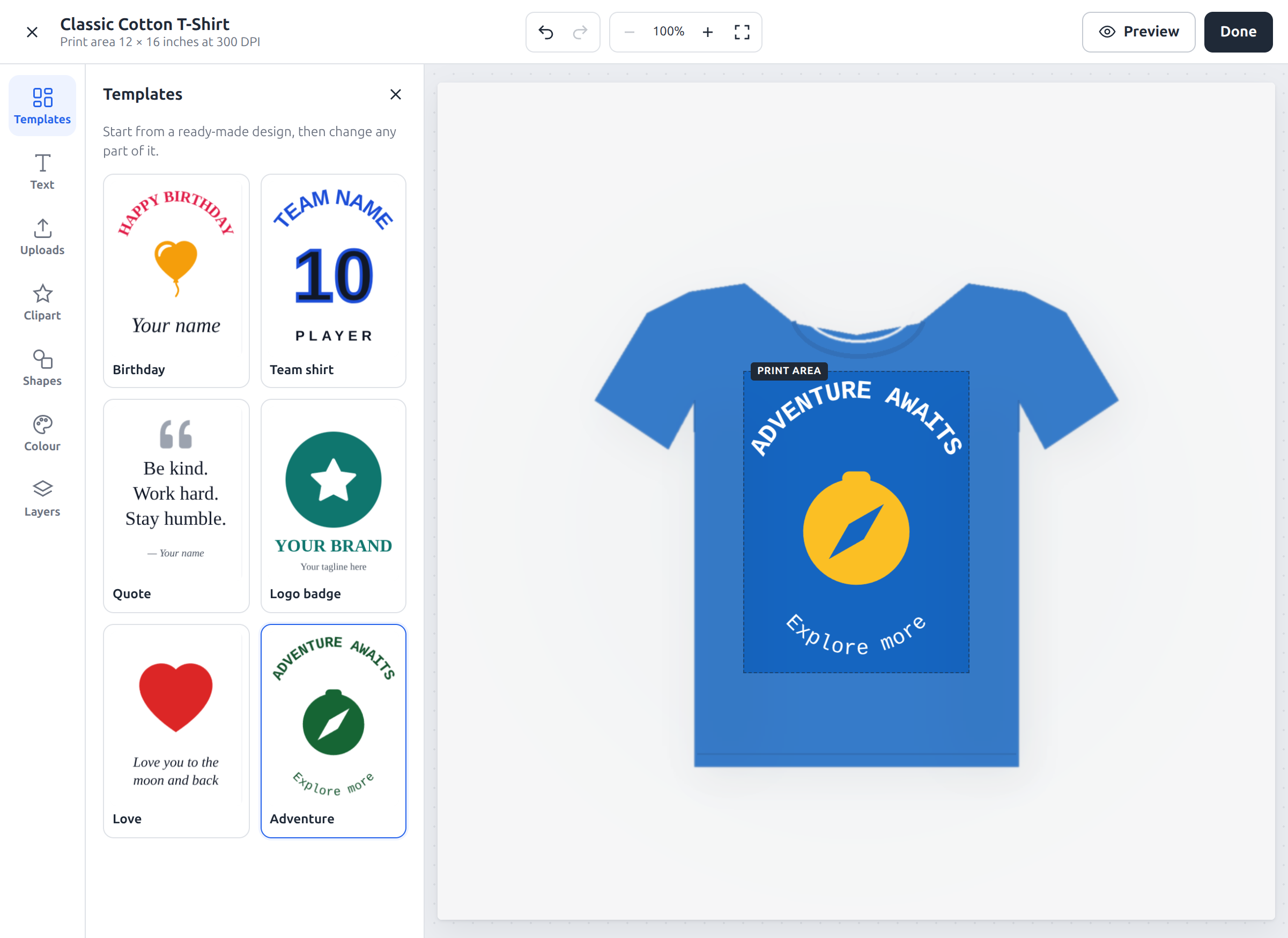
DesignCrate is a free product designer for WooCommerce. It adds a live
design canvas to your product page, so customers can personalise t-shirts,
hoodies, mugs, tote bags, caps and any other custom product: add text, upload
a logo or photo, choose the product colour, and see the result on your mockup
before they buy. Every order arrives with a print-ready file at the
resolution you set.
Everything runs on your own WordPress site. There is no SaaS, no account to
create, no API key and no per-order fee.
Why store owners choose DesignCrate
- Live product colours. Offer red, green, blue or any colours you list,
plus an optional custom colour picker. The mockup recolours instantly,
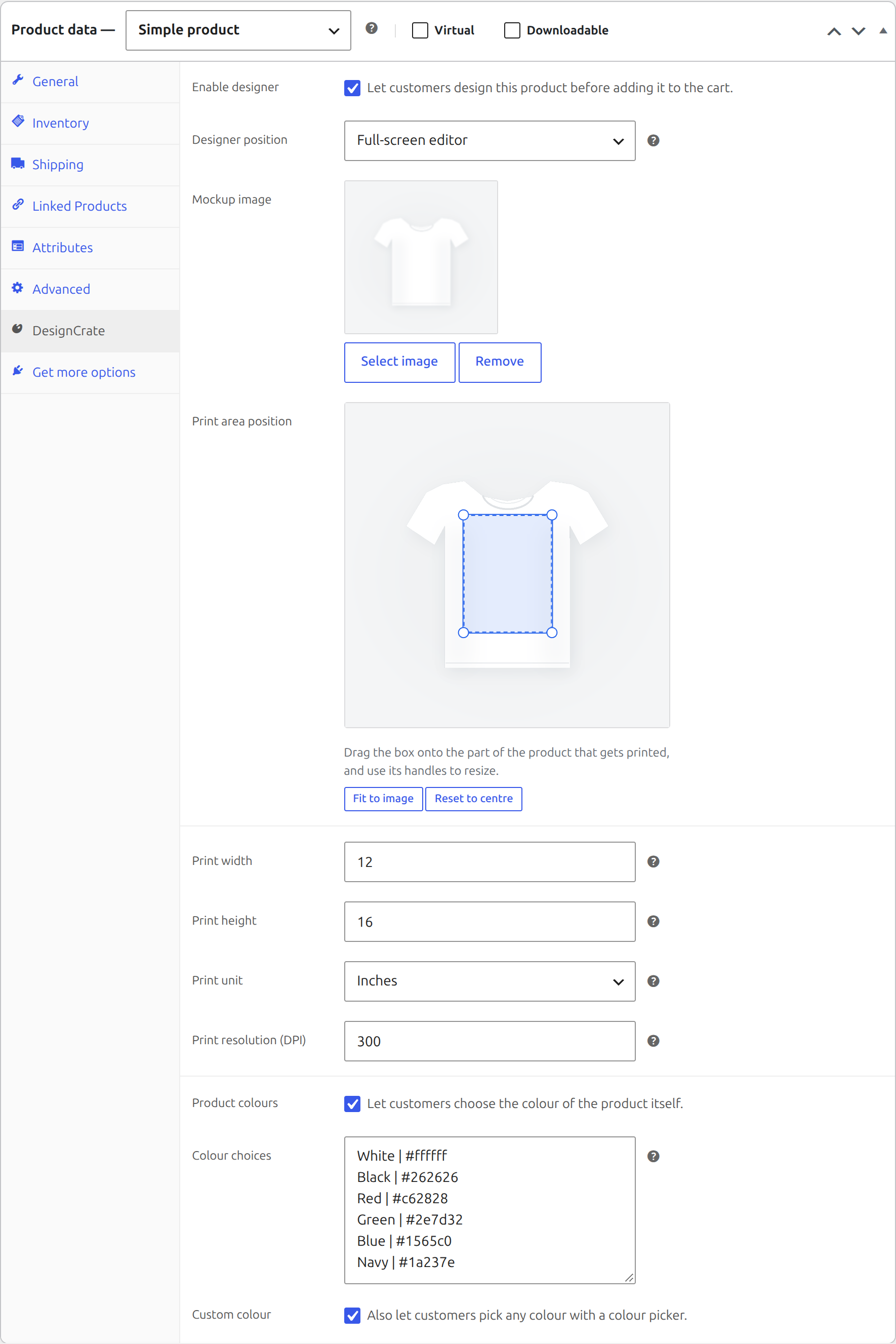
with folds and shading intact. - Print-ready files. Set the print area in inches, centimetres or pixels
with a DPI. A 12 x 16 inch area at 300 DPI downloads as a 3600 x 4800 PNG,
artwork only, on transparency. - Easy for customers. Text and image layers, zoom up to 400%, and a
full-width layout that gives the canvas room on any screen. - Built for modern WooCommerce. Block and classic cart and checkout,
High-Performance Order Storage (HPOS), and no custom database tables. - Lightweight and private. Loads only on products that use it, makes no
external requests, and keeps customer artwork on your server.
Perfect for
- Custom t-shirt and apparel shops: tees, hoodies, sweatshirts, caps.
- Print-on-demand stores that print in-house or send files to a print
partner. - Personalised gifts: mugs, tote bags, phone cases, cushions, posters.
- Team, club, school and event merchandise.
- Promotional products and branded merchandise.
How it works
- Open a product, tick Enable designer on the DesignCrate tab, choose a
mockup image and set the print size. - Drag the print area onto the part of the product that actually gets
printed — the chest of a shirt, the face of a mug. - Optionally turn on Product colours and list the colours you sell.
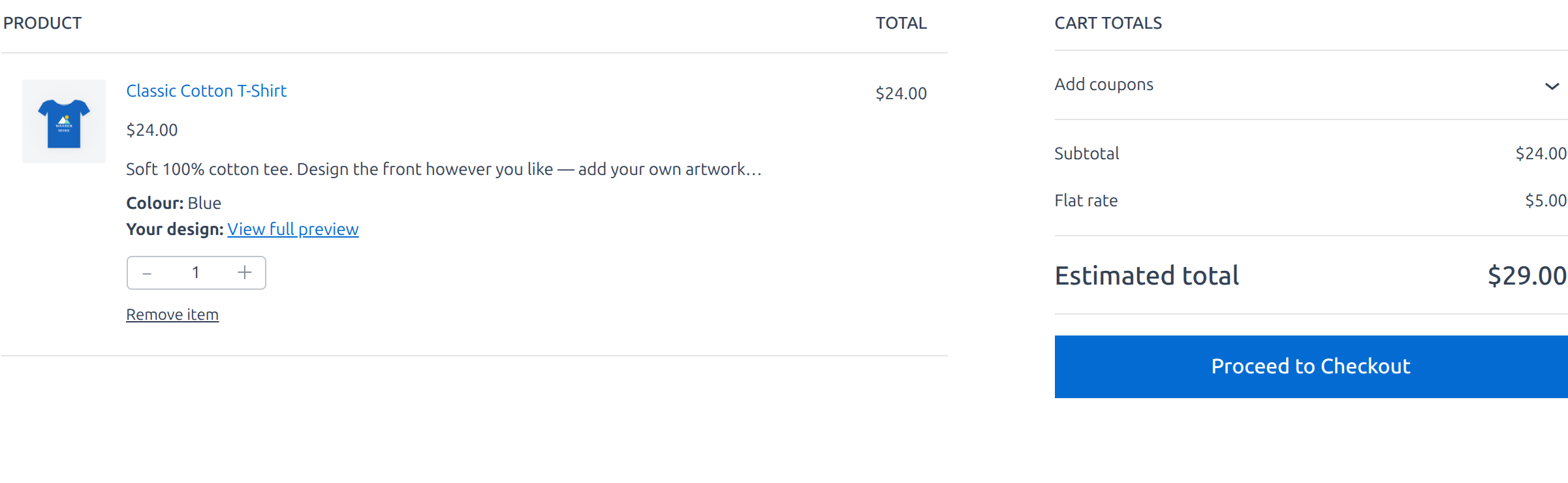
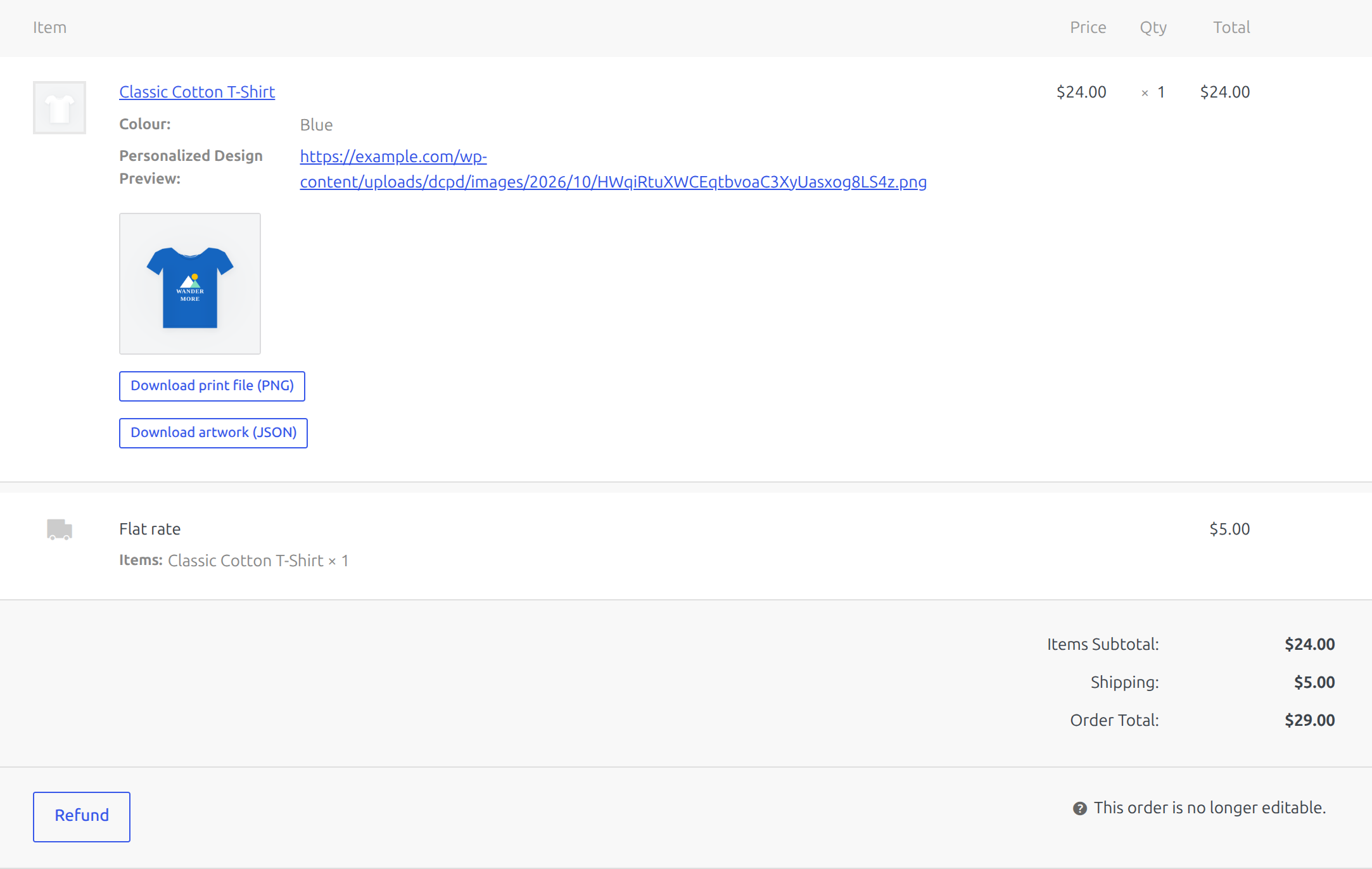
- Customers design on the product page. The design follows the order, with
a preview in the cart, at checkout, on the order and in the confirmation
email. - Download the print file from the order screen when you are ready to
print.
What customers can do
- Choose the colour of the product itself, from your list or a custom
colour picker. - Add text and restyle it: font, size, colour, alignment, bold, italic,
underline and strikethrough. - Outline, letter spacing, line height, highlight and drop shadow.
- Style individual letters differently within the same line.
- Upload their own PNG, JPEG, WebP or GIF image.
- Start from a ready-made template, then change any part of it.
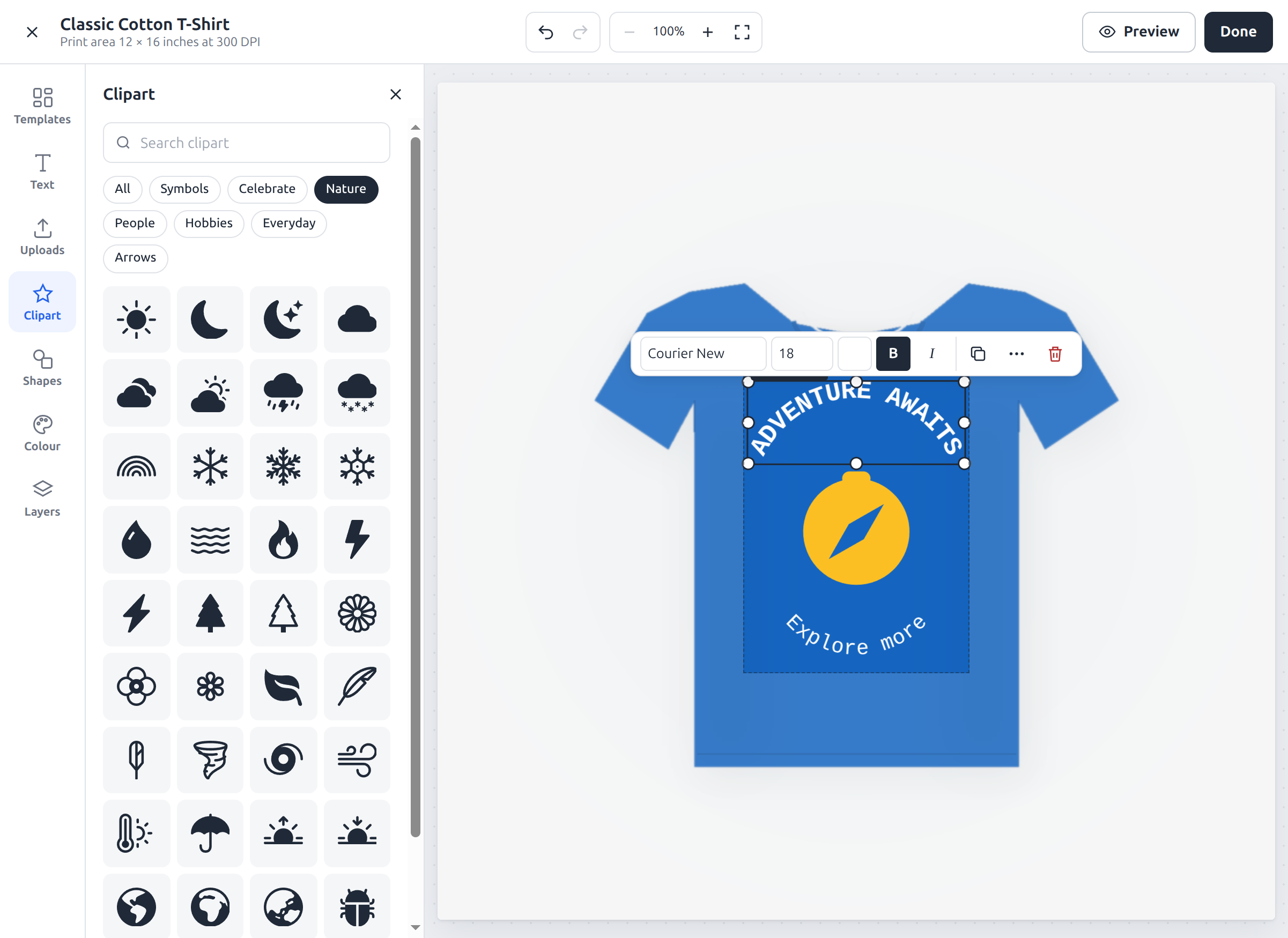
- Add clipart from a built-in library of over 200 icons, and simple shapes,
in any colour. - Curve text into an arc.
- Move, resize, rotate, flip, duplicate and reorder layers, hide or lock
them, and set their opacity. - Undo and redo every change.
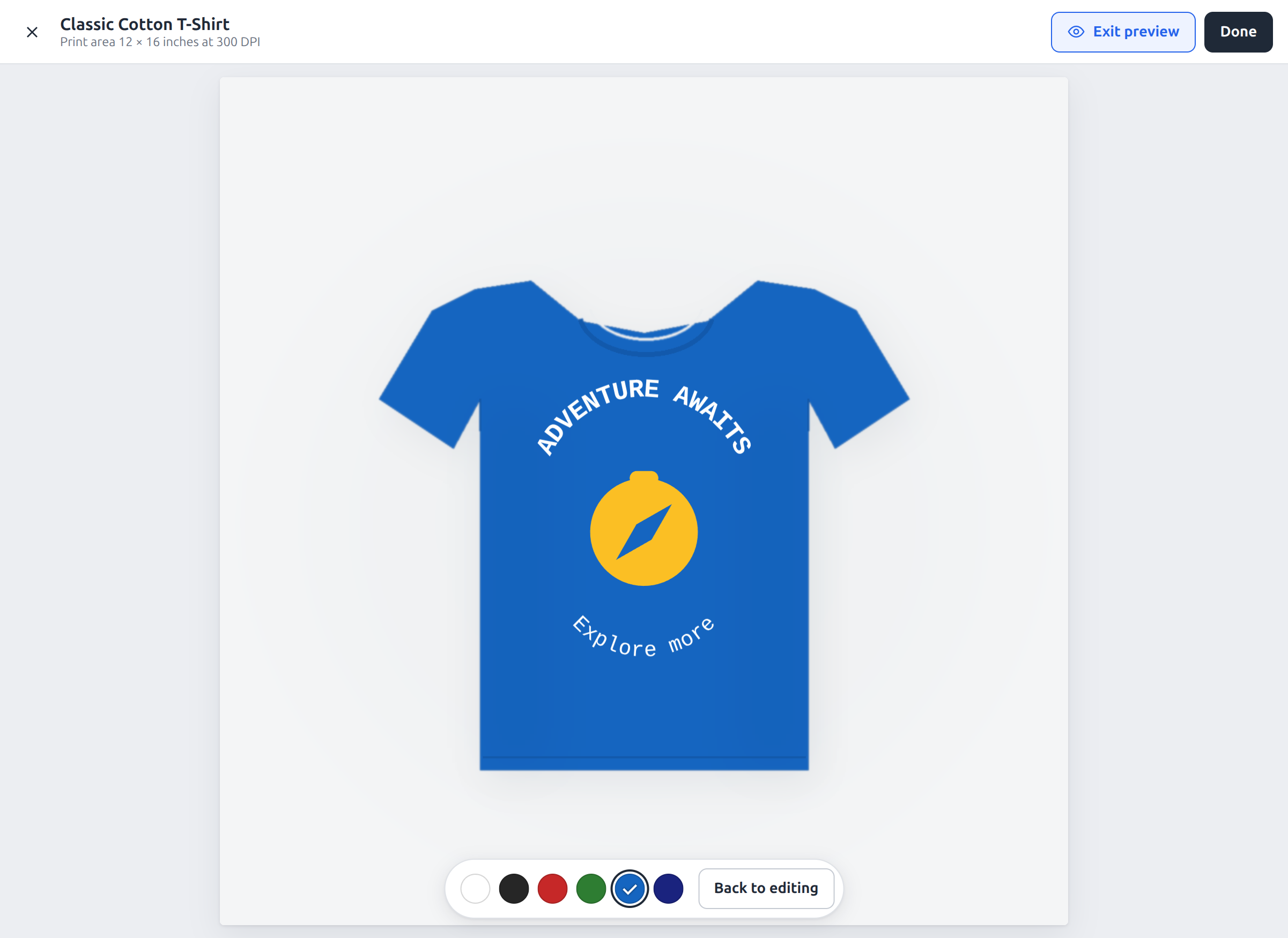
- Preview the finished product without guides, in every product colour.
- Zoom in up to 400% and pan around for precise placement.
- Everything stays inside the printable area, so nothing is lost at print.
Print-ready output
The print file is the customer’s artwork alone, on a transparent
background, cropped to the printable area at full resolution. The product
mockup and colour are never part of it, so you can send the file straight to
a printer.
The preview shown in the cart and on the order is a separate render that
does include the mockup and the chosen colour, so you see the design on the
product.
Privacy
DesignCrate stores the images customers upload and the designs they create in
your own wp-content/uploads/dcpd/ folder, and nowhere else. It sends no data
to any external service. Designs that never reach an order are deleted
automatically after two days; designs attached to orders are kept with the
order. Mention customer uploads in your store’s privacy policy.
Credits
The canvas is powered by Fabric.js 7.4.0, MIT
licensed, bundled with the plugin.
The clipart library is a selection of
Bootstrap Icons 1.13.2, MIT licensed,
bundled with the plugin.