

Gutenberg Blocks Templates – 50+ Free Gutenberg Block Designs
v0.1.3wpdesignhub · 2018年12月21日 上架
🐰 Default Gutenberg Blocks beautifully arranged in ready-to-use design sections. ✅ One-click import. ✅ 50+ free designs.
- 正在使用
- 600+
- 评分
- 4.0 / 5
- 累计下载
- 2.4 万
- 最近更新
- 2019年6月8日
贡献者
 wpdesignhub
截图
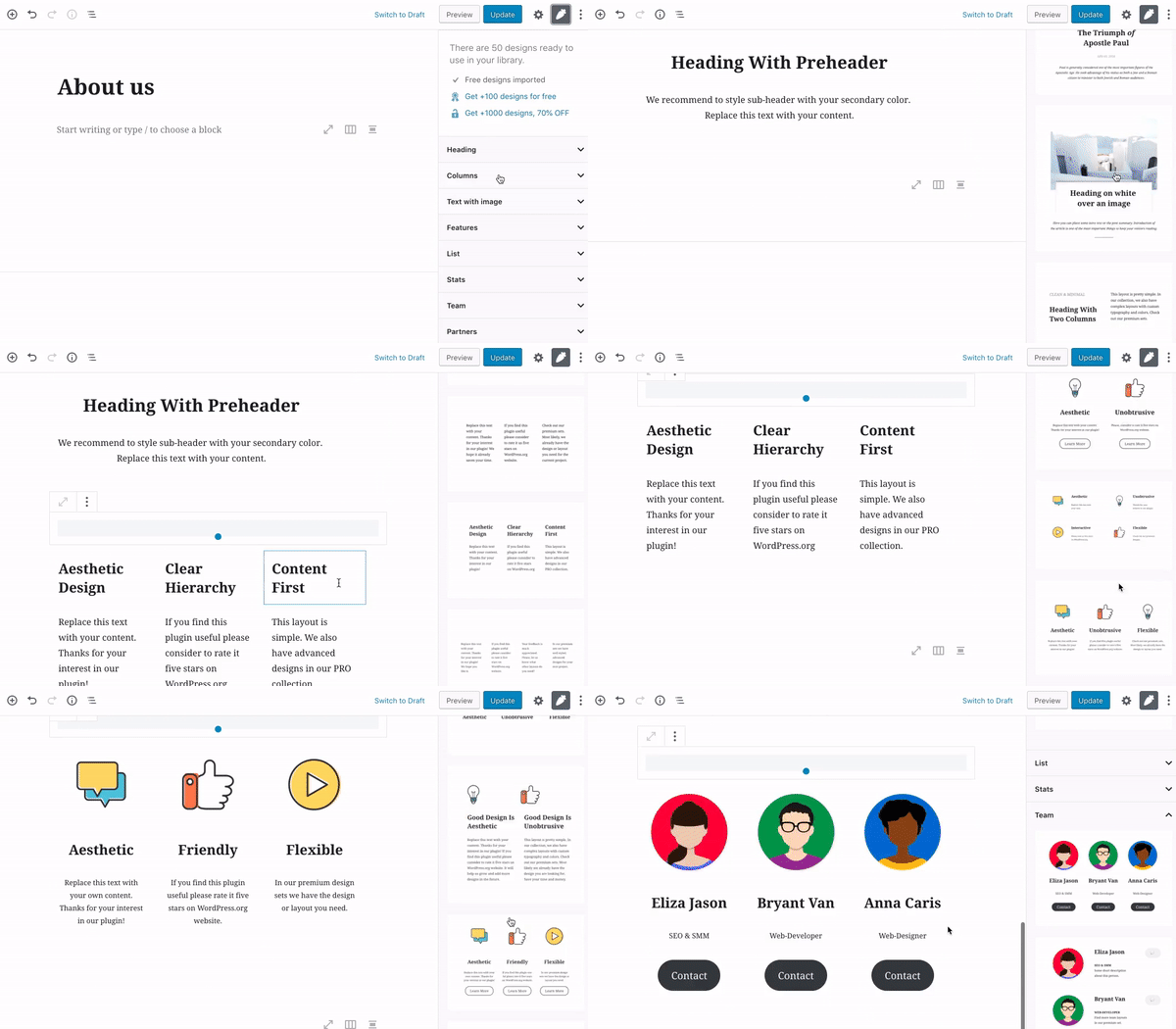
THIS PLUGIN IS A SERVICE. It downloads pre-made Gutenberg editor designs form our server. You don’t need a license to get a free set of designs downloaded. License required for access to our premium designs.
🌿Ever-growing design library for new Gutenberg blocks editor.
www.wpdesignhub.com | PRO access for $9 | Plugin support
⏰ Any section design. Ready in a click.
We are creating a design library for Gutenberg that will include all the possible layout variations for your next WordPress project.
📦 Performance oriented. Default blocks only.
Our plugin uses default Gutenberg block only. It will not pollute your WordPress installation with extra blocks or any custom code.
⚡ No extra JS code. 100% compatibility.
This design library is fully compatible with other Gutenberg plugins and themes.
Works great with popular Gutenberg plugins and custom blocks:
- Atomic Blocks – Gutenberg Blocks Collection
- Advanced Gutenberg Blocks
- Advanced Heading Blocks with Custom Fonts for Gutenberg
- Stackable – Stackable Gutenberg Blocks
- Button Group Blocks for Gutenberg
- CoBlocks – Page Builder Gutenberg Blocks
- Gutenberg Rows – Advanced section settings for Gutenberg
- Block Gallery – Photo Gallery Gutenberg Blocks
- Block Design – Gutenberg Block Design Plugin
- Pricing Blocks for Gutenberg
- Gutenberg Blocks by WordPress Download Manager
- Caxton – Create Pro page layouts in Gutenberg
- Sharing Icons Blocks for Gutenberg
- Gutenberg Sections – Full-width layouts in Gutenberg
- Gutenberg Columns Block
- Icon List Block for Gutenberg
- Section Block for Gutenberg
- Testimonial Blocks for Gutenberg
- Gutenberg Post Grid Block
- Kadence Blocks – Gutenberg Page Builder Toolkit
- Gutenberg Layouts – Block layout designs for Gutenberg
- Features Block for Gutenberg
- Google Maps Gutenberg Block
- Gutenberg Design – Premium Designs for Gutenberg
- GhostKit – Gutenberg Blocks Collection
- WooCommerce Blocks – Gutenberg WooCommerce Integration
- Gutenberg Blocks and Template Library by Otter
Installation and Usage
- Install and activate the plugin via your WordPress dashboard.
- Open your Gutenberg (block) editor.
- Click on the small carrot icon located in the top panel to start using our library.