

Demfilz Payment Forms for Stripe
v1.0.0demfilz · 2026年6月28日 上架
Add a modern Stripe payment form to any page with a shortcode, plus an admin payment summary, email alerts and webhook confirmation.
- 正在使用
- 10+
- 评分
- 暂无
- 累计下载
- 409
- 最近更新
- 2026年8月13日
贡献者
 demfilz
截图


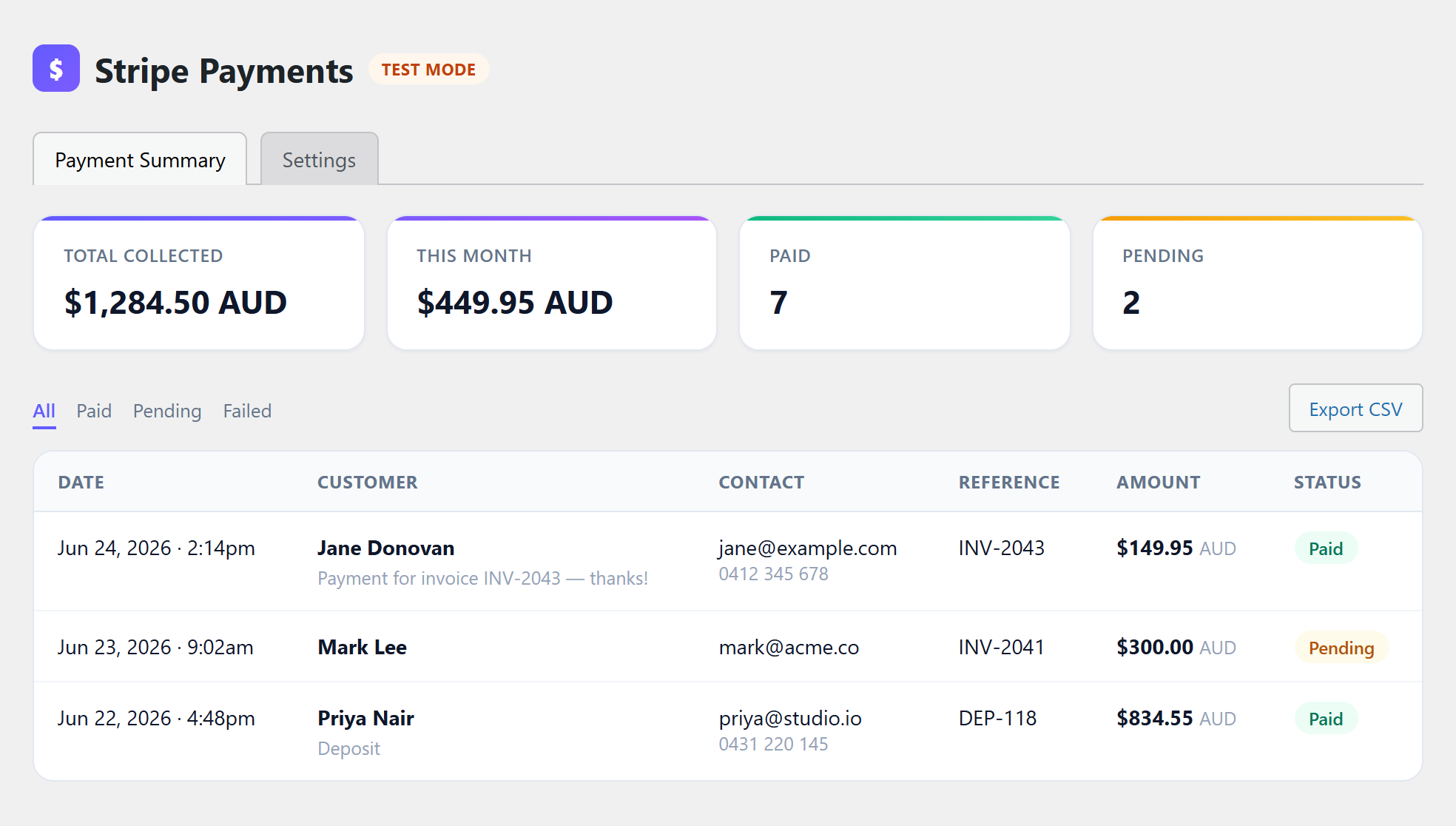
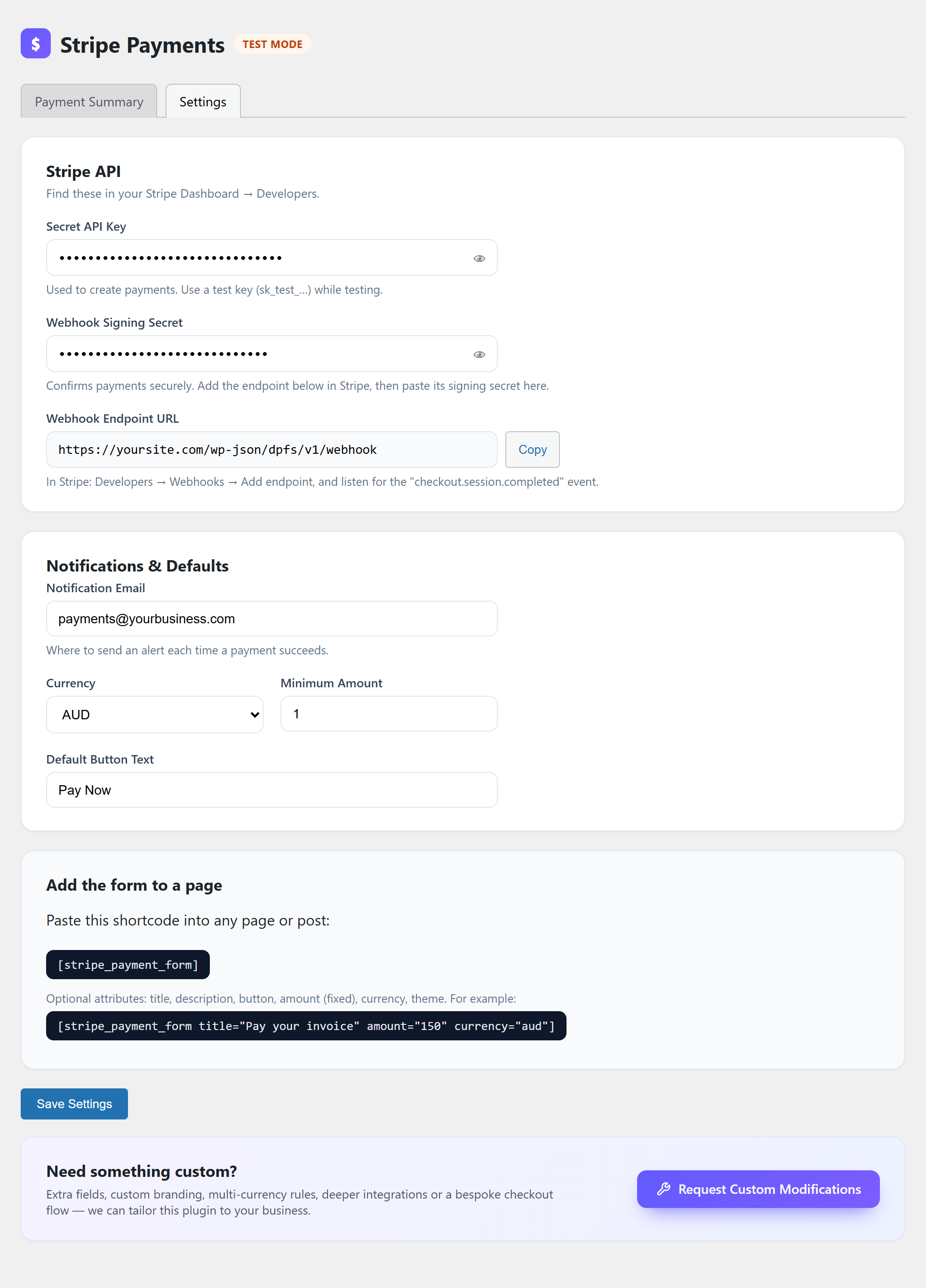
Demfilz Payment Forms for Stripe lets you collect payments anywhere on your site with a single shortcode. Visitors fill in a clean, modern form and are taken to Stripe’s secure hosted checkout to enter their card details — no card data ever touches your server.
The form collects these standard fields:
- Name
- Phone
- Reference Number
- Message
- Amount
Features
- Drop-in shortcode:
[dpfs_payment_form] - Secure Stripe Checkout (hosted) — PCI-friendly, with Apple Pay / Google Pay support
- Admin settings: Secret API key, Webhook signing secret, notification email, currency, minimum amount, button text
- Payment Summary dashboard: total collected, this-month figures, paid/pending counts, a full payment list and CSV export
- Webhook-confirmed payments, with an on-page success fallback
- Email notification to your chosen address on every successful payment
- Modern, responsive, accessible design with an optional dark theme
- Self-hosted font and assets — no third-party CDN requests from the front end
This plugin is not affiliated with or endorsed by Stripe. “Stripe” is a trademark of Stripe, Inc., used here only to describe compatibility.
External services
This plugin connects to the Stripe payment platform to process payments. Stripe is a third-party service; using this plugin requires a Stripe account and agreement to Stripe’s terms.
What is sent and when: When a visitor submits the payment form, the plugin creates a Stripe Checkout Session by sending the entered amount, currency, name, email, phone, reference number and message to Stripe’s API (https://api.stripe.com). The visitor is then redirected to Stripe’s hosted checkout page to enter and submit their card details. When the visitor returns, and via a webhook from Stripe, the plugin asks Stripe for the payment status to record the result. Card numbers are entered on Stripe’s pages and are never sent to or stored on your site.
- Stripe Terms of Service: https://stripe.com/legal
- Stripe Privacy Policy: https://stripe.com/privacy
The plugin only contacts Stripe when an administrator has entered a Stripe API key and a visitor submits the form (or returns from checkout). No data is sent to any other external service.