

Debug Bar Plugin Activation
v1.0Juliette Reinders Folmer · 2016年7月1日 上架
Debug Bar Plugin Activation adds a new panel to the Debug Bar which displays plugin (de-)activation and uninstall errors.
- 正在使用
- 10+
- 评分
- 5.0 / 5
- 累计下载
- 3,929
- 最近更新
- 2016年7月2日
 Juliette Reinders Folmer
截图
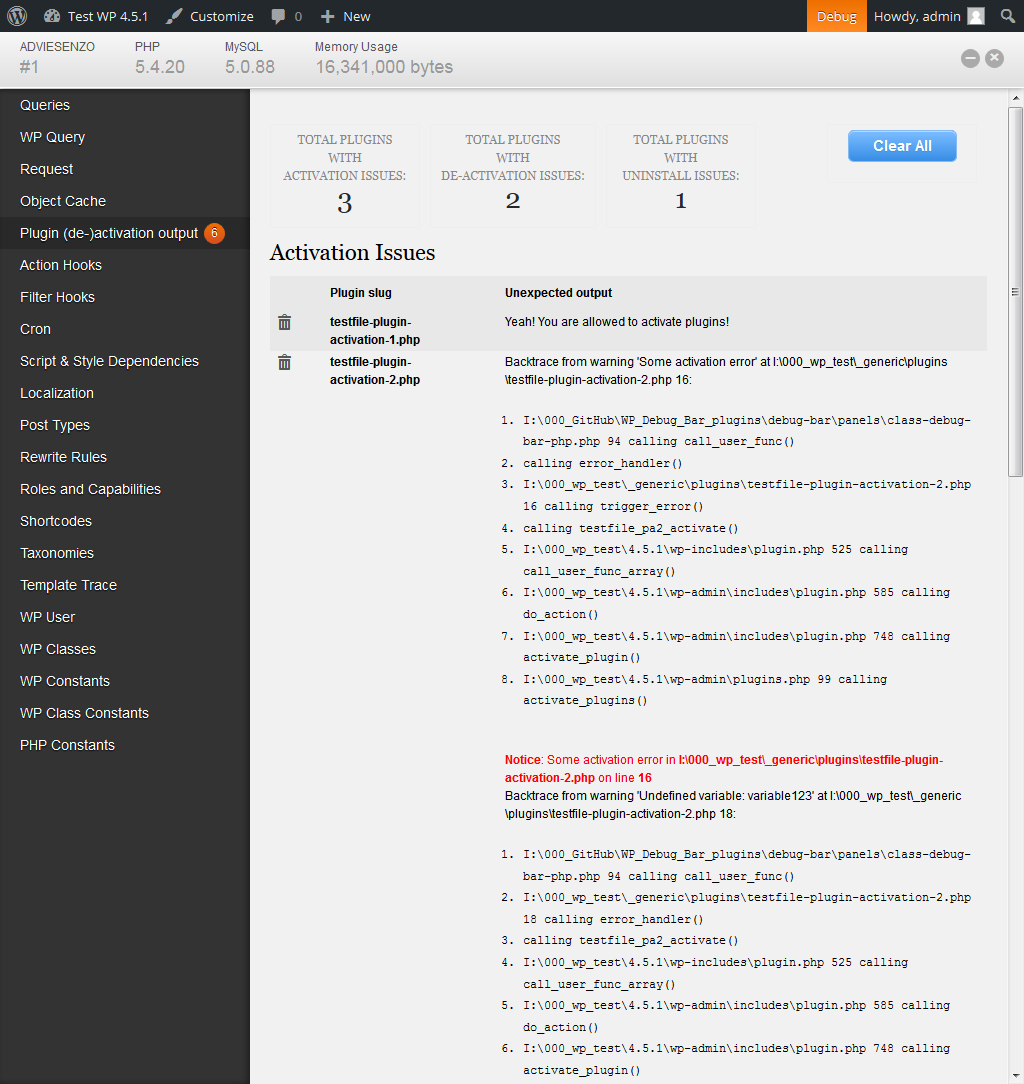
Ever been “greeted” when you activated a plugin with the dreaded:
This plugin generated # characters of unexpected output during activation….
And wondered what the unexpected output was ?
Or wondered whether a de-activation or uninstall routine was free of typical PHP errors ?
Well, no need to wonder anymore, as you can now see the output within your favorite debugging tool – the Debug Bar.
Debug Bar Plugin Activation adds a new panel to the Debug Bar which displays the output generated during plugin activation, deactivation and uninstall.
Once you’ve fixed the issues, you can remove the logged output straight from the Debug Bar panel.
And when you uninstall a plugin, the associated logged activation and deactivation output entries will be removed automatically.
This plugin was inspired by a conversation with Mika Epstein during the contributors day at WordCamp Europe 2016.
Important
This plugin requires the Debug Bar plugin to be installed and activated.
Also note that this plugin should be used solely for debugging and/or in a development environment and is not intended for use on a production site.
If you like this plugin, please rate and/or review it. If you have ideas on how to make the plugin even better or if you have found any bugs, please report these in the Support Forum or in the GitHub repository.