
ddosNull Shield — DDoS & Bot Protection
v1.1.46ddosnull · 2026年7月2日 上架
Block bad bots and Layer 7 DDoS attacks before they slow your site or store. No DNS changes, one-click setup, free plan available.
- 正在使用
- 10 以下
- 评分
- 暂无
- 累计下载
- 1,146
- 最近更新
- 2026年11月20日
贡献者
 ddosnull
截图


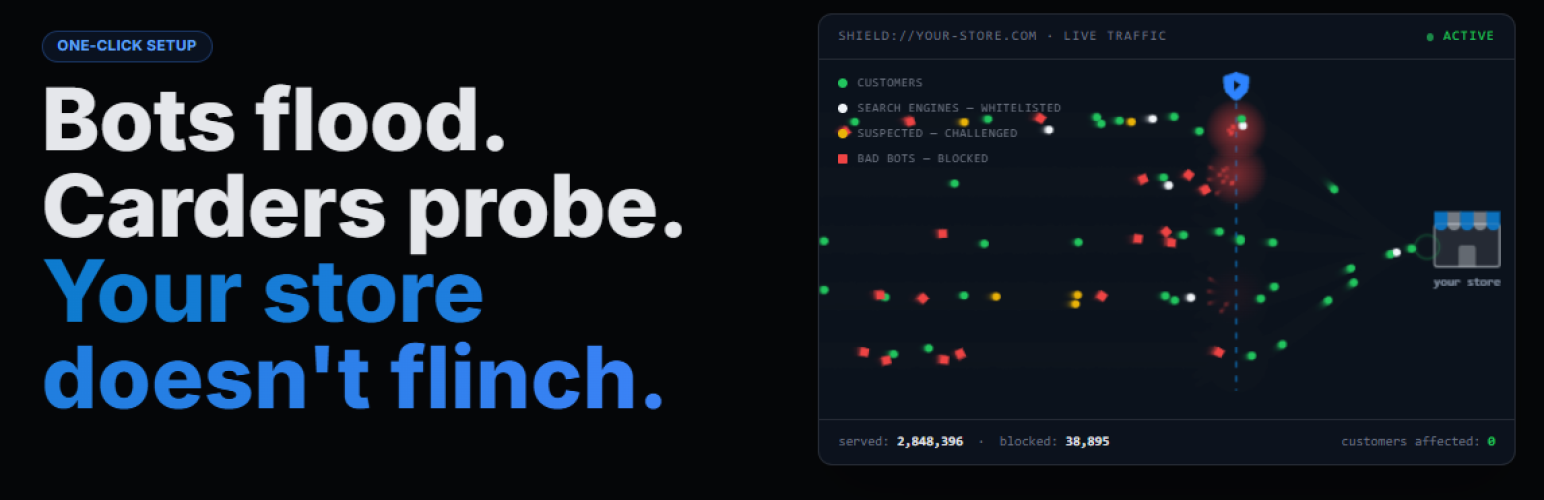
Keep bad bots and Layer 7 DDoS attacks off your WordPress site, so your pages stay fast and real visitors never notice. No DNS changes, no proxy, no developer needed.
ddosNull Shield watches your traffic in the background and steps in only when a visitor looks malicious. Confirmed attackers are blocked, suspicious visitors get a quick automatic check, and everyone else browses and buys as usual.
What You Get
- A site that stays fast under attack. Bot floods are stopped before they eat your CPU and database, so customers are not left with spinning wheels and abandoned carts.
- Protection from the whole ddosNull network, free. An IP banned on several protected sites is challenged on yours before it ever reaches you.
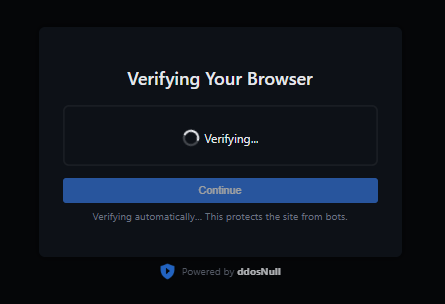
- Real visitors are not locked out. Suspicious traffic gets a silent proof-of-work check instead of a flat block. Only confirmed bots are hard-blocked.
- Proof before you commit. Dry Run Mode shows exactly who would have been blocked, and why, before anything is blocked.
- Nothing to re-plumb. Works on any WordPress host and alongside Cloudflare. Your DNS and CDN stay as they are.
- No heavy lifting on your server. Traffic analysis runs in the ddosNull cloud, not in your PHP workers.
Up and Running in Under 60 Seconds
No server access, no terminal, no config files.
- Install the plugin from your WordPress admin
- Click Connect to ddosNull and sign in (or create a free account)
- Protection activates immediately
Why Slow Is the New Down
Modern attackers rarely try to knock a site offline by brute force. They send thousands of requests that look just like real browsers and force your server to do expensive work for each one. Pages slow down, carts are abandoned, and checkout stops processing, long before the site is officially “down”. This is a Layer 7 (application layer) attack, and because the requests look legitimate, standard firewalls often let them through.
ddosNull’s AI is trained to spot these patterns and stop them before they affect your visitors.
How It Works
- The plugin reports your site’s load and, when a scan is needed, recent request logs to the ddosNull cloud.
- ddosNull analyzes the traffic and identifies malicious IPs and bot networks.
- The resulting block list is pushed back to your site automatically.
- Listed visitors are challenged or blocked at the very start of the request, before WordPress renders the page.
Smart challenges, not hard blocks. Not every suspicious request is an attack. Sometimes it is a real customer on a VPN. ddosNull uses a privacy-friendly proof-of-work challenge (ALTCHA) that resolves in the background for most real visitors. Google reCAPTCHA v2 is supported as an alternative.
Network-Wide Threat Intel, Free on Every Plan
Every site running ddosNull makes every other site safer. When an IP is banned on several ddosNull-protected sites, it goes on a shared threat list that is pushed to all connected sites, so attackers are stopped on your site before they reach it. This shared, continuously updated block list is included free on every plan.
Network-listed visitors get the same quick verification as any suspicious visitor, never a hard block, so a real customer who happens to share an IP with an attacker still gets through. Your own whitelist always takes priority.
Zero Risk: Try It in Dry Run Mode
Enable Dry Run Mode from your dashboard and every request is scored while 100% of traffic is allowed through. You get a detailed log of which IPs would have been blocked and why. When you are confident in the results, activate protection with one click.
Works Everywhere WordPress Works
ddosNull Shield runs inside WordPress at the PHP layer, so it is compatible with any host that supports plugins, including WP Engine, Kinsta, SiteGround, and shared cPanel or Plesk hosting. It is Cloudflare compatible and reads the real visitor IP from the CF-Connecting-IP header on requests that come through Cloudflare.
Features
- AI-driven Layer 7 DDoS and bot detection with automatic IP blocking
- Network threat intel: IPs banned across the ddosNull network are challenged on your site automatically, free on every plan
- ALTCHA proof-of-work challenge that resolves silently for most real visitors
- Google reCAPTCHA v2 as an alternative challenge
- Hard-block mode (403 response) for confirmed malicious IPs
- Dry Run Mode for zero-risk evaluation
- IP whitelisting, with full IPv4 and IPv6 CIDR range support
- User-agent blacklisting and whitelisting
- URL whitelisting with regex support
- Protected URLs: force verification on specific pages such as login or checkout
- Integrates with the AI Crawler & Scraper Blocker plugin to enforce its per-bot allow/block choices
- Optional early loading (MU Plugin or Auto-Prepend) to stop attacks before WordPress boots
- Dashboard with connection status, server load, blocked IP statistics, and scan results
- Cloudflare compatible
- Works on any WordPress host, with no server access required
A free ddosNull account is required. Sign up and connect your site directly from the plugin settings page.
Running a WooCommerce Store?
This plugin protects your whole site, including your store, from bot floods and Layer 7 attacks. Dedicated checkout protection against carding, card testing, and fake-order bots is part of ddosNull Shield Pro, a separate premium plugin.
Pricing
ddosNull Shield is free to install and use. Connecting your site requires a free ddosNull account. All paid plans come with a 30-day money-back guarantee and no long-term contracts.
Free — $0/month
- 1 WordPress site
- 15,000 protected requests/month
- Layer-7 DDoS mitigation
Paid plans are available with higher request limits and support for multiple sites. See https://ddosnull.com/#pricing for details.
External Services
This plugin connects to the following external services to provide its protection features.
ddosNull (https://app.ddosnull.com)
This is the core service that powers the plugin. It provides AI-driven DDoS and bot traffic analysis, maintains a global IP reputation database, and coordinates automatic blocking across protected sites.
Data sent:
* Server load averages (1 min, 5 min, 15 min), the server’s public IP address, counts of requests and challenge pages served, and response-time statistics (median and 95th-percentile response time, number of slow requests), sent periodically via WP-Cron. Numbers only, no visitor data
* Basic hosting information, sent with the periodic stats: the number of CPU cores, the CPU quota of the site’s container if it has one, and whether the site runs on a known managed WordPress platform or CloudLinux shared hosting. Used to tell when the server load belongs to a shared machine
* Request log lines, sent when the service requests a scan: visitor IP address, timestamp, request method and path, HTTP status code, referrer, user-agent, and response time, along with per-domain request and unique-IP counts
* ALTCHA proof-of-work tokens submitted by visitors, for server-side verification
Data received: blocked IP lists, the network threat IP list, whitelisted IPs, protected URL patterns, blacklisted/whitelisted user-agents, DDoS mode flag, scan results.
Google reCAPTCHA (https://www.google.com/recaptcha/)
Only used when you choose reCAPTCHA v2 as the challenge type in settings (the default is ALTCHA, which does not involve Google). When active:
- The reCAPTCHA JavaScript library is loaded from
https://www.google.com/recaptcha/api.jsand shown to visitors who need to be challenged. Google may collect device and browser signals as part of this interaction. - When a visitor submits the reCAPTCHA, their response token is sent from your server to
https://www.google.com/recaptcha/api/siteverifyto verify it.
Privacy Policy · Terms of Service
ipify (https://api.ipify.org)
Used once at plugin startup to detect the server’s own public IP address when it is not available in the PHP server environment. The result is cached locally for 12 hours. No personal data is transmitted.
Terms of Service · Privacy Policy
Source Code
The assets/admin.js file is a compiled and minified JavaScript bundle built from React/TypeScript source. The human-readable source code is publicly available at:
https://github.com/disprozzy/ddosnull-shield-js-source
Build tools: Node.js, Vite, React, TypeScript. To rebuild: npm install && npm run build:admin.