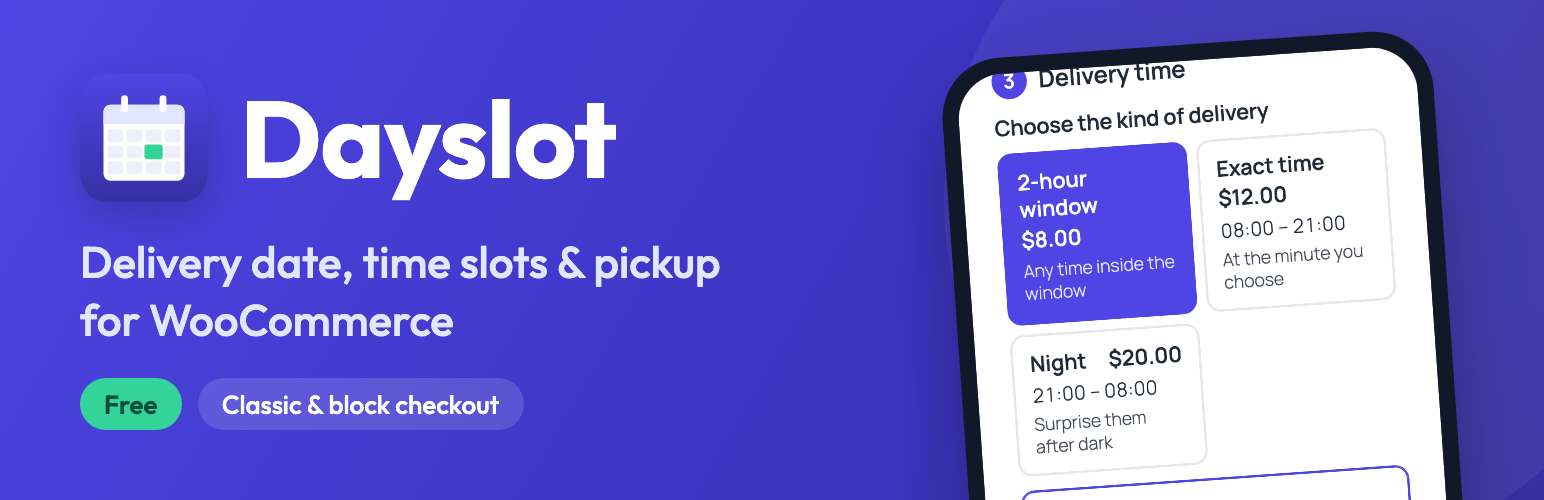

Dayslot – Delivery Date, Time Slots & Local Pickup for WooCommerce
v1.2.0creonix · 2026年11月1日 上架
WooCommerce delivery date and time slot picker with local pickup: limits per slot, Sunday and holiday prices, and a delivery calendar.
- 正在使用
- 10 以下
- 评分
- 暂无
- 累计下载
- 698
- 最近更新
- 2026年11月24日
贡献者
 creonix
截图


Dayslot is a free WooCommerce delivery date and time slot plugin. Customers choose delivery or local pickup, the delivery date and a time slot right at checkout — and you never take more orders than you can deliver.
It is made for shops that deliver on a chosen day and at a chosen time: florists, bakeries and cake shops, balloons and party decorations, gifts, catering and restaurants, groceries, furniture — anything you bring to the door or let customers collect. Same-day delivery, next-day delivery, delivery windows, an exact delivery time and night delivery all work out of the box.
At checkout the customer goes through three short steps — how (delivery or pickup), which day, what time — on a calendar made for phones. Busy days and full time slots can’t be picked, the price of each option is shown before choosing, and the delivery price lands in the WooCommerce total as a normal shipping cost. You see every order on a delivery calendar and move it with drag & drop.
Right after activation a short setup wizard (about 5 minutes) asks for your days, times, prices and pickup address — and your checkout is ready.
Delivery days and time slots
- Time windows (8–10, 10–12 …), an exact time (every 15 minutes or any step you like) and a night window that runs past midnight
- Each kind of delivery shows its hours and an optional note (“the courier calls 15 minutes before”)
- Switch each kind on or off for Monday–Saturday, Sundays and holidays — e.g. 2-hour windows on weekdays and 1-hour windows on Sundays
- Working days, days off, blocked dates and holidays (your own list; Polish public holidays can be added automatically)
- Minimum notice (e.g. “order at least 2 hours ahead”) and how far ahead customers can book
- Limits per day and per time window; an exact time takes a place in the window it falls into, so you are never double-booked
- Booked times can be greyed out, hidden, or replaced by your message (“Already booked: 10:00–12:00. Please call us.”)
- Block a whole day or a single time window with one click in the calendar
- Every order is checked on the server, so two customers can’t take the last place at the same time
Prices
- One clear price table: kind of delivery × day type (Monday–Saturday, Sunday, holiday)
- Every option shows its price at checkout; the price becomes the WooCommerce shipping cost
- Free delivery from an order value you choose — or always free — and the options that are free for the cart say “free”
- A small extra charge for small orders
- Price breakdown on the order, in e-mails and on the thank-you page
Local pickup
- A “Pickup” button with your address next to “Delivery”; the customer picks the pickup date (store pickup / click and collect)
- Pickup or delivery is saved on the order and shown in the calendar in its own colour
Checkout
- Works with the classic checkout and the WooCommerce Checkout block
- Placed automatically before or after the address, or exactly where you want with the “Delivery date & time” block, an Elementor widget or the
[dayslot_checkout_field]shortcode - Works inside checkout builders such as FunnelKit, CartFlows and Fluid Checkout
- Appearance tab with a live preview on a phone and a computer: colours, corners, sizes, cards or buttons, list, grid or drop-down and ready-made looks — or simply your theme’s look
- “Match my checkout”: the picker takes the colours, corners and font of your checkout (FunnelKit, CartFlows, Elementor…)
- Dates as a calendar or as a drop-down list of free dates
- The cart shows the chosen delivery date, or “Delivery possible from …” — also in side carts (FunnelKit Cart, the mini cart); optionally under the price on product pages (classic themes, block themes and Elementor Pro product templates) and anywhere with the
[dayslot_earliest]shortcode - “Add to calendar” (Google, Apple, Outlook) for your customers on the thank-you page, in My Account and in e-mails
- Keyboard friendly, screen-reader labels, large touch targets
For you and your team
- Delivery calendar in the admin: month, week and day views, order cards with phone, address, products and price
- Filters in the calendar: delivery or pickup, order status, product
- Drag an order to another day or time, with the option to e-mail the customer
- Change the date and time on any order
- The delivery details are also saved as plain custom fields on the order, so the WooCommerce mobile app shows them (“View custom fields”)
- E-mails with the delivery date and time in the WooCommerce look
- Private calendar link (.ics) for Google Calendar, Apple Calendar or Outlook
- Setup wizard, a Quick start checklist and a Help page with answers
- Texts tab: change any text customers see, without code
- Modules tab: switch off what you don’t need — it isn’t loaded at all
Fast and translated
- About 9–10 KB of JavaScript and CSS (gzipped), loaded only on the checkout; nothing on your home, shop or product pages
- No jQuery UI, React or Moment on your shop
- Translated into Polish, German, French, Spanish, Italian, Portuguese (Brazil), Dutch, Czech, Ukrainian and Russian; follows your WordPress language
- HPOS (High-Performance Order Storage) compatible
Dayslot Pro
Dayslot is fully usable for free. If you need more, Dayslot Pro adds (14-day free trial, no card needed):
- Pickup times: the customer chooses the pickup hour; your own opening hours, limits and days off for pickup
- Several pickup points, each with its own hours, days off and limits; or branches in different cities, each with its own delivery hours
- Delivery zones for any city: a city border from the map, your own drawn area or a radius; outside the zone a price per km of road distance (with your own Google Maps Platform key)
- A delivery price calculator for customers on any page (
[dayslot_delivery_calculator]): address and day the price of every delivery option, with its own settings and texts - A delivery cost calculator for phone orders in the admin, with the route on a map
- Flexible free delivery (e.g. free from 300 but the night always paid, not on Sundays), delivery price by order value and a minimum order for delivery (or delivery hidden below it)
- Special dates (Valentine’s Day, Mother’s Day…) with an extra price and their own limit
- “As soon as possible” delivery today and extra prices for same-day and next-day delivery
- Six e-mail designs with your colour and logo; your own subject, text and contents for every e-mail, with a preview and a test e-mail
- Extra checkout fields: text, list, checkbox, phone, time and photo upload, with conditions and prices
- Customers change the delivery date themselves in My Account, with your own note
- Reminder e-mails and a daily plan, order cut-off times and extra preparation days per product category
- Google Calendar sync in real time, your own calendar entries (orders by phone or social media) and calendar import
- Orders completed by themselves after delivery, a “your order is ready” e-mail and a review request
- The whole checkout and My Account styled to match, custom CSS and an availability calendar widget
- A phone app for you and your team (an icon on the home screen, no login): the orders of every day, week or month with products and pictures, call or navigate (Apple Maps, Google Maps, Waze), and your own messages sent by SMS or WhatsApp from your phone or by e-mail — also automatically
- Manage the shop from the phone app: move an order to a free date and time, change its status, add notes, close a day or a few hours (“No more orders for today”), see how full each day is, search by name, phone or number
- Roles for the phone app: owner, manager, courier (no prices), every right separately, an optional PIN and a history of changes
- A backup map (OpenStreetMap) when Google doesn’t answer, and your own message when a delivery price can’t be calculated
More about Pro: creonix.pl
Documentation & support
- The setup wizard and the Help page inside the plugin (Delivery calendar Help) cover most questions.
- Questions and bug reports: the support forum of this plugin.
- Source code: every JavaScript and CSS file is included as readable source next to its minified copy (
*.min.js/*.min.css, made with terser and csso).
External services
The free version of Dayslot connects to one external service, and only for licensing and optional usage data. Your shop’s checkout never contacts any outside service.
Freemius (licensing, updates, optional opt-in)
Dayslot uses the Freemius SDK to handle the optional opt-in, the Pro trial, licenses and Pro updates.
- On the plugin’s settings page you may be asked whether to share basic data with Freemius. If you click “Skip”, nothing is sent. If you agree, these are sent: your site URL, WordPress and PHP versions, the plugin version, your name and e-mail as an admin, the site language, and (only if you allow it in the opt-in details) the list of plugins and themes.
- When you deactivate the plugin you may be asked for a reason; answering is optional.
- When you open the “Upgrade” page, start the free trial or enter a license key, the plugin talks to Freemius to show the plans, start the trial or check the license.
Freemius Terms of Service and Privacy Policy.
“Add to calendar” for customers
The “Google” link opens Google Calendar in the customer’s own browser with the event filled in (date, time, address, order number); your site sends nothing to Google. The “.ics” file is served by your own site. You can switch both off in Settings Checkout. Google Terms of Service and Google Privacy Policy.
Calendar link (.ics)
The private calendar link is served by your own site. No data is sent anywhere: Google Calendar, Apple Calendar or Outlook fetch the link themselves when you subscribe to it. You can create a new link (and stop the old one) at any time.
Services used only by Dayslot Pro
These are not part of the free version and are never called by it:
- Google Maps Platform (Geocoding API and Routes API) — only in Pro, only when you enter your own API key and switch on delivery zones. The delivery address (street, postcode, city, country) is sent from your server to Google to find it on the map and measure the road distance; results are cached. Google Maps Platform Terms and Google Privacy Policy.
- OpenStreetMap Nominatim — only in Pro: in the admin when you look up a city border or an address while setting up a delivery zone (the city or address you type is sent), and, only when you switch on the backup map, when a delivery price is calculated (the delivery address is sent from your server). Nominatim Usage Policy and OSMF Privacy Policy.
- OSRM routing service (project-osrm.org) — only in Pro and only when you switch on the backup map: the coordinates of the delivery address and of your zone are sent from your server to measure the road distance. Terms and privacy.
- Google Calendar API — only in Pro, only when you switch on “Google Calendar (live)” and paste your own service account key. For each order with a delivery date your server sends Google the event: order number, customer name and phone, products, delivery address or pickup point, date and time. Cancelled orders are removed. Google APIs Terms of Service and Google Privacy Policy.
- OpenStreetMap map tiles — only in Pro admin screens with a map (delivery zones, cost calculator); your browser loads map images from tile.openstreetmap.org. Tile Usage Policy.