
Date Time Picker for Contact Form 7
v1.1.1Ruhul Amin · 2020年10月6日 上架
This plugin enables Contact Form 7 text field into a Date picker, Time picker or Date Time picker by using CSS class.
- 正在使用
- 2 万+
- 评分
- 3.3 / 5
- 累计下载
- 14 万
- 最近更新
- 2026年4月9日
21 条评价需要 WordPress 4.0+已测试到 6.9.12PHP 5.6+
贡献者
 Ruhul Amin
截图
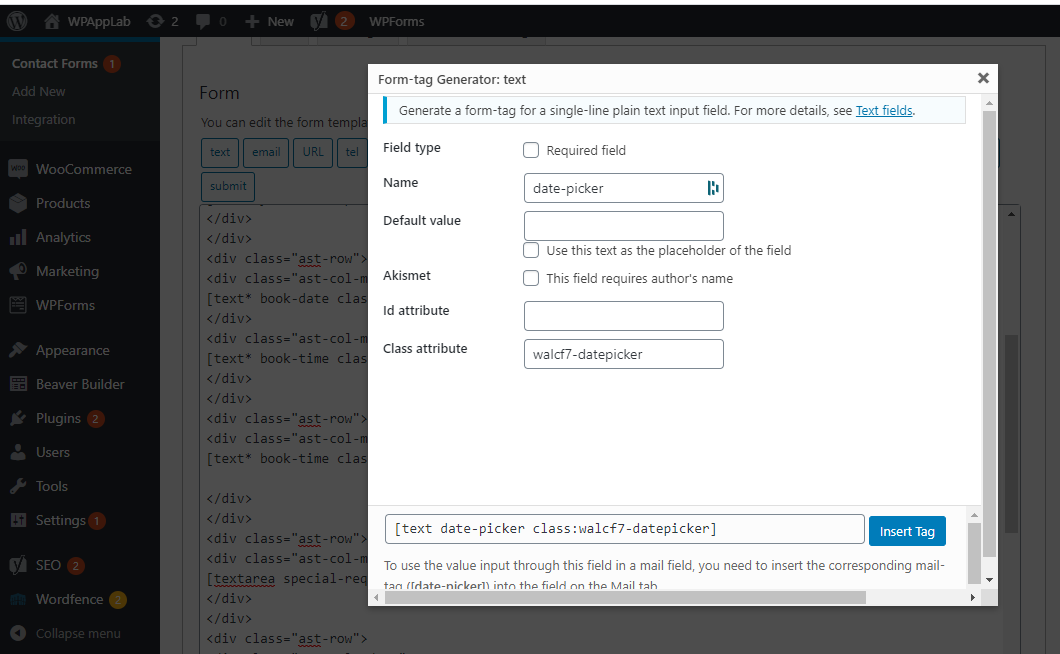

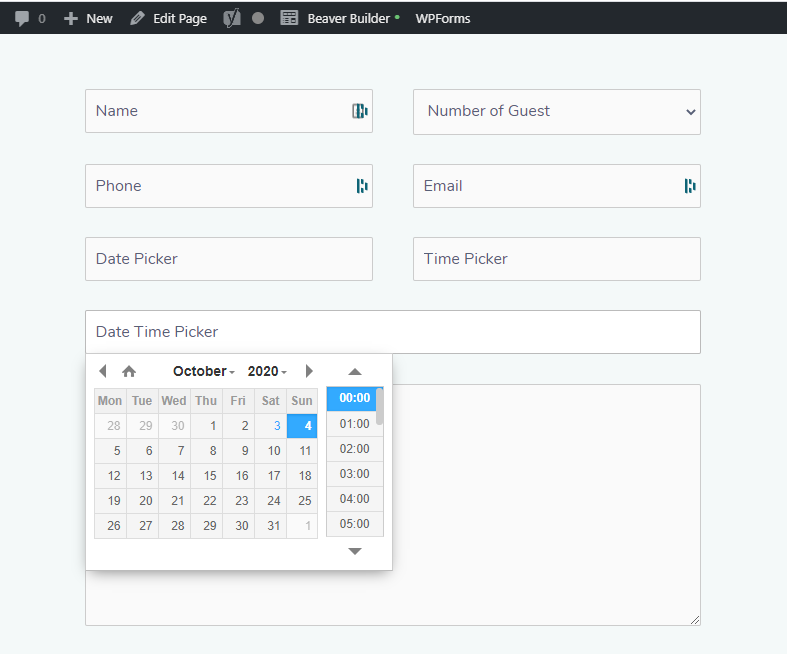

This plugin enables Contact Form 7 text field into a Date picker, Time picker or Date Time Picker by using CSS class. After installing the plugin you just need to add the necessary CSS class to the Contact Form 7 CSS Classes editor. If you use Multiple classes remember to separate each class with space.
Here is the classes to use in each field:
- Only for Date Picker: walcf7-datepicker
- Only for Time Picker: walcf7-timepicker
- For both Date and Time Picker: walcf7-datetimepicker
Remember: The class should be added to [text field. Example: [text* book-date class:walcf7-datepicker placeholder “Date Picker”]
Check the demo site: Date Time Picker Demo
- Lifetime Free Update
- 51 Language translation (View supported Language)
- WPML – WordPress Multilingual Plugin Compatible
- Light / Dark Theme
- Disable past date selection
- Disable today if necessary
- Specify weekend and disable if necessary
- Disable specific date selection
- Specify holiday and Disable if necessary
- Maximum allowed date selection
- Minimum allowed date selection
- 24hr / 12hr time format
- Hide/Show AM/PM
- Change time step or interval
- Provide Max and Min selectable time
- Speed up website. Load script only at selected page
Download Pro Version from Here:
How to Video (Free):
Credits: