

Date Picker for Gravity Forms
v1.3theme funda · 2024年9月12日 上架
Add a date picker field to Gravity Forms. Set custom date formats, min/max date ranges and more. Upgrade to Pro to disable weekdays, specific dates an …
- 正在使用
- 50+
- 评分
- 暂无
- 累计下载
- 1,788
- 最近更新
- 2026年7月19日
贡献者
 theme funda
截图
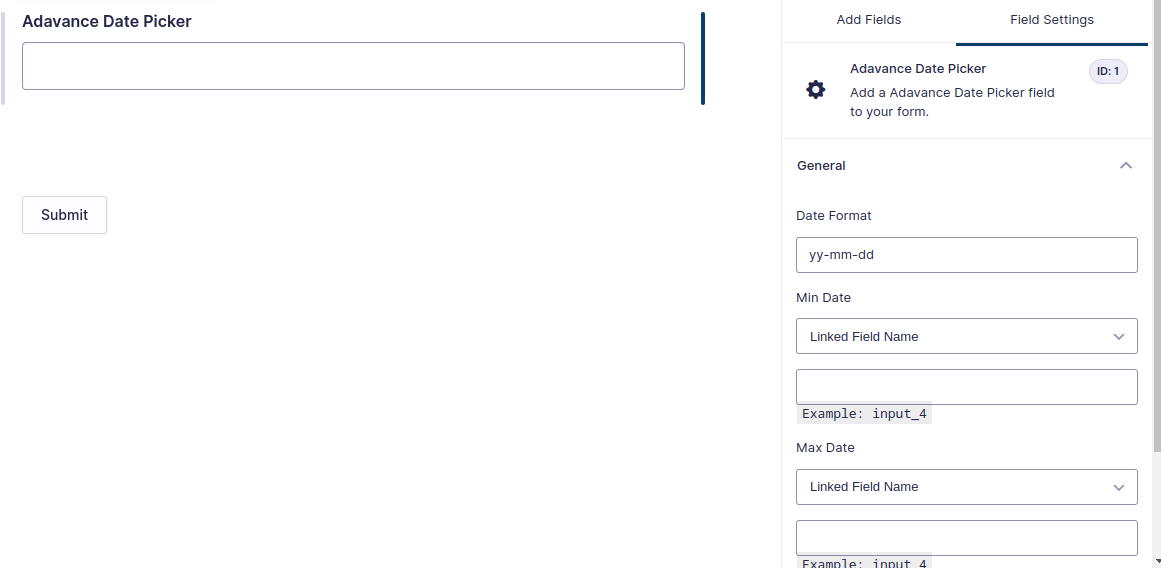


Date Picker for Gravity Forms is a simple yet powerful add-on that adds a fully customisable date picker field to your Gravity Forms. Let users select dates easily with a clean calendar UI — no manual typing, no formatting errors, no confusion.
Whether you’re building booking forms, appointment forms, event registration forms, or delivery date forms, this plugin gives you full control over how dates are selected and validated.
🔗 Pro Version | Documentation | Support
✅ Free Features
- Custom Date Format — Set your preferred date format (e.g. yy-mm-dd, dd/mm/yy, mm-dd-yy)
- Min Date Control — Set a minimum selectable date (e.g. current date, or X days from today)
- Max Date Control — Set a maximum selectable date to limit how far ahead users can book
- Responsive Design — Works perfectly on desktop, tablet, and mobile
- Easy Integration — Add the date picker field to any Gravity Form in seconds
- Theme Compatible — Works with any WordPress theme that supports Gravity Forms
- Localization Support — Supports multiple languages and international date formats
- Accessibility Ready — Built with accessibility in mind for all users
🔒 Pro Features
- Disable Specific Weekdays — Block Sunday, Monday, or any individual day of the week. Perfect for businesses closed on weekends or specific days.
- Disable Specific Dates — Block out holidays, unavailable days, or any specific dates or date ranges from the calendar.
- Active Dates Only — Restrict the calendar so users can only select from a predefined list of available dates. All other dates are disabled.
- Priority Support — Get direct help from the CodesMade development team.
📅 Perfect For
- Appointment booking forms
- Event registration forms
- Delivery date selection
- Hotel and rental booking forms
- Service scheduling forms
- Any form where users need to select a date
⚙️ How Pro Date Settings Work
Disable Week Days — Check the days you want to block. For example, check Saturday and Sunday to only allow weekday bookings.
Disable Dates — Enter specific dates or date ranges to block out. Format: 2026-03-04|2026-03-10. Separate multiple entries with a pipe | character.
Active Dates — Enter only the dates that should be selectable. All other dates will be disabled. Format: 2026-03-04|2026-03-10.
Min Date — Choose Current Date or set a custom number of days from today. Prevents users from selecting past dates.
Max Date — Choose Current Date or set a custom number of days ahead. Prevents bookings too far into the future.
🔌 Works With
- Gravity Forms 2.0 and higher
- All major WordPress themes
- All major browsers — Chrome, Firefox, Safari, Edge
More Plugins by CodesMade
- Date Picker For Contact Form 7 — Date picker add-on for Contact Form 7
- Autocomplete Location Field Contact Form 7 — Google Places location autocomplete for CF7
- Map Field For Contact Form 7 — Interactive map field for Contact Form 7
- Pixel Manager for Contact Form 7 — Add tracking pixels to CF7 forms
- Digital Signature for WPForms — Electronic signature field for WPForms
- AutoComplete Address Checkout For WooCommerce — Google Places address autocomplete for WooCommerce checkout