
Datafeedr Product Sets
v1.3.26datafeedr · 2014年2月3日 上架
Build sets of products to import into your website.
- 正在使用
- 4,000+
- 评分
- 4.3 / 5
- 累计下载
- 16 万
- 最近更新
- 2026年10月6日
贡献者
 datafeedr
截图


NOTE: The Datafeedr Product Sets plugin requires the Datafeedr API plugin.
What is a Product Set?
A Product Set is a collection of related products. Once you create a Product Set, the products in that set will be imported into your website (via an importer plugin). The Product Set is also responsible for updating those imported products with the newest information at an interval you choose.
The Datafeedr Product Sets plugin currently integrates with the following plugins:
How does it work?
-
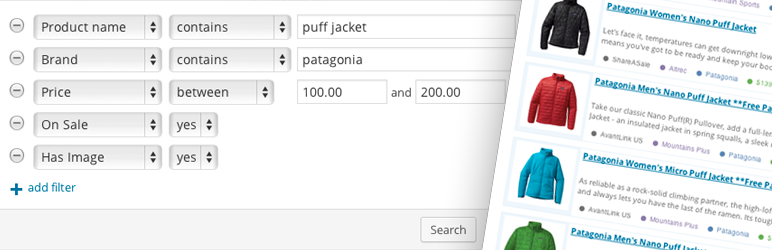
Create a new Product Set by performing a product search for specific keywords. In this example lets use “rock climbing shoes” as our keywords.
-
The Datafeedr Product Sets plugin connects to the Datafeedr API and makes an API request querying 250 million affiliate products in the Datafeedr database for the keywords “rock climbing shoes”.
-
The Datafeedr API returns the products in the database that match your search keywords.
-
At this point, you have 2 choices: You can “save” your search (so that all products returned are added to your Product Set) or you can pick and choose specific products to add to your Product Set.
-
After your Product Set has some products in it, you choose what WordPress Post Type and Category to import the Product Set into. For example, you could import all of the rock climbing shoes into your WooCommerce store in the “Climbing Shoes” product category.
-
Within a few seconds the Product Set will attempt to import those products into your WooCommerce product category. It will do so by getting all of the products in the Product Set and passing them to an importer plugin (in this case the Datafeedr WooCommerce Importer plugin).
-
After a few minutes (depending on how many products are in your set and your update settings) your “Climbing Shoes” product category will be filled with products from your Product Set.
-
Lastly, at an interval you configure, the Product Set will trigger a product update. At this time, products no longer available via the Datafeedr API will be removed from your WooCommerce store, all product information will be updated and any new products that match your “saved search” will be added to your store.
The Datafeedr Product Sets plugin requires at least one importer plugin to import products from a Product Set into your blog.
We currently have one importer which imports products from your Product Sets into your WooCommerce store: Datafeedr WooCommerce Importer plugin. Additional importers will be developed over the coming months. Custom importers may also be written. Product Sets can be imported into one or more WordPress Post Types.
Requirements
- PHP 7.4 or greater
- MySQL version 5.6 or greater
- WordPress memory limit of 256 MB or greater
- PHP’s
CURLenabled - WordPress Cron enabled
- Datafeedr WooCommerce Importer Plugin
- HTTPS support