

Custom Windows Pinned Tiles
v2.1Nick Halsey · 2013年2月12日 上架
Look at the plugin banner image - which of these Windows Start Screen Tiles would you open, colorful live-updating ones in the top row or static, plai …
- 正在使用
- 30+
- 评分
- 5.0 / 5
- 累计下载
- 8,513
- 最近更新
- 2014年12月23日
贡献者
 Nick Halsey
截图
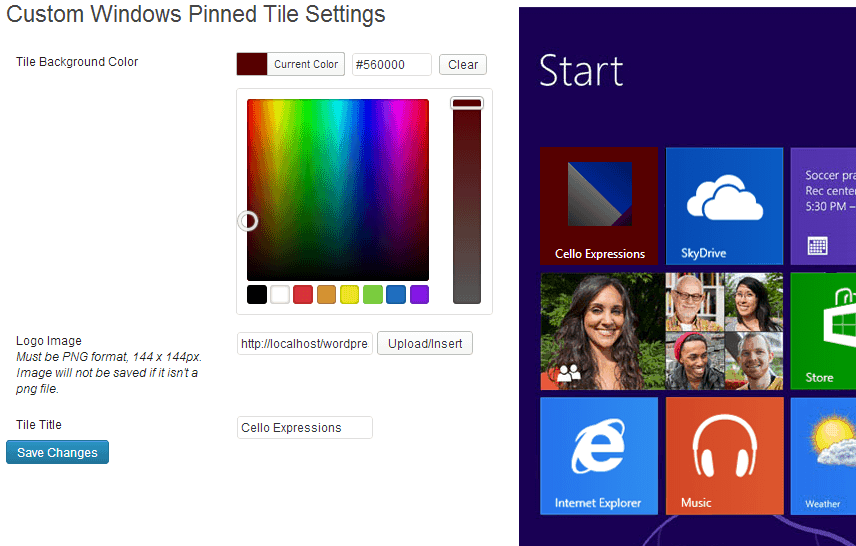
Look at the plugin banner image – which of these Windows Start Screen Tiles would you open, colorful live-updating ones in the top row or static, plain ones in the bottom row?
With Custom Windows Pinned Tiles 2, you can set up your site to display beautiful live-updating tiles in a matter of seconds. Just activate the plugin and pick a tile image and color on the settings page. Then, anyone who pins your site to their start screen with Windows 8.1/IE11 will see your site’s logo/image (at the size of their choosing), which will also live-update to display your latest 5 posts, with images if they’re available.
Live tiles feature your post titles and excerpts or images from the posts. Your website essentially becomes a Windows 8.1 App; a huge opportunity to engage your visitors and keep them coming back, with headlines from your content appearing directly on their start screen!