
跳到内容

CSV to HTML

v3.71

wibergsweb · 2016年4月16日 上架

Easily display, edit, and synchronize CSV files as dynamic HTML tables using a simple shortcode—no coding required.

正在使用
300+
评分
5.0 / 5
累计下载
3.9 万
最近更新
2026年8月20日
22 条评价需要 WordPress 5.9.0+已测试到 7.0.9PHP 8.0+

截图

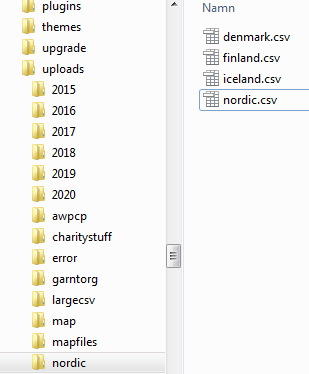
Screenshot - file structure with folder nordic in upload-folder
Screenshot - [csvtohtml_create path="nordic" source_files="denmark" source_type="guess" debug_mode="no"] OR [csvtohtml_create path="nordic" source_files="denmark.csv" source_type="guess" debug_mode="no"]
Screenshot - [csvtohtml_create path="nordic" source_files="*.csv" source_type="guess" debug_mode="no"]
Screenshot - [csvtohtml_create path="nordic" source_files="*.csv" source_type="guess" debug_mode="no" filter_data="2010" filter_col="1"]
Screenshot - [csvtohtml_create path="nordic" source_files="denmark;iceland" source_type="guess" debug_mode="no"]
Screenshot - [csvtohtml_create path="nordic" source_files="denmark;iceland" source_type="guess" debug_mode="no"] with css. CSS .csvtohtml tr.rowset-7 .colset-2 { background: #27b399; color: #fff; font-weight:600; }
Screenshot - [csvtohtml_create path="nordic" source_files="denmark;iceland" source_type="guess" title="Nordic growth" debug_mode="no"]
Screenshot - [csvtohtml_create path="nordic" source_files="denmark" source_type="guess" debug_mode="no" sort_cols="2" sort_cols_order="asc"] AND [csvtohtml_create path="nordic" source_files="iceland" source_type="guess" debug_mode="no" sort_cols="1,2" sort_cols_order="desc,asc"]

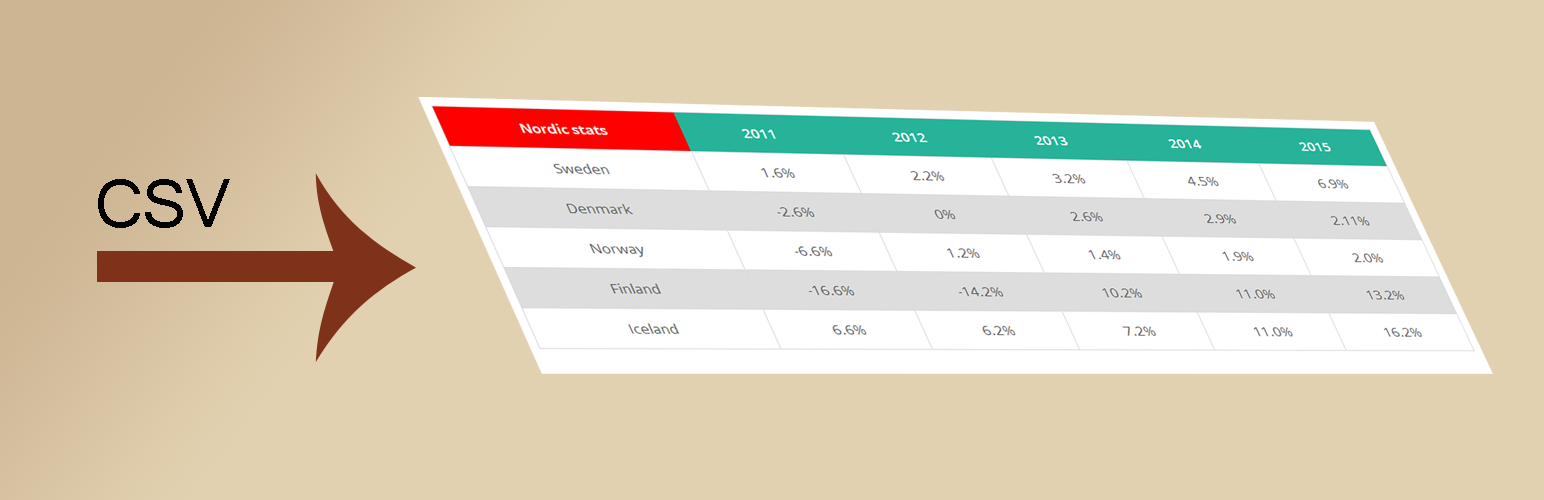
CSV to HTML is a highly configurable plugin that makes it easy to fetch content from file(s) (.csv,.xlsx, .json and .ods) and put content from that file/those files and display the html(table) on a page with a single shortcode. If using more than one file, content from all files are mixed into one single table instead of creating two tables.

The plugin fetches the actual content directly from the file(s) without having to import/export any file(s) manually. So any changes in the file(s) will be updated when you view your table(s). CSV to HTML is able to fetch both local and external files.

Get started with the plugin by moving on to the Installation tab. There’s a 4 step guide how you could start using the plugin. Good luck!

Plums

按场景查找 WordPress 插件。安装量、评分和兼容版本来自官方目录。

导航

说明

WordPress 是 WordPress Foundation 的商标。本站与 WordPress Foundation、Automattic 没有隶属关系。这里不托管插件文件,下载和安装以 WordPress.org 上的页面为准。

© 2026 Plums