跳到内容

Crop Thumbnails

v1.10.0

Volkmar Kantor · 2012年11月15日 上架

"Crop Thumbnails" made it easy to get exacly that specific image-detail you want to show in your featured image or gallery image.

正在使用
4 万+
评分
4.6 / 5
累计下载
91 万
最近更新
2026年11月9日
69 条评价需要 WordPress 5.7+已测试到 7.1.5PHP 7.4.0+

贡献者

截图

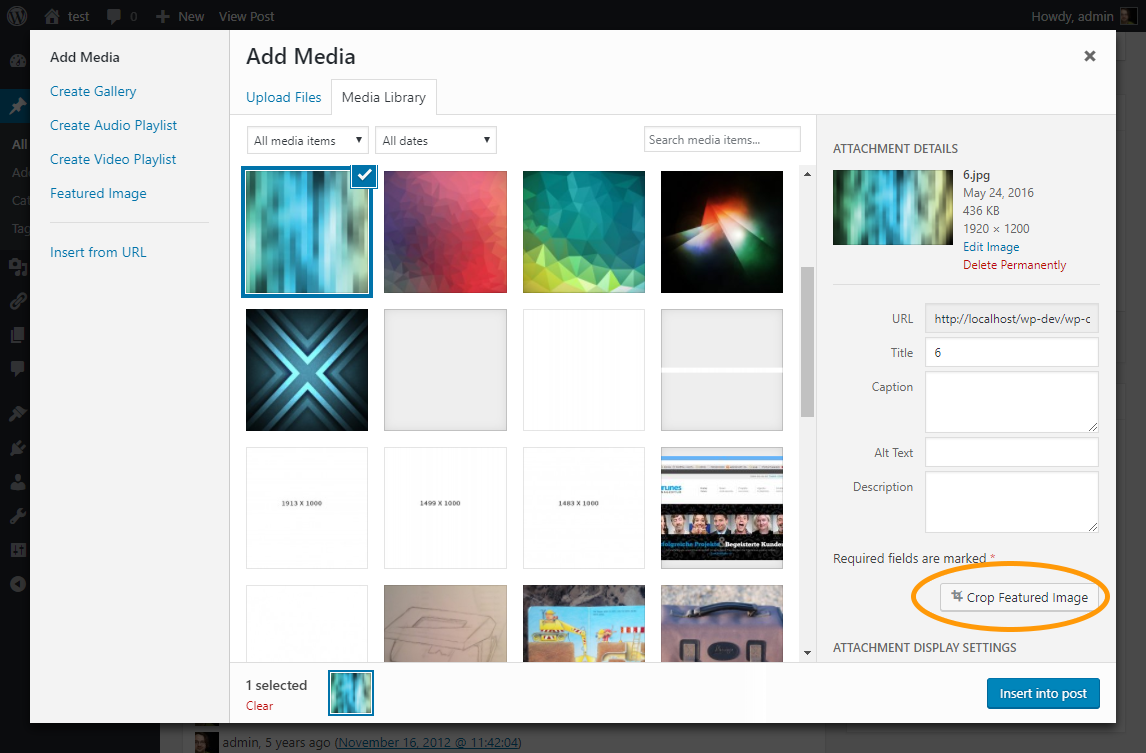
You have access to the crop-editor on the media-panel by clicking "Crop Featured Image".
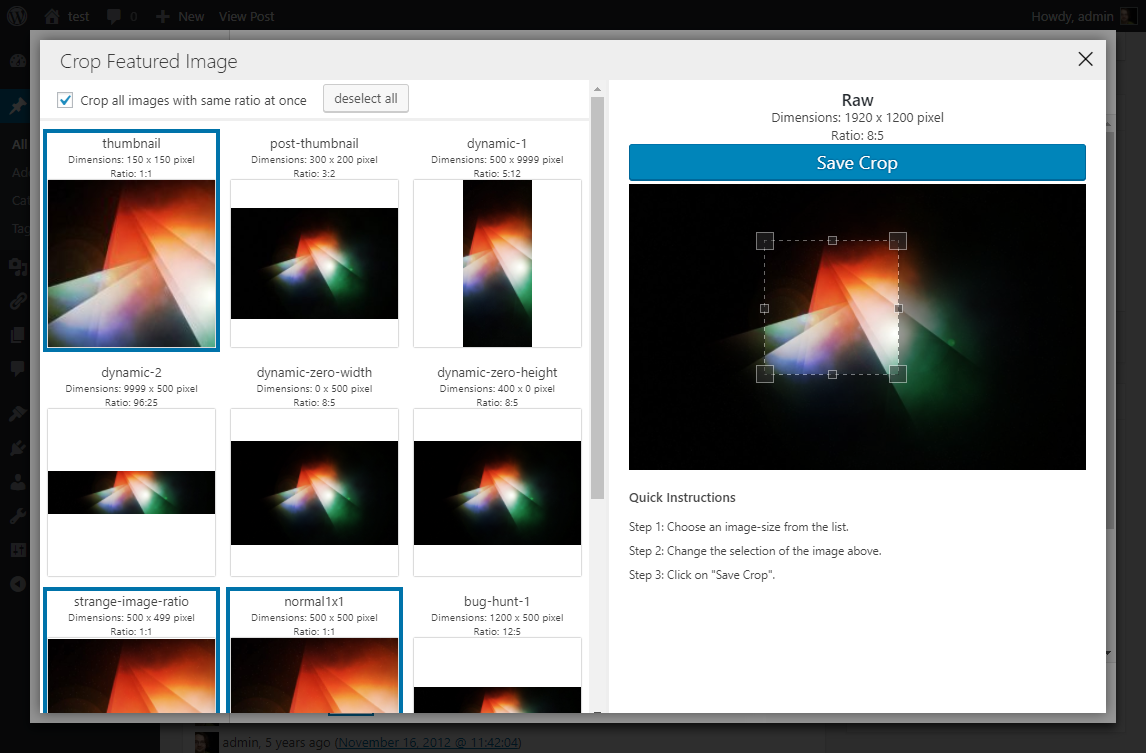
Choose one or more images (with the same ratio).
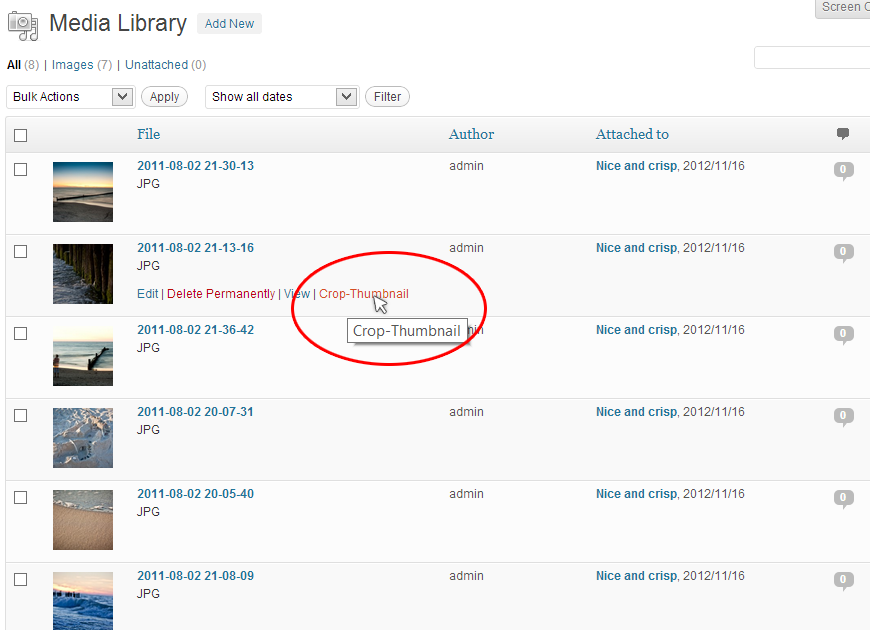
The crop-editor is also integrated in the list-view of the media library.
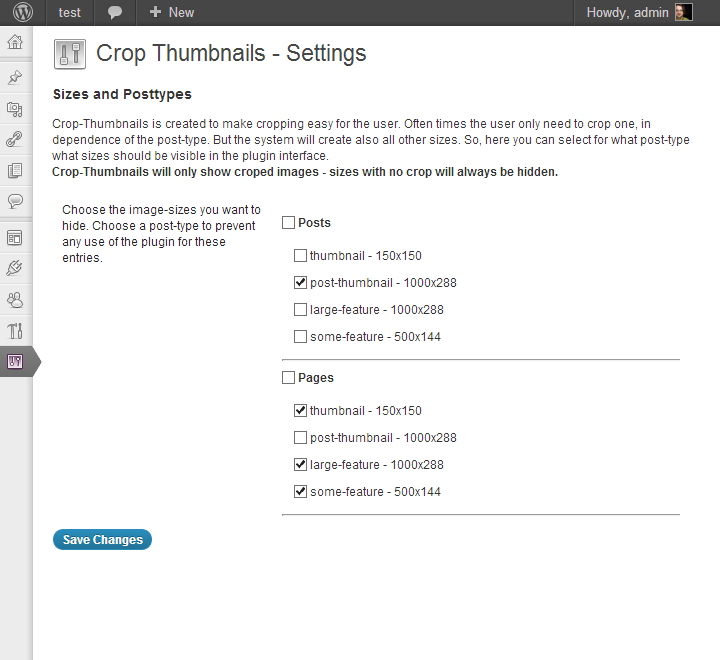
Choose what image-sizes should be hidden (for what post-types), for better usability.
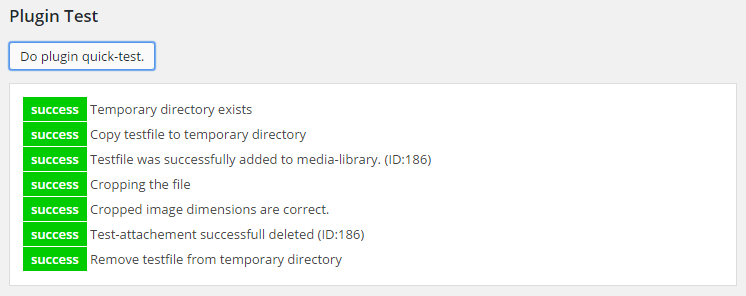
Quicktest on settings-page, to check if your system is correct setup.

The plugin provides the functionality to adjust the crop region of cropped images. It add buttons to the edit-pages and media-dialog to access a crop-editor.
In the crop-editor you can choose one or more (if they have the same ratio) imagesizes and cut-off the part of the image you want.

The plugin is especially useful for theme developers who want to keep full control over cropped image sizes. If you want to dive even deeper, you can get informations about the hooks and filters on the github page of the plugin.

Plums

按场景查找 WordPress 插件。安装量、评分和兼容版本来自官方目录。

导航

说明

WordPress 是 WordPress Foundation 的商标。本站与 WordPress Foundation、Automattic 没有隶属关系。这里不托管插件文件,下载和安装以 WordPress.org 上的页面为准。

© 2026 Plums