

Core Rollback
v1.4.3Andy Fragen · 2020年11月17日 上架
Seamless rollback of WordPress Core to latest release or any outdated, secure release using the Core Update API and core update methods.
- 正在使用
- 2 万+
- 评分
- 4.7 / 5
- 累计下载
- 21 万
- 最近更新
- 2026年7月30日
贡献者
 Andy Fragen
截图
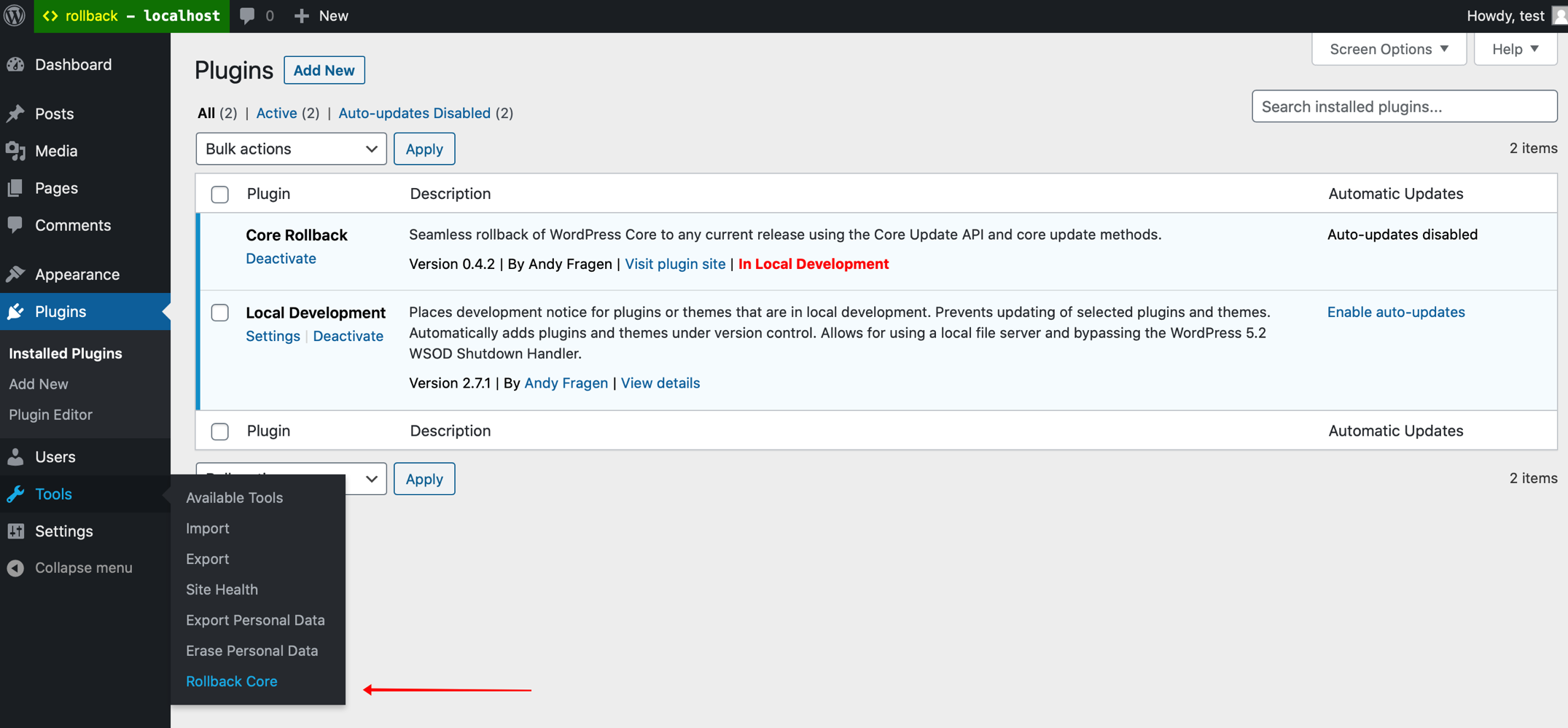
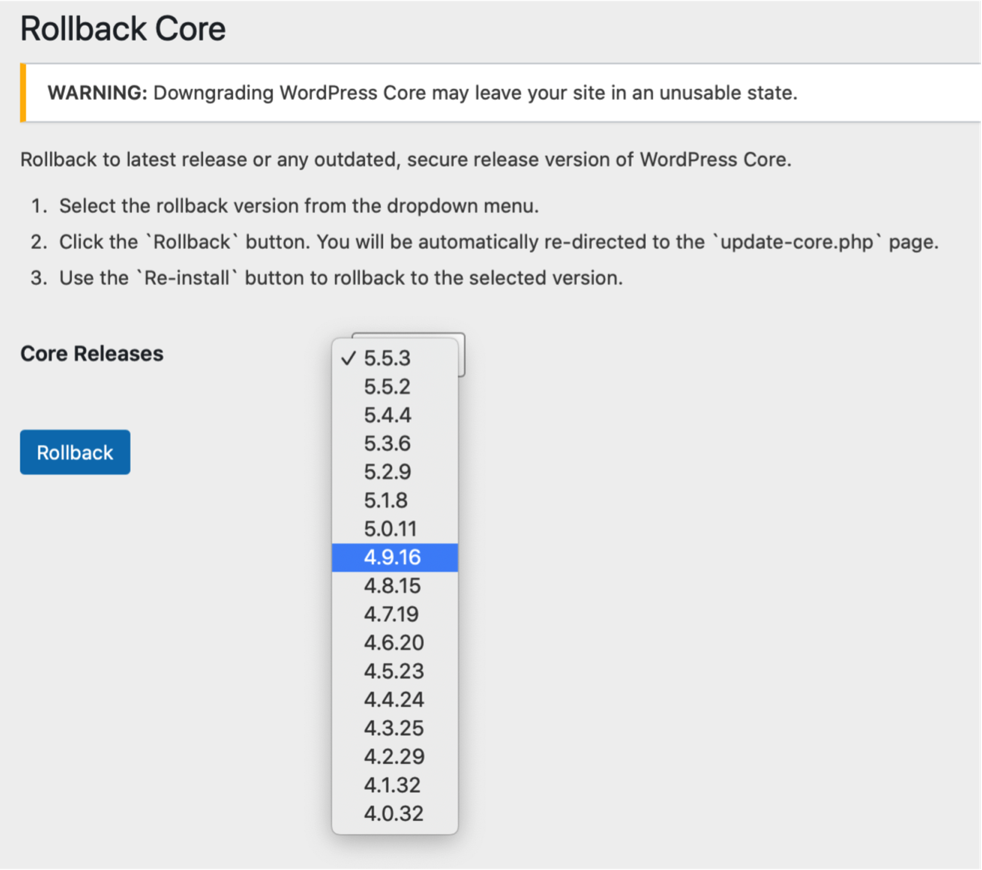

Seamless rollback of WordPress Core to latest release or any outdated, secure release using the Core Update API and core update methods. Only latest release and outdated, secure releases are offered. Refer to https://api.wordpress.org/core/stable-check/1.0/ Logo from a meme generator. Original artwork by Allie Brosh.
Usage
From the Tools menu select Rollback Core, select the version you wish to rollback to from the dropdown and click Rollback. You will be directed to the update-core.php page where you should see a button to Re-install your specified version. If you move away from the update-core.php page before clicking the Re-install button you will have 15 seconds to return and complete the process or you will need to start over.
In multisite use the Settings menu.
WARNING: Downgrading WordPress Core may leave your site in an unusable state requiring a complete reinstall or a forced reinstall using WP-CLI, wp core update --force --version=5.5.3. It may also leave your site broken due to a plugin or theme incompatibility. Use at your own risk.
Rollbacks use your current locale.
PRs are welcome.