
CoolClock
v4.3.10Rolf Allard van Hagen · 2012年12月9日 上架
Show an analog clock on your WordPress site sidebar or in post and page content.
- 正在使用
- 1,000+
- 评分
- 4.7 / 5
- 累计下载
- 9.4 万
- 最近更新
- 2026年10月2日
 Rolf Allard van Hagen
截图

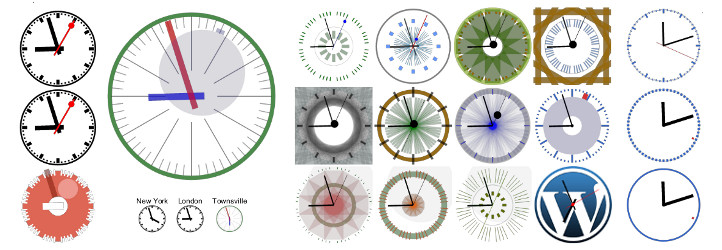
This plugin integrates CoolClock – The Javascript Analog Clock into your WordPress site. You can add it as a widget to your sidebar or insert it into your posts and pages with a shortcode. See the FAQ’s for available shortcode parameters and how to build the clock into your theme.
Features
- Can be added via a widget, shortcode or theme function
- No flash, meaning compatible with tablets and most other javascript enabled mobile devices
- 22 different skins to choose from or
- Custom skin option to create your own skin style
- Linear or logarithmic time scale
Read more on the CoolClock homepage or see the FAQ’s to learn how to configure your own skin settings.
Pro features
- Show date or 24h digital time
- Background image or color
- Border radius (rounded corners for background)
- Advanced positioning options (relative to background)
- Advanced shortcode parameters (including background image and custom skin)
- One extra clean skin for use with background image
- Support on the CoolClock Pro forum
Pro features come with the CoolClock – Advanced extension.
Privacy / GDPR
This plugin does not collect any user or visitor data nor set browser cookies. Using this plugin should not impact your site privacy policy in any way.
Known Issues
-
When IE 8 is manually put or forced (through X-UA-Compatibility meta tag or response header) into Compatibility mode, the Clock will –even though the canvas area is put in place– remain invisible.
-
When a shortcode is not placed on its own line but on the same line with text, image or even another shortcode, then the output (div with canvas tag) will be wrapped inside a paragraph tag. While most browsers do not have a problem displaying the clock, this will cause a validation error.
Please report any other issues on the Support page.