

Cookie Consent Hub
v1.0.2Cookie Consent Hub · 2026年8月18日 上架
GDPR/CCPA cookie consent banner powered by CookieConsentHub. Server-side script blocking, cache-compatible, and fully managed.
- 正在使用
- 10 以下
- 评分
- 暂无
- 累计下载
- 323
- 最近更新
- 2026年11月13日
 Cookie Consent Hub
 Emtiaz Zahid
截图
Cookie Consent Hub is a WordPress plugin that connects your site to the
CookieConsentHub service. It provides:
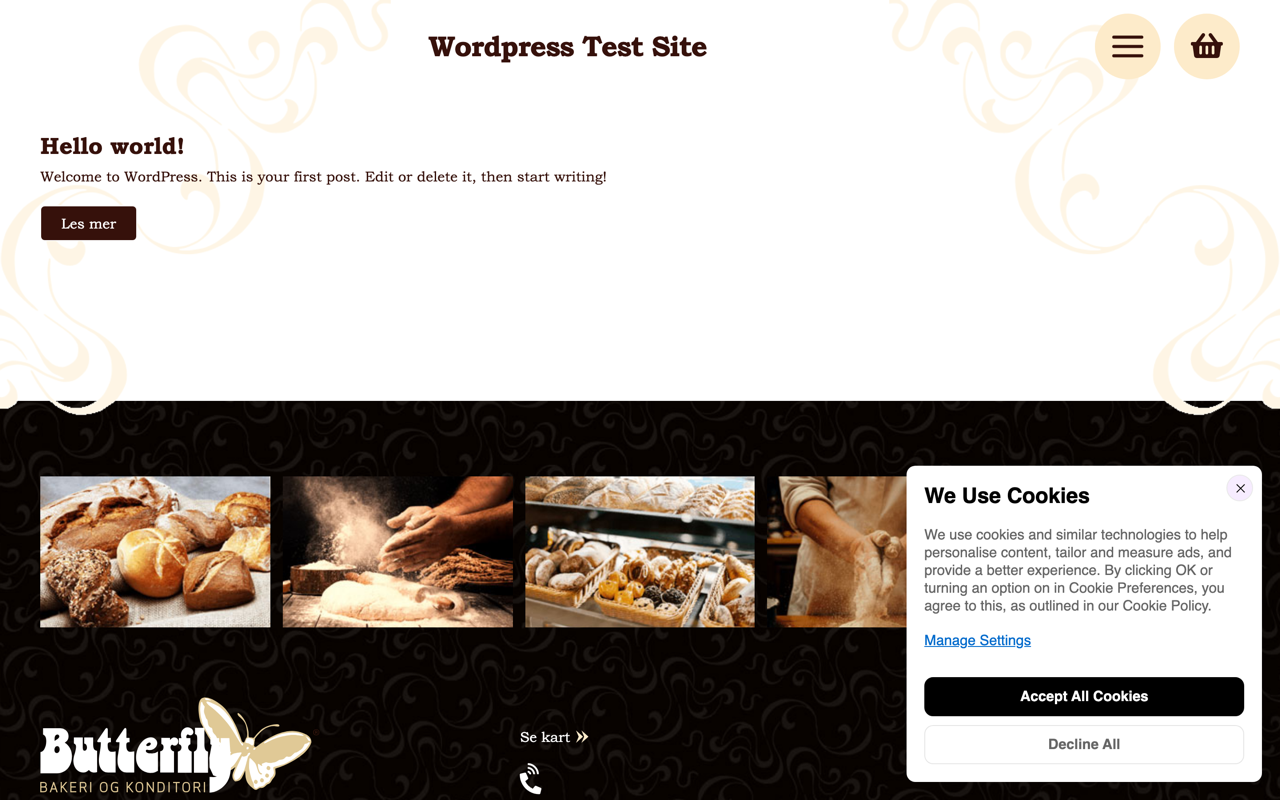
- Cookie consent banner — Customizable from your CookieConsentHub dashboard
- Server-side script blocking — Rewrites third-party scripts before they reach the browser
- Cache compatible — Works with WP Rocket, W3 Total Cache, LiteSpeed Cache, and WP Super Cache
- Regional targeting — Show banners only to EU, US, EEA+UK, or Brazil visitors, or globally
- Google Consent Mode v2 — Supported via the CDN script and GTM integration
Requirements
This plugin is a client for a third-party service and does nothing on its own. It
requires:
- A CookieConsentHub account. Your first site starts a free trial
with no card; after the trial the site needs a plan - An API key generated from your CookieConsentHub dashboard
See External services below for exactly what data is sent where.
How It Works
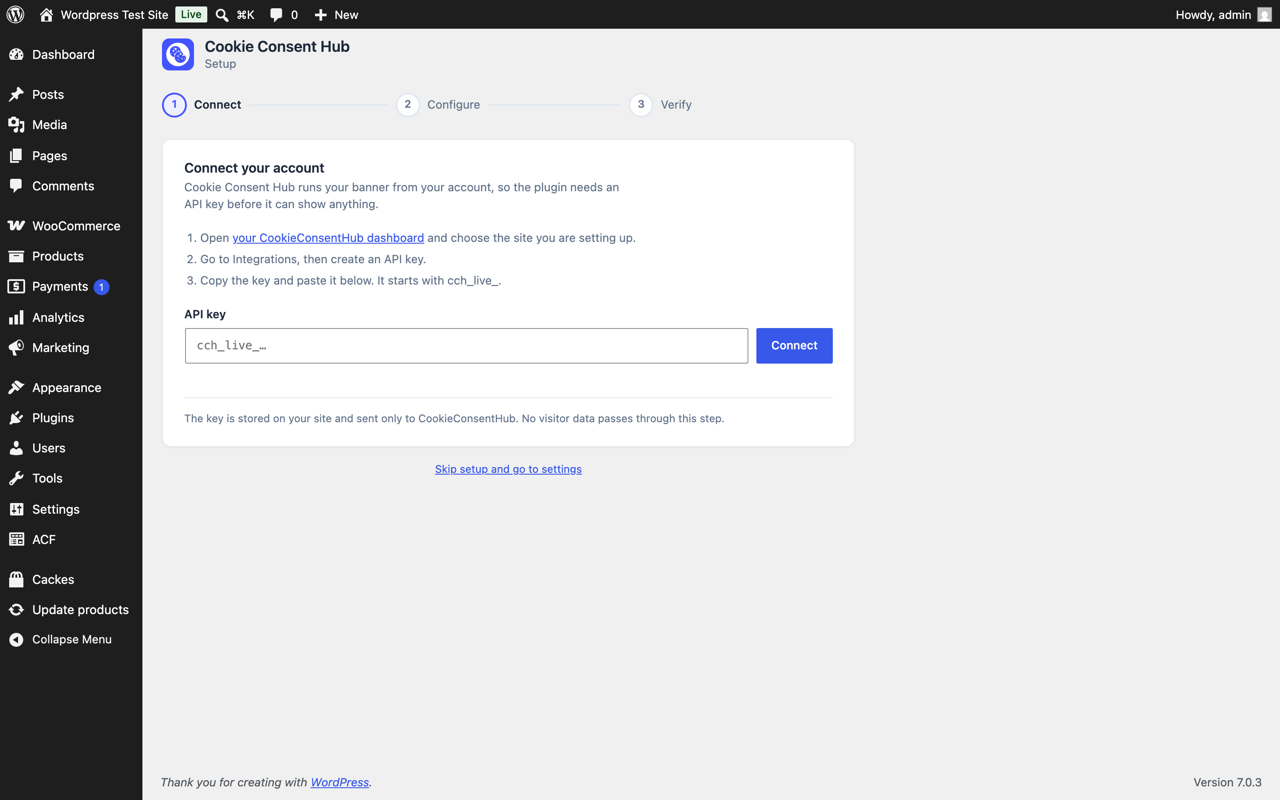
- Install and activate the plugin — activation opens a short setup flow
- Paste the API key from your CookieConsentHub dashboard
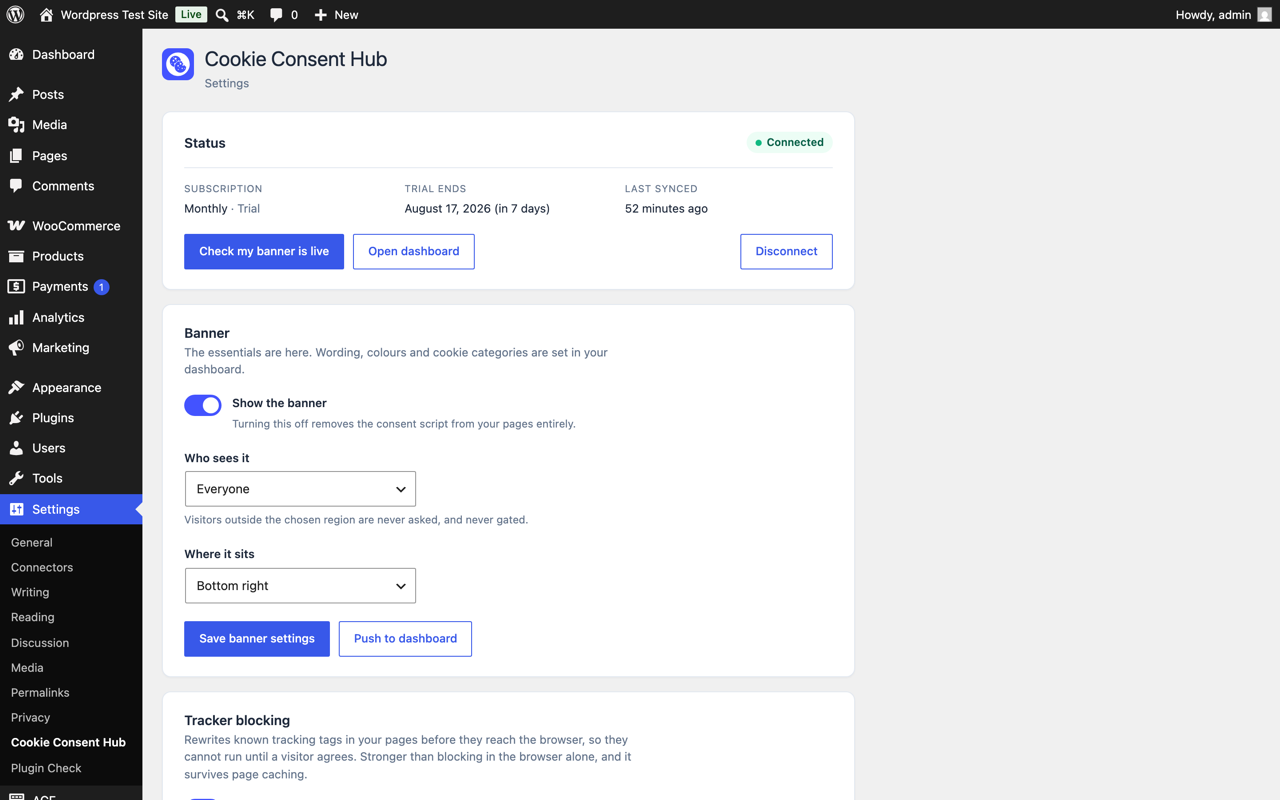
- Choose who sees the banner, where it sits, and whether trackers are blocked
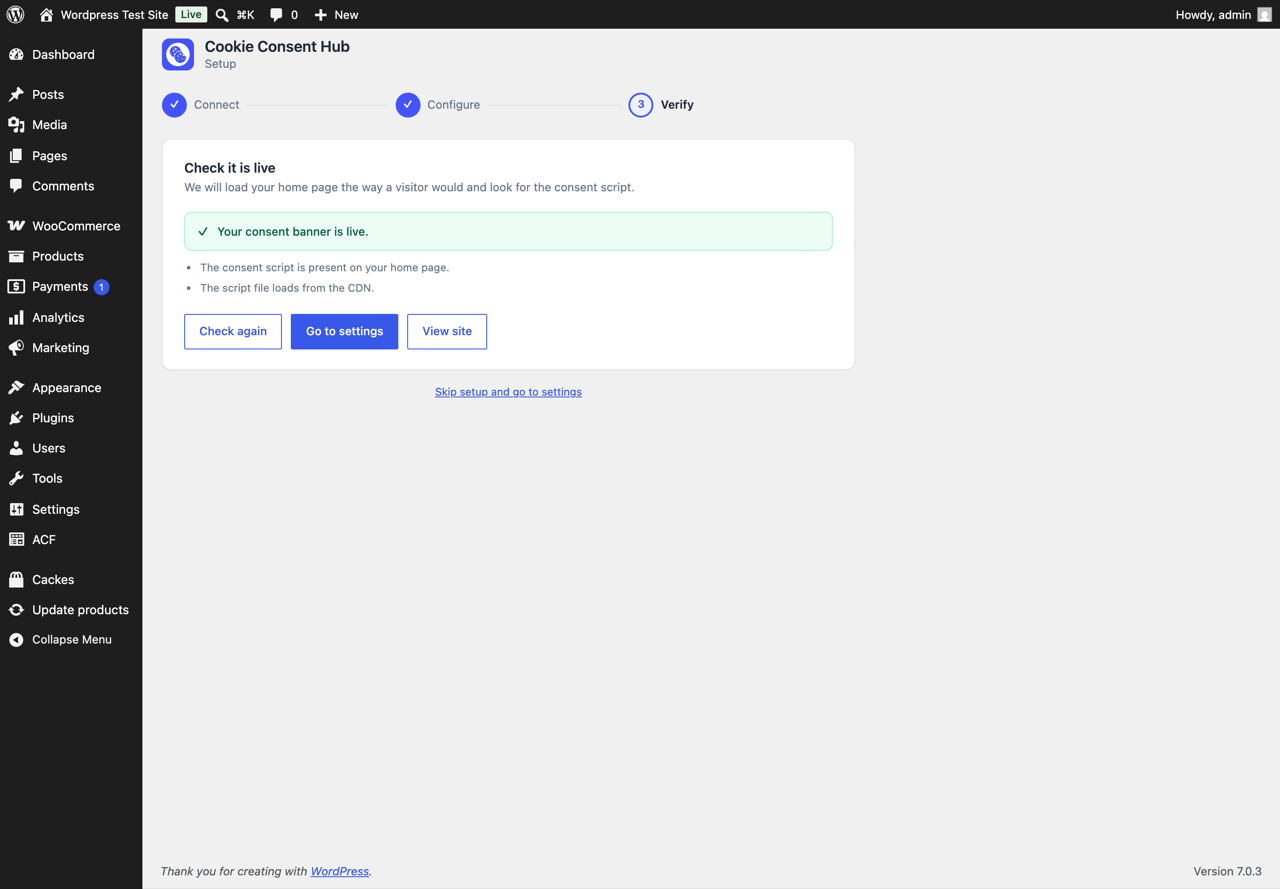
- The plugin loads your own home page and confirms the banner is actually live
You can re-run those settings any time from Settings > Cookie Consent Hub, which
also has a “Check my banner is live” button for when something looks wrong.
External services
This plugin relies on the third-party service CookieConsentHub
(https://cookieconsenthub.com) and does not function without it. Nothing is sent
anywhere until you enter an API key and click Connect.
Service terms: https://cookieconsenthub.com/terms-and-conditions
Privacy policy: https://cookieconsenthub.com/privacy
1. Connecting your site — POST https://cookieconsenthub.com/api/wp/validate
Fires once, when an administrator clicks “Connect” on the settings screen. Sends the
API key you pasted. Receives your site’s banner configuration, script URL, and
subscription status. No visitor data is involved.
2. Syncing settings — PATCH https://cookieconsenthub.com/api/wp/settings
Fires when an administrator finishes the setup wizard or clicks “Sync to Dashboard”.
Sends the API key and the banner settings shown on the settings screen (enabled, region,
position). No visitor data is involved.
3. The consent banner script — loaded from https://cdn.cookieconsenthub.com
Once connected, the plugin adds a <script> tag to the front end of your site. This
script runs in each visitor’s browser and contacts CookieConsentHub directly. It
affects your visitors, so it is described in full:
GET https://cookieconsenthub.com/api/customization/{site-id}— fetches the banner
text, colors, and behavior you configured. Sends your site identifier only.GET https://cookieconsenthub.com/api/geo-country— resolves the visitor’s country
so that region-restricted banners are shown to the right people. The visitor’s IP
address reaches CookieConsentHub as part of this request and is used to derive the
country. If your banner region is set to “Global”, this lookup is not needed.POST https://cookieconsenthub.com/api/consentlog/{site-id}— records the consent
choice so you have an auditable log, as GDPR requires. Sent only after a visitor
interacts with the banner. Includes: the accept/reject action, which categories were
granted, the page URL the choice was made on, an expiry timestamp, a generated event
identifier, and the browser language, platform, and user agent string.
If you deactivate the plugin, the script tag is removed and none of the above occurs.
CookieConsentHub is the only service this plugin contacts. The tracker blocker holds a
list of third-party domain names — connect.facebook.net, googletagmanager.com/gtag,
intercom.io and so on — and the settings screen prints that same list under “What gets
blocked”. Those are patterns matched against script tags your site is already serving, so
they can be switched off until a visitor agrees. They are not destinations: the plugin
sends no request to any of them, and adding one to the list is what stops it loading.