
Convocept – Fast Native Comment System
v1.0.1Joel James · 2026年10月13日 上架
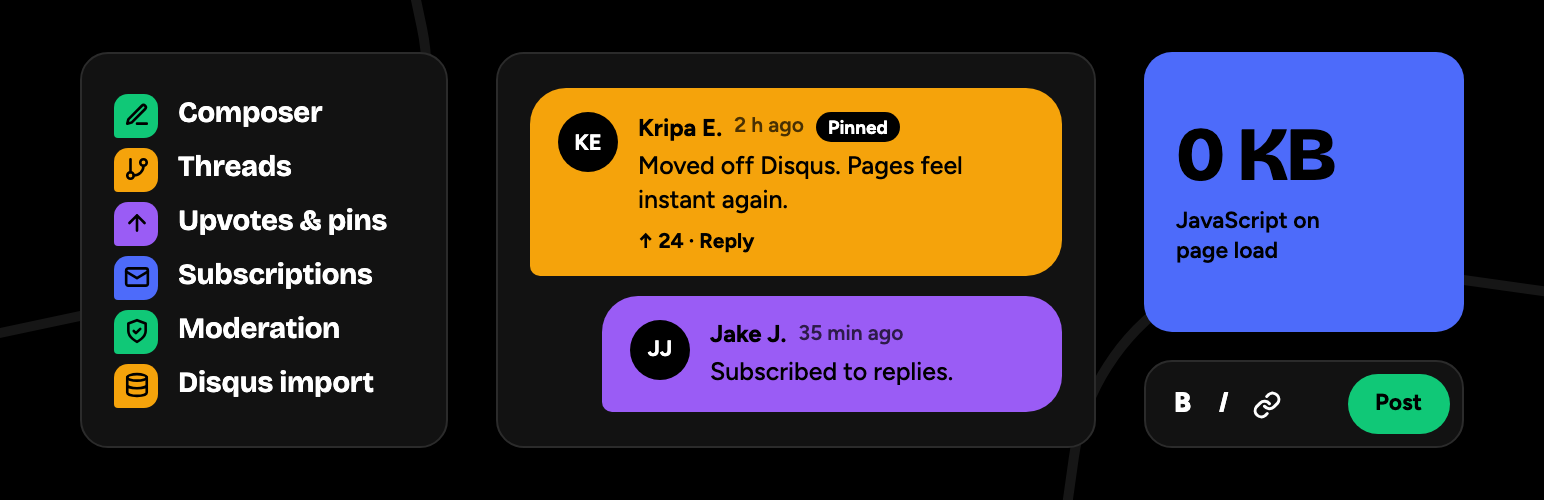
Fast, modern WordPress comments: threaded replies, upvotes, comment subscriptions, spam protection and a Disqus importer. Zero JavaScript on load.
- 正在使用
- 10 以下
- 评分
- 5.0 / 5
- 累计下载
- 254
- 最近更新
- 2026年10月14日
贡献者
 Joel James
 Foxe Labs
截图


Convocept is a fast, modern comment system for WordPress that keeps every comment in your own database. It replaces your theme’s comment section with threaded replies, upvotes, email subscriptions and smart spam protection, and it loads no script at all until your readers reach the comments.
It is a lightweight Disqus alternative with no ads, no tracking and no outside service. Your comments stay native WordPress comments, so Akismet, backups, exports and the Comments screen keep working, and nothing is lost if you ever switch back.
Everything described here is free and fully working. See it in action and read the guides at convocept.com.
⚡ Built for speed
- 0 KB of JavaScript on page load. A small script (about 6 KB gzipped) loads only when a reader scrolls near the comments or starts typing.
- 0 extra requests. Styles are under 4 KB gzipped and inlined next to the comments. No fonts, no icons to download, no third-party scripts.
- Server-rendered comments. Readers and search engines get every visible comment in the page HTML, straight away.
- No layout shift. In our tests a post with 200 comments scored 99–100 in Lighthouse, against 100 for the same post with no comments.
- Cache friendly. Nothing personal is printed into the page, so WP Rocket, LiteSpeed Cache, Cloudflare and other page caches can serve it to everyone.
How that compares with Disqus, wpDiscuz and default WordPress comments: Convocept comparisons.
💬 A comment section readers enjoy
- Threaded comments with inline replies: the comment form moves under the comment you answer.
- Formatting toolbar for bold, italic, links, code and quotes, with a preview.
- Upvotes and sorting by oldest, newest or top comments.
- Pinned comments that lead the discussion.
- Edit after posting for a few minutes, with a countdown.
- Load more comments and show more replies, so long discussions stay quick.
- Comment links open the right page and highlight the comment.
- A clean design that fits any theme: light or dark, your theme’s font and your own accent colour.
The full list, with screenshots: Convocept features.
📬 Comment subscriptions built in
Replace a separate “subscribe to comments” plugin:
- “Email me replies to my comment” and “Email me all new comments” in the comment form.
- Subscribe without commenting, in the thread or anywhere with a block or the
[convocept_subscribe]shortcode. - Double opt-in, one-click unsubscribe and a page where readers manage their subscriptions.
- Emails go out in the background, in batches, so thousands of subscribers never slow down posting.
🛡️ Spam protection and moderation
- Works with Akismet, Antispam Bee and WordPress’s own moderation rules.
- Adds a hidden honeypot, a timing check, a link limit and per-visitor rate limits.
- Moderate in place: approve, pin, mark as spam or trash comments right in the thread.
- The Comments screen shows why a comment was held.
📥 Switch from Disqus in minutes
Upload your Disqus export, review a dry run, then import with a progress bar. Replies stay under their parents, spam and deleted comments are skipped, and running it again never creates duplicates. Comments are matched to your posts by the Disqus identifier or the page address, even after a domain change. Big sites can import 100,000+ comments with WP-CLI: wp convocept import disqus export.xml.gz.
Coming from wpDiscuz? Your comments are already WordPress comments, so they appear in Convocept the moment you activate it.
Step-by-step guides: Migrate to Convocept. Side by side: Convocept vs Disqus and Convocept vs wpDiscuz.
🔍 Good for SEO
- Comments are in the page HTML, where search engines can read them.
- Schema.org structured data describes each comment and reply.
- Works with Yoast SEO and Rank Math: comments join their schema graph instead of adding a second one.
- Paginated comments have real links that search engines can follow.
🔒 Private and accessible
- No external requests, no tracking, no cookies of its own, except WordPress’s Gravatar avatars when Show Avatars is on in Settings Discussion (turn it off and Convocept shows initials). No account and no API key.
- WordPress’s export and erase personal data tools cover subscriptions and votes, and Settings Privacy gets suggested policy text.
- Choose to store commenters’ IP addresses in full, anonymized or not at all.
- Accessible: keyboard friendly, announced to screen readers, and checked against WCAG 2.2 AA in light and dark colours.
- Works without JavaScript: the comment form is a real form, so readers can always read, reply and post.
- Translation ready, including right-to-left languages.
🧩 For developers
- Override any template from your theme: copy it to
your-theme/convocept/. - Restyle with CSS custom properties such as
--convocept-radiusand--convocept-font. - Actions and filters at every step: rendering, submission, spam checks, subscriptions, structured data, importers and settings.
- A REST API and a WP-CLI import command.
Guides and the full hooks reference are in the Convocept documentation.
🗺️ Coming next
Version 1.1 adds importers for wpDiscuz votes and Subscribe to Comments Reloaded subscribers, an Insights dashboard built from your own comment data (no tracking), and a comment moderation screen inside Convocept. Follow along on the Convocept roadmap.
🌐 Learn more
- Convocept website: features, comparisons and news.
- Documentation: installation, settings, theming and hooks.
- Migration guides: from Disqus, wpDiscuz and default WordPress comments.
- Support: the support forum, migration help and email.
- Blog: news and release posts.