
Content Slideshow
v2.5Nick Halsey · 2014年1月8日 上架
This plugin creates a fullscreen slideshow that displays randomly-selected pictures from your media library. Designed to display pictures related to y …
- 正在使用
- 10+
- 评分
- 暂无
- 累计下载
- 6,485
- 最近更新
- 2026年7月14日
贡献者
 Nick Halsey
截图
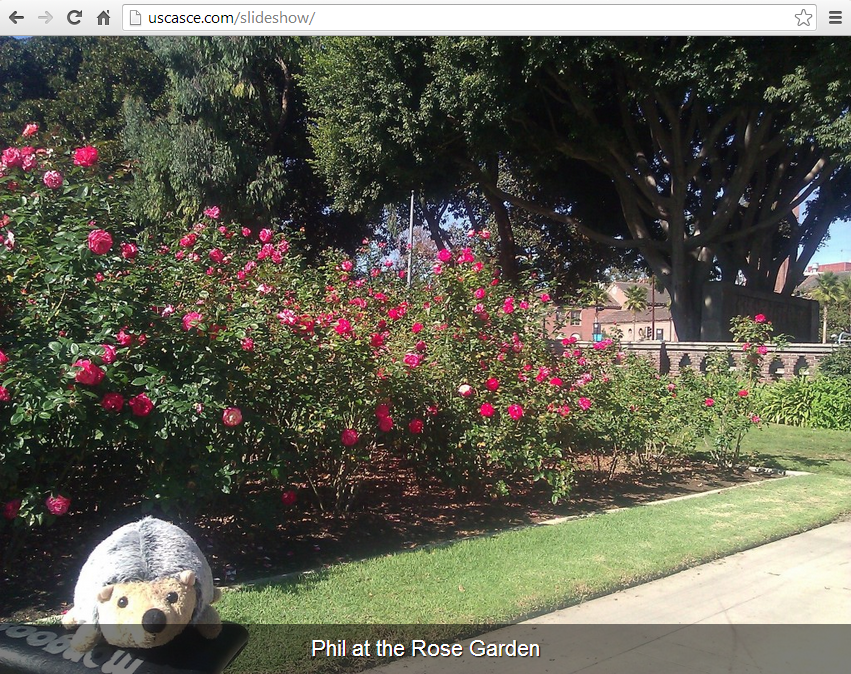


This plugin creates a fullscreen slideshow that displays randomly-selected pictures from your media library. Designed to display pictures related to your business/organization in the background at an event or in your office, there is no need to configure any settings or controls. Image captions/descriptions are automatically displayed as well, and can be configured based on your needs.
Once activated, you can view the slideshow by visiting http://yourdomain.com/slideshow. All JPEG images will be displayed (since .jpg is best for pictures, while .png and .gif are typically used for graphics).
Please note that it is not currently possible to pause the slideshow or go back; the slideshow is not designed for personal viewing. However, clicking/tapping on the image will open its attachment page in a new tab, allowing images to be contextualized or edited easily.
The slideshow can also be embedded into your site via a widget or a shortcode.
You can control some options by adjusting the url of the slideshow. Parameters are controlled via query string (and widget options and shortcode attributes).
sizeis the size of the image to load, eitherthumbnail(discouraged),medium,large,full, orauto, which uses medium or large depending onwp_is_mobile().yearis the 4-digit numeric year in which the images were published.monthis the numeric month in which the images were published (between 1 and 12), typically but not necessarily used in conjunction withyear.modedefines a subset of images to use, such asfeaturedfor featured images only.captionscontrols the captions display: eitherauto,none,title,titlecaption,caption, ordescription. Caption data is read from the image attachment post and can be updated in the media library.
Using all options, for example:
http://example.com/slideshow?size=full&year=2014&month=4&mode=featured&captions=titlecaption
You can see it in action here.