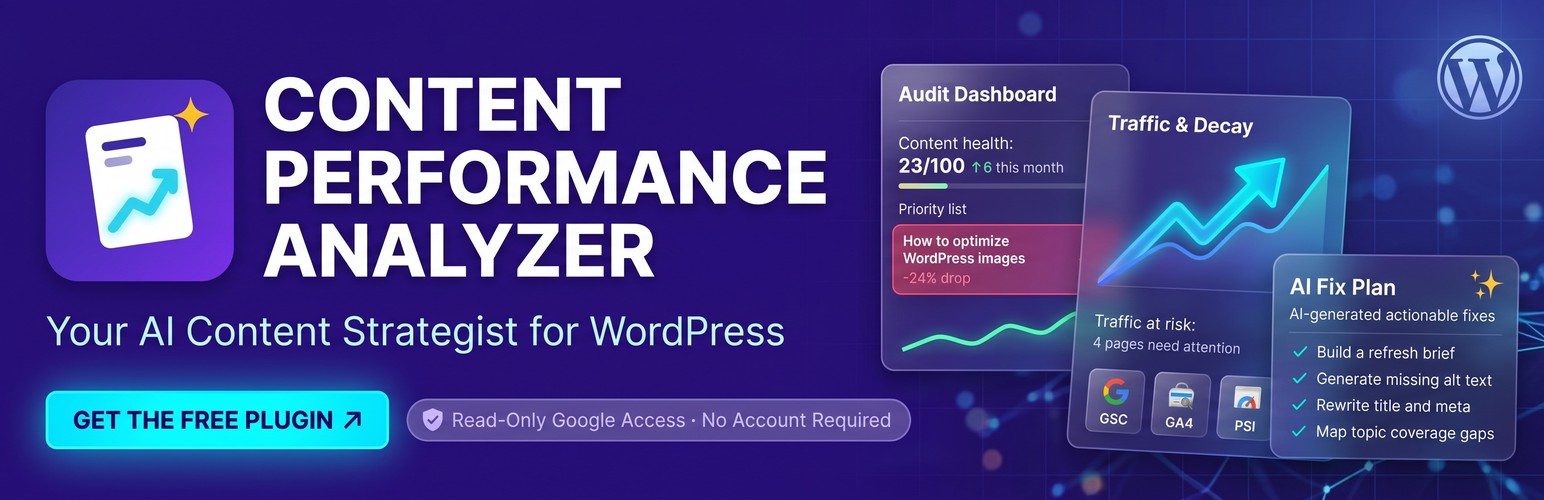

Content Performance Analyzer – GA4 & Search Console Content Audit
v2.1.2Wajahat Mubashir · 2026年4月9日 上架
Audit content decay with GA4 and Search Console data, and get a specific AI fix plan for every page losing traffic.
- 正在使用
- 10 以下
- 评分
- 暂无
- 累计下载
- 3,541
- 最近更新
- 2026年11月22日
贡献者
 Wajahat Mubashir
截图


Your AI content strategist for WordPress. Content Performance Analyzer finds the pages that are quietly losing traffic, rankings, or conversions — and tells you exactly how to fix each one. It connects your Google Analytics 4 (GA4) and Google Search Console accounts, joins that data with the actual content of each page, and lets AI turn it into specific, page-level recommendations — so you spend your time refreshing content that matters instead of digging through spreadsheets.
Everything needed to find problems and get clear recommendations is free, with no URL limits. Bring an OpenAI, Groq, or Gemini key for free page-level AI recommendations. The optional Pro plan adds hosted AI with no provider key, ready-to-use draft assets, and full WordPress draft writing.
Every scan checks each page for three common problems:
- Content decay — pages that used to rank and are now losing traffic. Refreshing an old post is far cheaper than writing a new one, and these are the fastest wins.
- SEO opportunities — pages with strong impressions but weak click-through or ranking, where a title or heading change has outsized impact.
- Conversion gaps — pages getting real traffic but few conversions, often just missing a clear call to action.
For each flagged page, the built-in AI analysis writes a specific recommendation you can act on — not generic advice. Add an optional Serper API key and it also compares your page against the pages currently ranking for your keyword, so you can see what top results cover that you don’t. It also maps the likely information branches behind each page’s main search — the query fan-out that AI Mode and AI Overviews run — and marks each branch Covered, Likely covered, Mentioned in text, or No heading found.
This plugin is a strong fit for blogs, resource libraries, and content-heavy sites with dozens to a few hundred posts, and for freelancers or agencies managing content for clients.
What You Get
- One-click Google connection — connect Analytics and Search Console with a single sign-in, then pick your property and site from dropdowns. No Google Cloud project, no API keys, no OAuth setup
- One verdict per page — Leave, Fix title, Refresh, Make it convert, Fix technical, or Investigate, with the reason beside it, so the table says what to do first
- Decay diagnosis that names the cause — every drop is classified (rankings slid, fewer people click, fewer searches, outside search, tracking break, indexing problem, seasonal) with the numbers behind it, and the table sorts by clicks lost
- Recovery verdicts — mark a page as fixed and the plugin watches it for 28-60 days, then tells you whether the fix worked: recovered, improving, or no lift
- Cannibalization detection — pages that compete with another of your pages for the same searches are marked in the table, with a filter to list them
- Internal links from your own search queries — when one page already uses, word for word, a phrase another page is found for in Google, the plugin suggests linking it. Add a link in one click and undo it later without touching other edits. Includes a list of orphan pages ranked by impressions and an anchor text audit (generic text, links with no text, and one link text pointing at different pages)
- Links to redirects and missing pages — finds internal links in your posts, including block buttons, whose address redirects or doesn’t load, checked against your live site hop by hop. Update a redirecting link to its final page in one click and undo it later
- Brand and non-brand search — enter your brand terms once and see how many search clicks each page and site section earns from people who already know you versus people who don’t, plus every search sitting on page two and every price or comparison search, with the page Google shows for each
- AEO readiness score — every page rated 0-100 on a structural readiness checklist for AI search (question headings in the article, direct answers, valid structured data, dates), with each failed check named, and the question searches the page already appears for shown under the score
- Structured data check — finds JSON-LD that does not parse, types declared twice (such as by two SEO plugins), and FAQ questions that are not on the page
- Question gaps — real Search Console queries you rank for that no heading on the page answers, plus one-click AI answer blocks with FAQ schema
- Coverage map — the likely information branches behind a page’s main search intent, built from real Search Console queries, People Also Ask questions, and the headings of the pages that rank, each marked Covered, Likely covered, Mentioned in text, or No heading found on your page, with the one action to take. Google does not publish the exact sub-queries, so every branch is labeled an estimate
- AI referral tracking — see which pages get visitors from ChatGPT, Perplexity, Copilot, and Gemini
- llms.txt — optional machine-readable site guide for AI crawlers, generated from your analyzed pages
- One-click page import — load every published page and post from your site with checkboxes, instead of pasting URLs
- Works before any setup — content-only mode checks pages for missing alt text, thin content, and heading problems with zero credentials
- Performance flagging — every page automatically labeled for decay, SEO opportunity, or conversion gap
- AI content recommendations — specific, page-level refresh guidance powered by OpenAI, Groq, or Google Gemini (free tier)
- AI alt text fixes — lists the exact images in your content missing alt text and writes and applies alt text for you, using image recognition. Images marked decorative outside the article are left alone
- Competitor gap analysis — optional Serper integration compares your content against top-ranking pages
- GA4 conversion tracking — uses your GA4 key events by default, with support for custom conversion events like demo or trial signups. Conversions are also counted by the page each visit started on, so the table can sort by conversions lost
- Keyword insights — shows the primary keyword each page ranks for, pulled from Search Console
- One-click refresh drafts — create a draft copy of any flagged page with its fix plan embedded at the top, so a refresh starts in the editor, not in a spreadsheet
- Dashboard widget — your top priority pages and fix results, right on the WordPress dashboard
- Freshness at a glance — published date, last WordPress edit, the last meaningful content change the plugin detected (with or without WordPress revisions), and a refresh-due status on every page
- AI crawler rules — allow or block each AI crawler in robots.txt from a checklist, with a recommended preset that welcomes AI search engines and turns away training-only crawlers
- Site checks — reads the robots.txt and sitemap your site actually serves, checks that http, https, www and non-www lead to one address, and alerts you when a scan finds a page that turned noindex, started redirecting or stopped returning 200
- IndexNow — tells Bing, Yandex, Seznam, Naver, and Yep the moment you publish, update, or unpublish a page, instead of waiting for the next crawl
- PageSpeed Insights without a key — Core Web Vitals and performance scores through the free hosted service, or your own API key if you prefer
- Background processing — analyzes hundreds of URLs in batches without timeouts, with live progress
- CSV export — download the full insights table for reporting or further analysis
- Read-only access for your team — Editors, Authors, and Contributors can open Content Insights to read the findings and export them; scans, AI generation, and every change to the site stay with administrators
- Weekly automatic scan — optional full rescan of every page on the day and hour you choose, so the table stays current without anyone starting it
- New posts tracked on publish — optional: a newly published post joins the list and its content is read within minutes, with no AI or Serper credits spent
Optional Pro Workflow
Pro does not lock the audit or diagnosis. It removes setup and writing work:
- Hosted AI with no provider key — recommendations work immediately after license activation
- 200 included AI generations per month — the latest remaining allowance is visible in the page-plan modal
- Competitor gap analysis with no Serper key — 600 included searches a month compare your pages against what currently ranks
- Ready-to-use draft assets — finished titles, meta descriptions, question headings, FAQ answers, quotable passages, and evidence-based internal-link suggestions
- Smart relevance and verification notes — only justified assets are generated, and missing or unverified facts are called out for review
- Full draft writing — creates a separate 600–900 word WordPress draft for editorial review; the live page is not changed
- One-click apply — writes the suggested title and meta description straight into Rank Math, Yoast SEO, or SEOPress, with undo
- Evidence audit and section drafts — the claims on a page that need backing, each with what would support it; 40–90 word draft sections for the branches your page misses; and a copyable writer brief that says what to keep, add, restructure, link, or split out
- Weekly email digest — one email after each scheduled scan: pages by verdict, the biggest click losses with their causes, newly flagged pages, recovery results, orphan pages and indexing changes
- Bring your own assistant (MCP) — connect Claude Code, Cursor or Claude Desktop to your site’s audit over the Model Context Protocol; your assistant reads the diagnosis, writes the fix plan or draft assets, and saves them back — on your own subscription, with no API key and no hosted-AI usage
Nothing here requires a Google Cloud project. The Google connection and PageSpeed both run through a free hosted service, so setup is a single sign-in. If you would rather run everything yourself, every hosted convenience has a self-hosted alternative: add your own PageSpeed or AI API key in Settings, and enable the cpanalyzer_show_byo_oauth_fields filter to use your own Google OAuth client.
External Services
This plugin connects to the external services below. The full privacy policy — covering the plugin and auth.cpanalyzer.com, data handling, security, and deletion requests — is at https://cpanalyzer.com/privacy.
1. Content Performance Analyzer Hosted Service (auth.cpanalyzer.com)
What it does: The plugin author’s own service. It holds the Google OAuth client so you do not need a Google Cloud project, runs PageSpeed lookups without your own key, and provides the optional hosted AI and competitor search included with a Pro license.
Data sent:
- Registration — your site’s home URL, once, to obtain an installation token
- Google sign-in — the WordPress admin URL to return you to, and the one-time handoff code Google issues
- Token refresh — your Google refresh token, forwarded to Google for a new access token
- PageSpeed — the URL being analyzed, mobile/desktop strategy, and your installation token
- Hosted AI (Pro) — your installation token and license key, plus the page URL, performance metrics, search queries, content structure, and page-text excerpts described in section 5. No site visitor personal data is sent. Nothing is sent when a Pro user selects “My own assistant only (MCP)” as the AI engine
- Competitor search (Pro) — your installation token and license key, plus the page’s primary keyword, forwarded to Serper.dev (section 6) when no personal Serper key is saved
What is stored: Your Google tokens live in your own WordPress database, not on the service. A one-time sign-in handoff entry expires after five minutes. For hosted AI and competitor search, the service stores request counts only — no prompts, page content, metrics, queries, or generated output are retained.
When: On “Connect with Google,” token refresh, keyless PageSpeed analysis, and Pro hosted AI or competitor search.
How to avoid it entirely: Enable the cpanalyzer_show_byo_oauth_fields filter and supply your own Google OAuth client, add your own PageSpeed API key, and use OpenAI, Groq, or Gemini with your own key. The plugin then talks to those providers directly and never uses this service.
Service URL: https://auth.cpanalyzer.com (endpoints: /auth/start, /api/v1/register, /token/exchange, /token/refresh, /api/v1/pagespeed, /api/v1/ai/chat/completions, /api/v1/serper)
Terms: https://cpanalyzer.com/terms — Privacy: https://cpanalyzer.com/privacy
2. Google Analytics 4
What it does: Retrieves traffic and engagement metrics for your pages, and lists your GA4 properties for the settings dropdown.
Data sent: Your GA4 property ID, date ranges, requested URL paths and metrics, and any custom conversion event names, authenticated with an OAuth 2.0 access token — obtained through the hosted service above by default, or directly from Google if you supply your own OAuth client.
When: Manual data collection, the scheduled daily refresh, the optional weekly scan, or URL uploads.
Service URLs: https://analyticsdata.googleapis.com/, https://analyticsadmin.googleapis.com/, https://accounts.google.com/o/oauth2/v2/auth, https://oauth2.googleapis.com/, https://www.googleapis.com/oauth2/v3/tokeninfo
Terms: https://marketingplatform.google.com/about/analytics/terms/ — Privacy: https://policies.google.com/privacy
3. Google Search Console
What it does: Retrieves clicks, impressions, CTR, average position, and search queries for your verified site, and lists your sites for the settings dropdown.
Data sent: Your verified site URL, date ranges, and performance queries, with the same OAuth token as GA4.
When: Manual data collection, the scheduled daily refresh, the optional weekly scan, or URL uploads.
Service URLs: https://searchconsole.googleapis.com/, https://www.googleapis.com/webmasters/v3/sites
Terms: https://support.google.com/webmasters/answer/4559176 — Privacy: https://policies.google.com/privacy
4. Google PageSpeed Insights (Optional)
What it does: Fetches performance scores and Core Web Vitals for specific URLs. Off by default.
Data sent: The URL being analyzed and the mobile/desktop strategy. By default the request rides the hosted relay (section 1), which supplies the API key; add your own key in Settings and the plugin calls Google directly instead.
When: Only when you enable PageSpeed analysis and trigger it.
Service URLs: https://www.googleapis.com/pagespeedonline/v5/runPagespeed (own key), https://auth.cpanalyzer.com/api/v1/pagespeed (default relay)
Terms: https://developers.google.com/terms — Privacy: https://policies.google.com/privacy
5. AI Providers — OpenAI, Groq, or Google Gemini (Optional)
What it does: Generates content recommendations, answer blocks, alt text, and interlinking suggestions from your performance data and page content. You choose one provider and supply its key; without a key, no AI requests are made and the plugin runs in content-check-only mode.
Data sent: Page URLs, performance metrics (traffic, engagement, search queries and rankings), content structure, excerpts of your page text, and up to a few thousand characters of post text for Smart Interlinking. For AI alt text, the image itself is sent for recognition (OpenAI and Gemini only). Your API key is sent with each request. No site visitor data is ever sent.
When: AI analysis of flagged pages (manual, batch, or the background queue), Smart Interlinking, answer blocks, and alt text generation.
Included AI service (Pro): An active Pro license uses “Content Performance AI” automatically, with no key to supply. Choosing “My own assistant only (MCP)” as the AI engine in Settings stops these requests. Requests go to https://auth.cpanalyzer.com/api/v1/ai/chat/completions, a relay run by the plugin author, which authenticates the request, counts it …