

Content Copy Protection & Disable Right Click
v1.1.1Subodh Ghulaxe · 2021年6月9日 上架
This plugin provides a quick and easy way to disable right click, disable cut, copy, paste, disable view source and disable image drag & drop.
- 正在使用
- 1,000+
- 评分
- 4.5 / 5
- 累计下载
- 1.5 万
- 最近更新
- 2024年6月23日
6 条评价需要 WordPress 3.1.0+已测试到 6.5.15PHP 5.2.4+
贡献者
 Subodh Ghulaxe
截图
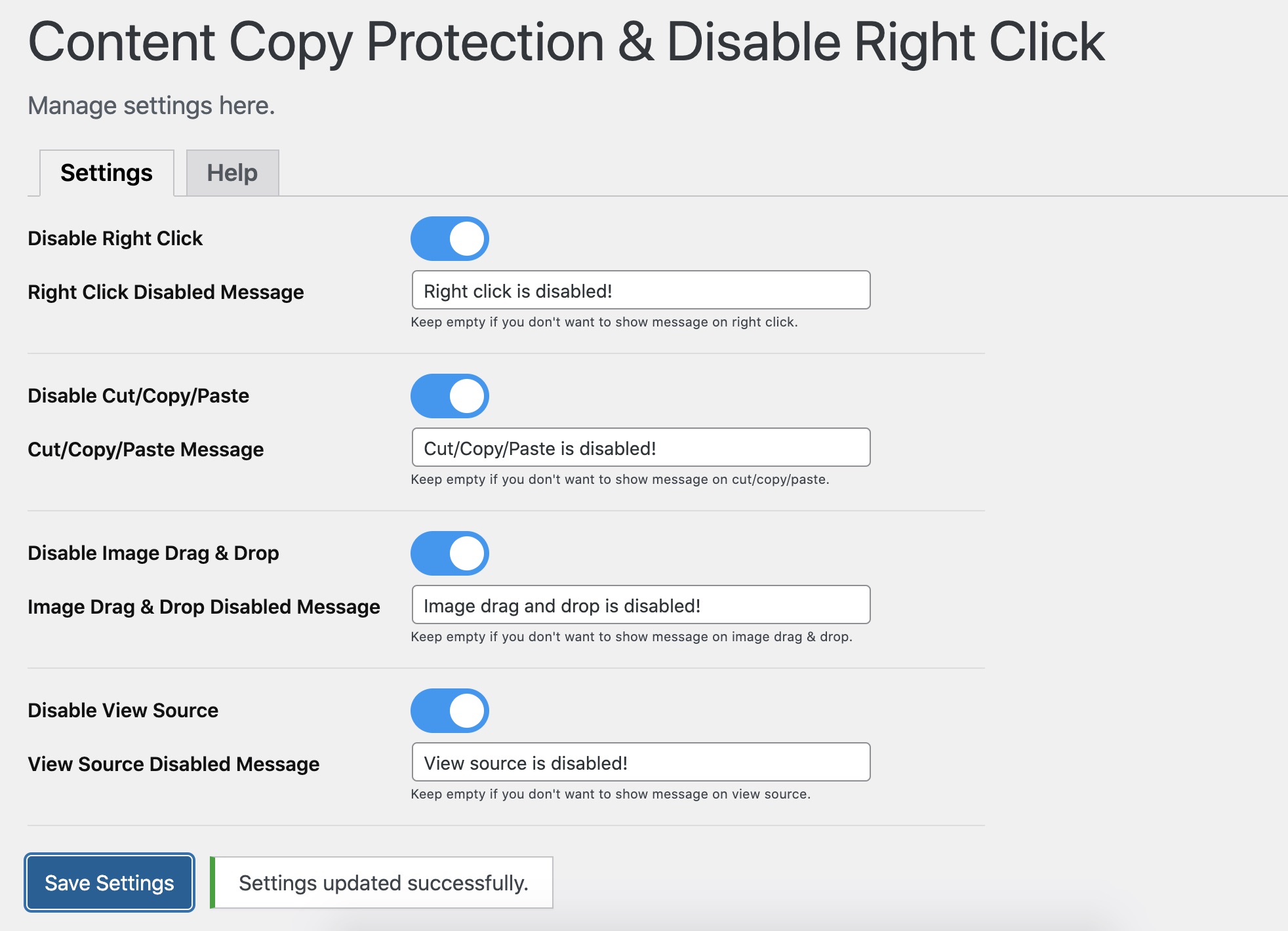
This plugin provides a quick and easy way to disable right click, disable cut, copy, paste, disable view source and disable image drag & drop.
Using this plugin you can stop plagiarism, stop visitor form downloading images from your website and be sure about your websites content protection.
Features
- Disable right click.
- Show disabled message on right click.
- Disable cut, copy and paste.
- Show disabled message on cut, copy and paste.
- Disable image drag & drop.
- Show disabled message on image drag & drop.
- Disable view source.
- Show disabled message on view source.
- Disable CTRL+C, CTRL+X, CTRL+V, CTRL+U, ⌘+C, ⌘+X, ⌘+V, ⌘+Option+I, ⌘+Option+U
- More content protection options are coming in upcoming releases.