
Contact Form 7: Accessible Defaults
v1.1.10Joe Dolson · 2015年3月14日 上架
Replaces the default Contact Form 7 form with an accessible equivalent and provides a suite of selectable base forms.
- 正在使用
- 5,000+
- 评分
- 5.0 / 5
- 累计下载
- 6.2 万
- 最近更新
- 2026年10月26日
贡献者
 Joe Dolson
截图
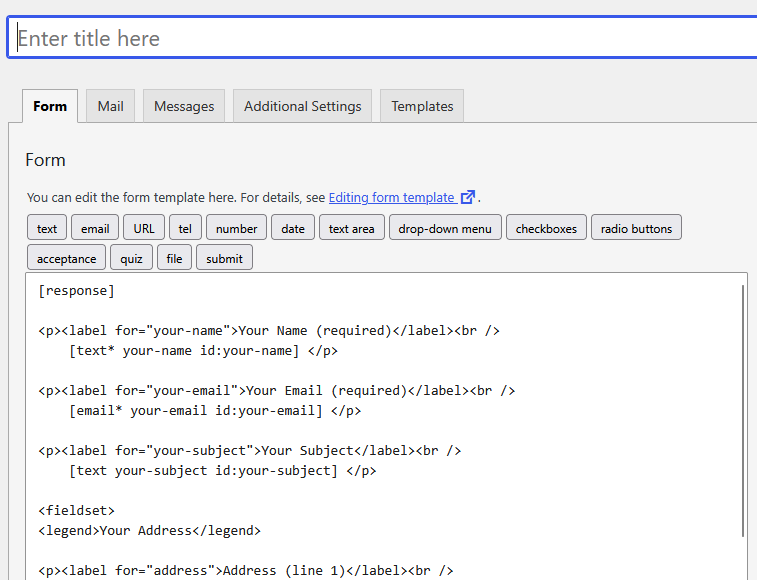
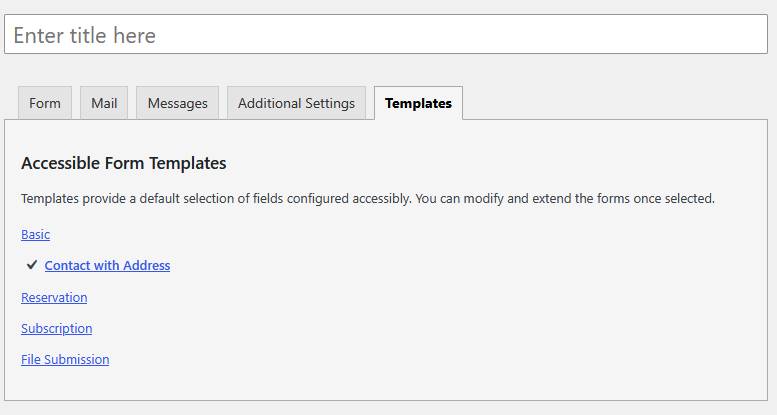
How to use this plug-in:
If you install and activate this plug-in before installing Contact Form 7, the default form created by Contact Form 7 will be accessible. If you’ve already installed Contact Form 7, you’ll want to delete the default form and create new forms using the templates available in this plug-in.
Use Contact Form 7 with an accessible default form
This plug-in replaces the default template that Contact Form 7 automatically generates with an accessible equivalent of that form and adds a suite of additional basic form types that you can choose from to model your new forms.
The plug-in doesn’t change anything about forms that have already been built with Contact Form 7. The structure of Contact Form 7 is such that it isn’t possible for the plug-in to rewrite existing forms for improved accessibility, but it is possible to make sure that the base you have for starting a form is accessible.
Contact Form 7 is actually a very accessible plug-in. It has an accessible back-end, and if you create the right template, the front-end form will have great accessibility. This plugin helps ensure that you are starting from a more accessible default form.
Since version 4.5, Contact Form 7 has included the label element; but the usage of them is limited, and isn’t the best possible method. This plug-in supplies a new default form that includes everything you need to make your default form accessible.