
Connect GamiPress to Discord
v1.0.11expresstechsoftware · 2022年11月18日 上架
Create a community of your Members by connecting your GamiPress Website to your Discord server.
- 正在使用
- 20+
- 评分
- 5.0 / 5
- 累计下载
- 3,063
- 最近更新
- 2025年5月15日
 expresstechsoftware
 Ravi Soni
 Sunny Soni
 Younes
截图
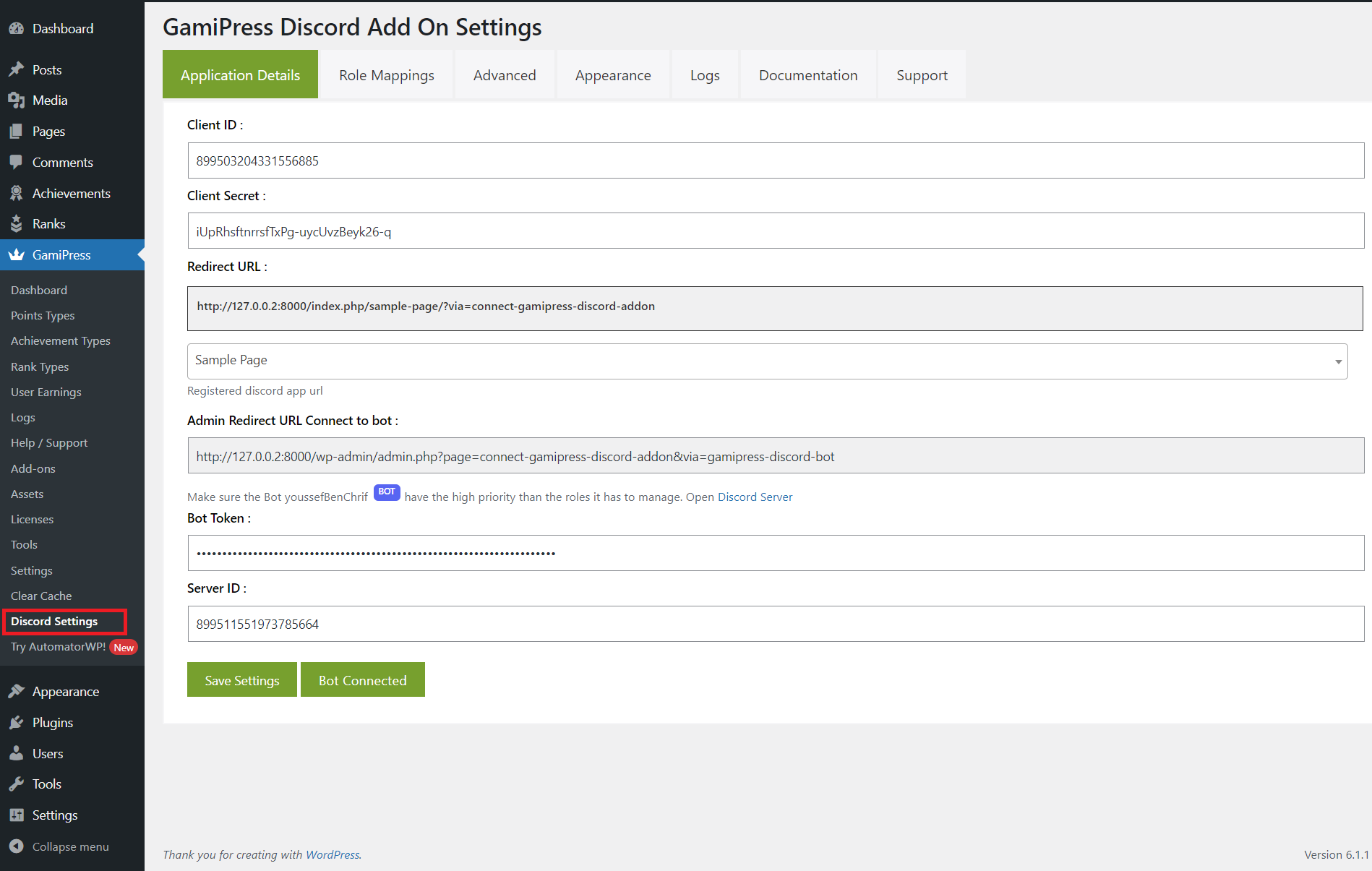


You can link your GamiPress website to your Discord server using this add-on. By connecting Rank to a Discord role, you can use this to establish a wonderful community where you can challenge and support your members.
Connect GamiPress to Discord Plugin Features:
1) Allow any user to connect their discord account with their GamiPress website account.
2) Shortcode [gamipress_discord] to display connect/disconnect button.
3) Mapping of Ranks and discord roles.
4) Send custom welcome message when user joins the server.
5) Send custom message when user award Rank.
6) Send custom message when user award points.
7) Send custom message when a user loses points.
8) Force logout of a user from the users list.
Important Links
Checkout Our Other Plugins
- Connect MemberPress and Discord
- Connect PaidmembershipPro and Discord
- Connect ProfilePress and Discord
- Connect LearnPress and Discord
- Connect LifterLMS and Discord
- Webhook For WCFM Vendors
- Inspect HTTP Requests
- Product Questions & Answers for WooCommerce
- Connect Ultimate Member and Discord
- Connect BadgeOS and Discord
- Connect Eduma Theme and Discord
- Connect Restrict Content Pro and Discord Addon
- Connect LearnDash and Discord
- Connect Tutor LMS to Discord