
Conditional Logic for Beaver Builder and Woo Memberships
v1.5Peter · 2021年10月20日 上架
Simple plugin for Beaver Builder's Beaver Themer to enable conditional logic based on WooCommerce Membership status
- 正在使用
- 10+
- 评分
- 暂无
- 累计下载
- 3,987
- 最近更新
- 2026年9月24日
需要 WordPress 5.0+已测试到 7.1.5
贡献者
 Peter
截图
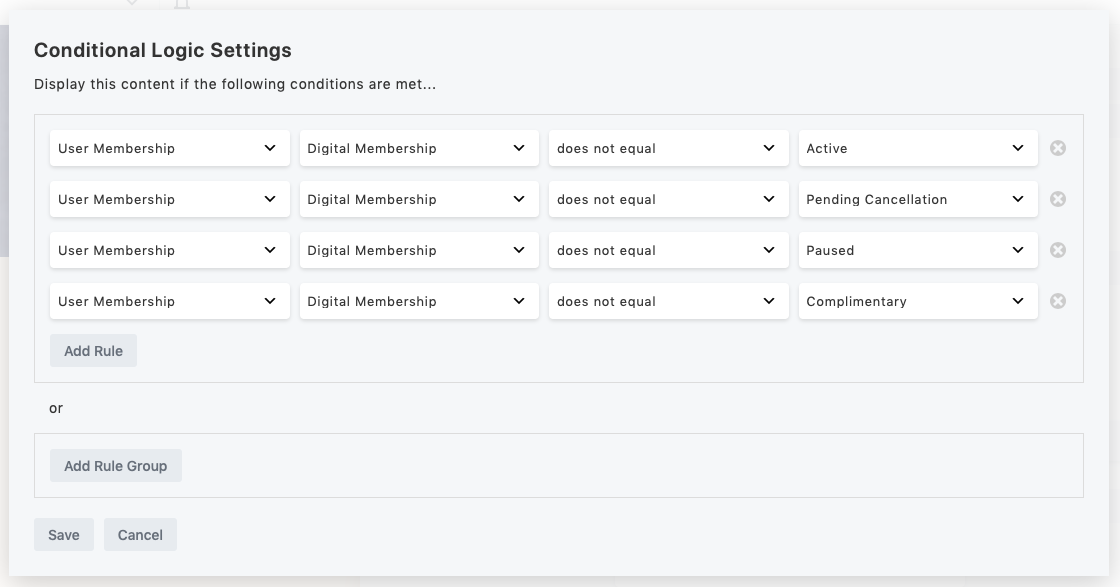
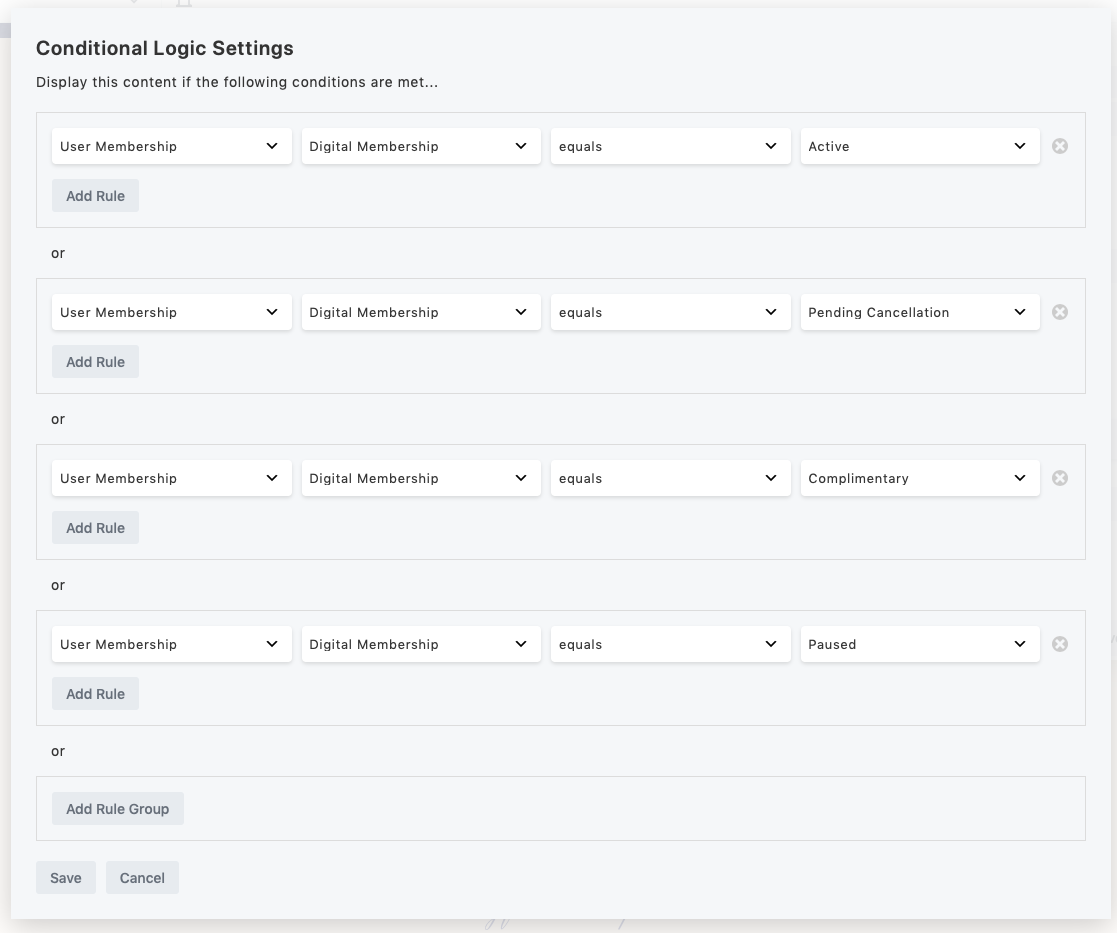
If you use WooCommerce Memberships and Beaver Builder’s Beaver Themer, you will want to use this plugin. It enables you to have blocks that use conditional logic to display different content depending on the visitor’s membership status.
To use:
- Edit a page in Beaver Builder.
- Click on a block.
- Go to the Advanced tab and choose Conditional Logic from the Display menu.
- Click Open Conditional Logic Settings
- Define your rule by selecting “User Membership” and then choose the plan that you are checking.
- If you just want to check if the user is active or inactive, “is set” will be true for any active status and “is not set” will be false for any active status. You can also create rules by comparing to specific Membership statuses by using “equal” or “not equal”.
Note: if you do not select a Membership Plan, then it will default to looking for the first of the user’s plans it finds, and if it can’t find any plan, the user will always be considered “inactive”. So if you have more than one plan available, it is not recommended to leave this unselected.