

Compresso – Image Optimizer, Compress & Convert Images to WebP
v1.0.0carterax · 2026年6月23日 上架
Image optimization that works the moment you activate it. Compress and convert to WebP right on your site — no setup, no API keys, no limits.
- 正在使用
- 30+
- 评分
- 暂无
- 累计下载
- 497
- 最近更新
- 2026年6月23日
贡献者
 carterax
截图



🚀 Make your site faster by shrinking your images — automatically.
Images are usually the heaviest thing on a WordPress page. Compresso shrinks them by up to 80% and converts them to modern WebP, so your pages load faster and score better on PageSpeed — without any visible drop in quality.
The difference: Compresso just works. On first activation it sets up the optimization tools it needs automatically — no command line, no manual installs, no developer required. Activate it, and every image you upload is optimized automatically. Everything runs on your own server — your images are never sent to a third-party service, there are no monthly limits, and there’s nothing to sign up for.
At a Glance
- ⚙️ Nothing to configure — Compresso sets up its optimization tools automatically
- ⚡ Automatic on upload — New images are optimized the moment you add them
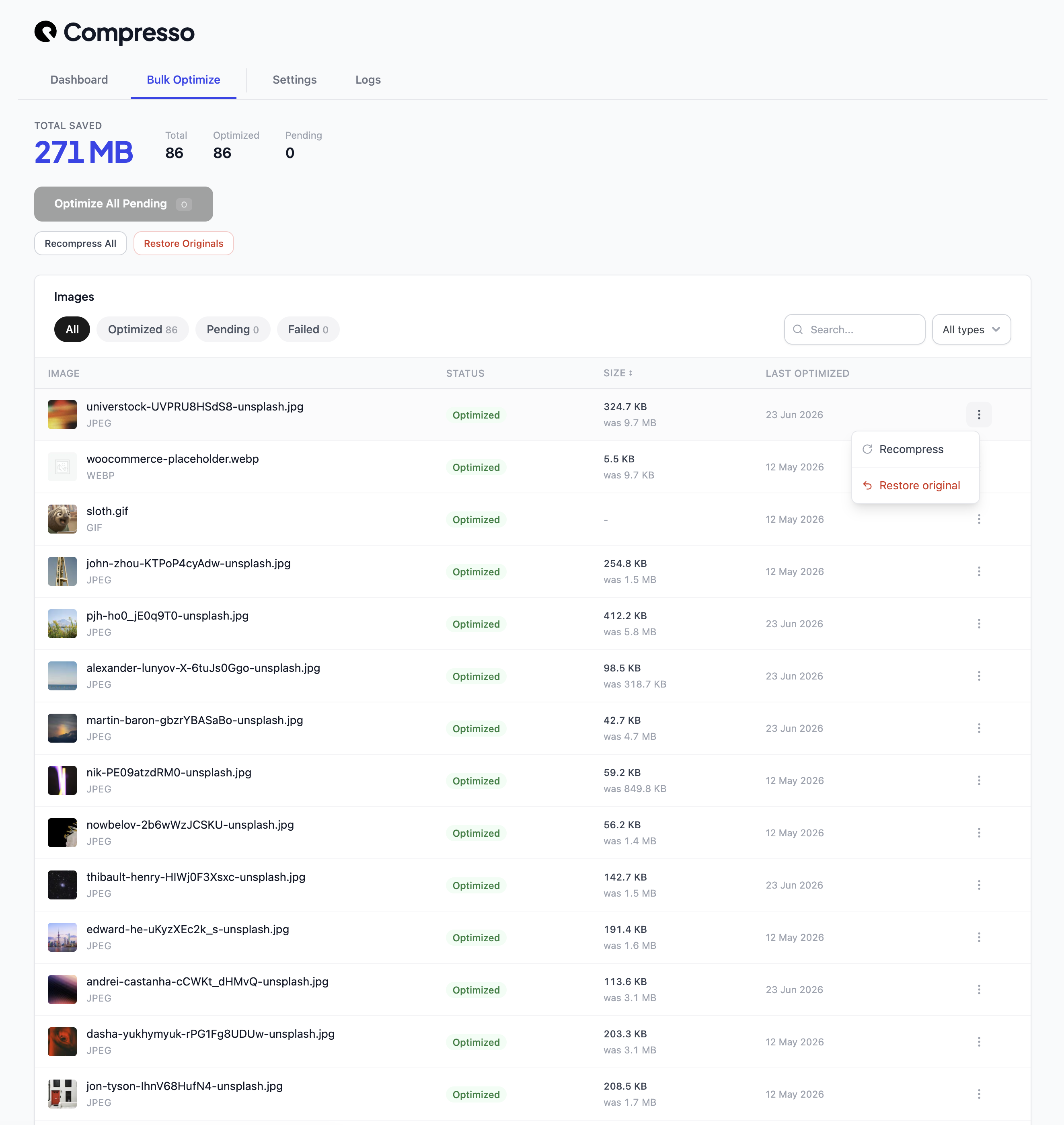
- 📦 Bulk optimize — Clean up your entire existing media library in one click
- 🖼️ WebP conversion — Smaller, modern images served automatically (JPG, PNG, GIF)
- 🔒 100% local — Your images never leave your server
- ♾️ No limits, no API keys — Optimize as many images as you want, free
Quick Links
- Support — https://wordpress.org/support/plugin/compresso/
What Compresso does
Compresso optimizes your images across your whole workflow, so you don’t have to think about it. New uploads are compressed automatically in the background, and you can bulk-optimize everything already in your media library in one pass. As your site grows, your images stay light.
By compressing your images and converting them to WebP, Compresso reduces your total page size — which means faster load times, better Core Web Vitals, and a smoother experience for visitors, especially on mobile.
Choose how much to compress
You don’t need to understand compression to get great results. Pick a preset and Compresso handles the rest — or fine-tune the quality for each format if you want more control.
- 🛡️ Lossless — No quality loss at all. Best for logos, illustrations, and images you re-optimize often
- ⚖️ Balanced — The best trade-off between quality and file size. A great default for most sites
- ⚡ Aggressive — Maximum compression for the smallest possible files, ideal for image-heavy pages
Modern formats: WebP
Compresso automatically creates WebP versions of your JPG, PNG, and GIF images. WebP files are smaller than the originals while looking just as good, and Compresso serves them only to browsers that support them — falling back safely to the original format everywhere else. WebP conversion is included free, with no limit on the number of images.
Who it’s for
- 📝 Bloggers and content sites — Upload images all day; they’re optimized automatically, no manual work
- 🖼️ Image-heavy and media-rich sites — Galleries, portfolios, and landing pages where images drive most of the page weight
- 🚀 Performance-focused sites — Anyone chasing better PageSpeed scores and Core Web Vitals
- 🗄️ Established sites with big libraries — Bulk-optimize thousands of existing images without re-uploading anything
- 🌍 Sites without a CDN — Everything happens locally, so you don’t need any external service
Optimization tools
Compresso uses trusted open-source, command-line optimizers to do the actual compression. On first run it automatically downloads the right tools for your server — you don’t install anything yourself. These are the tools it uses:
- jpegoptim — JPEG optimization. https://github.com/tjko/jpegoptim — GPL-2.0-or-later
- jpegtran — JPEG lossless transforms (libjpeg-turbo). https://libjpeg-turbo.org/ — BSD-3-Clause
- pngquant — PNG lossy compression. https://pngquant.org/ — GPL-3.0-or-later
- optipng — PNG lossless optimization. http://optipng.sourceforge.net/ — zlib
- oxipng — PNG lossless optimization. https://github.com/shssoichiro/oxipng — MIT
- gifsicle — GIF optimization. https://www.lcdf.org/gifsicle/ — GPL-2.0-or-later
- cwebp — WebP conversion (libwebp). https://developers.google.com/speed/webp — BSD-3-Clause
- svgo — SVG optimization. https://github.com/svg/svgo — MIT
If these tools can’t run on your host, Compresso falls back to PHP’s GD library, which still optimizes JPEG and PNG images.
JavaScript libraries (assets/js/)
- Alpine.js v3.15.12 — lightweight reactivity for the admin UI. https://alpinejs.dev/ — MIT. Shipped as
alpine.min.js; unminified source available from the upstream project. - SortableJS v1.15.7 — drag-and-drop reordering. https://sortablejs.github.io/Sortable/ — MIT. Shipped as
sortable.min.js; unminified source available from the upstream project.