
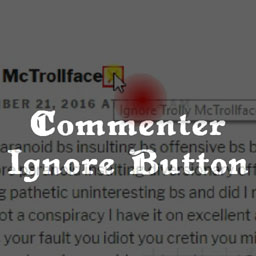
Commenter Ignore Button
v1.0CK MacLeod · 2016年11月11日 上架
Empower your users with a convenient tool to conceal comments by trolls and other annoying commenters.
- 正在使用
- 10+
- 评分
- 5.0 / 5
- 累计下载
- 2,073
- 最近更新
- 2016年11月12日
贡献者
 CK MacLeod
截图


Commenter Ignore Button (CIB) lets a user put one or more commenters “on ignore.” To have such an option enabled is a frequent request at blogs and other sites where comment threads are plagued by trolls or other problematic commenters, but where site operators prefer to err on the side of open discussion – or don’t want to get involved unless they really have to. Once users become generally aware of the option, people just seeking attention may either be more polite or move somewhere else, while regular commenters – and lurkers – may become more willing to engage.
As depicted in the above video, the plug-in will add a (customizable) button to all comments (in suitable WordPress installations – see note below). Clicking it will cause all comment content by the selected commenter to disappear. The effect is applied instantly, and also can be immediately reversed and toggled back again. For the overwhelming majority of users – those who have cookies enabled and who return using the same browser – the “on ignore” designation will persist across multiple sessions.
Customization options include a choice of any of four automatic button positions, and also of placement via template files or theme function. The default styling is meant to be non-obtrusive, but site operators can add CSS from the settings page to adjust button appearance and effects. Filter hooks have also been provided to help advanced users customize output further.
CIB also comes with a template tag that can provide a list of whomever a user has on ignore. For visitors who do not have anyone on ignore – presumably the majority at most sites – the tag can be configured as a convenient location for summarizing and linking to your site’s commenting policy.
Additional usage tips and references can be found via the CIB home page.
CIB is also translation-ready.
Note that CIB is designed for standards-compliant WordPress comment threads.
CIB has been written to work “out of the box” with standard WordPress comments and several common variations. In testing, the default setting worked as intended, in a a few cases after minimal adjustments without custom CSS or PHP, with 96 out of 100 “Popular,” “Featured,” and custom WordPress themes. CIB is not suitable for 3rd Party commenting systems like Disqus or Facebook Comments, however.
More generally, though CIB can also be adapted to modified commenting templates, the further that your theme and commenting plug-ins diverge from typical, up-to-date WordPress, the more adjustments you may have to make.
…also
This is a brand-new plugin, so… please be kind!
All feedback is welcome. If you have a problem, please ask a question in the support forum before using up your one and only chance to rate this work.
If you like this plugin, please leave a review to encourage development and to help create, site by site, a more thoughtful internet!
Additional Info
Still to Come
- Registered User Functions/Privileges
- Integration with Commenter Highlight and Commenter Archives (both forthcoming)
- Simultaneously report offensive or abusive comments.
- Integration with a full “Commentariat Suite” of WordPress plugins.
Thanks!
…to all of the developers and everyday code-hackers, far too numerous to name, upon whose work I have depended. Special thanks to Vikram Bath, who provided invaluable feedback during the development process.