
Color and Image Swatches for Variable Product Attributes
v2.0.6Phoeniixx · 2016年4月29日 上架
By using our woocommerce plugin you can generate color and image swatches to display the available product variable attributes like colors, sizes, st …
- 正在使用
- 900+
- 评分
- 3.1 / 5
- 累计下载
- 9.8 万
- 最近更新
- 2020年12月16日
贡献者
 Phoeniixx
截图


FREE VERSION DEMO LINK | FREE VERSION DOCUMENTATION LINK
Overview
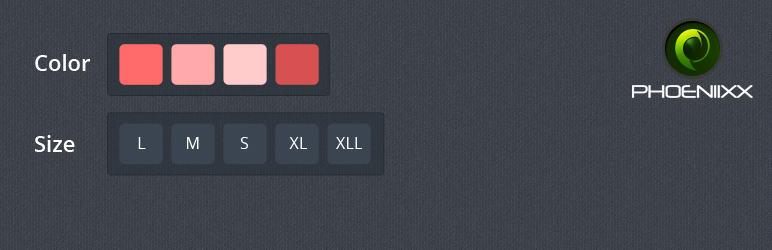
By using our woocommerce plugin you can generate color and image swatches to display the available product variable attributes like colors, sizes, styles etc. You can replace the drop down fields with color and image swatches.
Free Features:
- NEW Option to create Image Swatches.
- NEW Option to set swatch style as Square or Circle.
- Option to create unlimited Color Swatches.
- Works on variable products only.
FREE VERSION DEMO LINK | FREE VERSION DOCUMENTATION LINK
Take a look at how to add Swatches to a product.
Premium Features:
Take a look at Premium features.
PREMIUM VERSION LIVE DEMO | PREMIUM VERSION LINK | DOCUMENTATION LINK
- Option to show swatches on Shop Page.
- Option to create swatches using Radio Buttons.
- Option to create swatches using Bicolors.
- Option to set the minimum number of attributes to show on Shop Page.
- Option to zoom the swatch image on hover.
- Can show tooltip on hover.
- There are option for styling the Swatch Square Style. Can choose either Round Edge or Sharp Edge.
- Option to adjust tooltip background color and text color.
- Option to show tooltip on both shop page as well as on product page.
- Option to set the Attribute Lable Text below or above the attributes.
- Option to create swatches using colors.
- Option to create swatches using images.
- Option to create swatches using icons, grid of 300 icons library is available with this option.
- Option to create swatches using text.
- Attributes can be shown in the dropdown by choosing option None.
- You can create Swatches globally.
- You also have the option to create color and image swatches on a per-product basis.
- Swatches can be stylized by changing Default Swatch Border Color,Active Swatch Border Color,Swatch Color,Swatch Hover Color.
- Option to change Swatch border style in circle or square shape.
- Swatch Type Size can also be adjusted according to choice.
- You can use swatches on each variation you have set up.
- While creating global attributes list you can select swatch type to show it in Color, image or icon option.
- You can use Taxonomy colors and images to show global attributes on per product.
- Show or Hide attribute term label.
- Option to set the attribute term label font size and font weight.
- Option to set the top and bottom margin between the attribute term label.
- Option to set the price label and font weight.
- Can also set the Color , Icon , Image and Text swatch thumbnail size.
PREMIUM VERSION LIVE DEMO | PREMIUM VERSION LINK | DOCUMENTATION LINK
Premium WordPress Themes
Here is our premium wordpress theme
Our Website
Support Email
NOTE
- Our plugin doesn’t support the multisite network.