

Collapse Magic
v1.6.1Hub5050 · 2024年6月4日 上架
The easy way to create a collapsible text block with a 'read-more' label on any page. Also provides a fading text option.
- 正在使用
- 1,000+
- 评分
- 3.7 / 5
- 累计下载
- 1.5 万
- 最近更新
- 2026年11月3日
贡献者
 Hub5050
 clinton101
截图


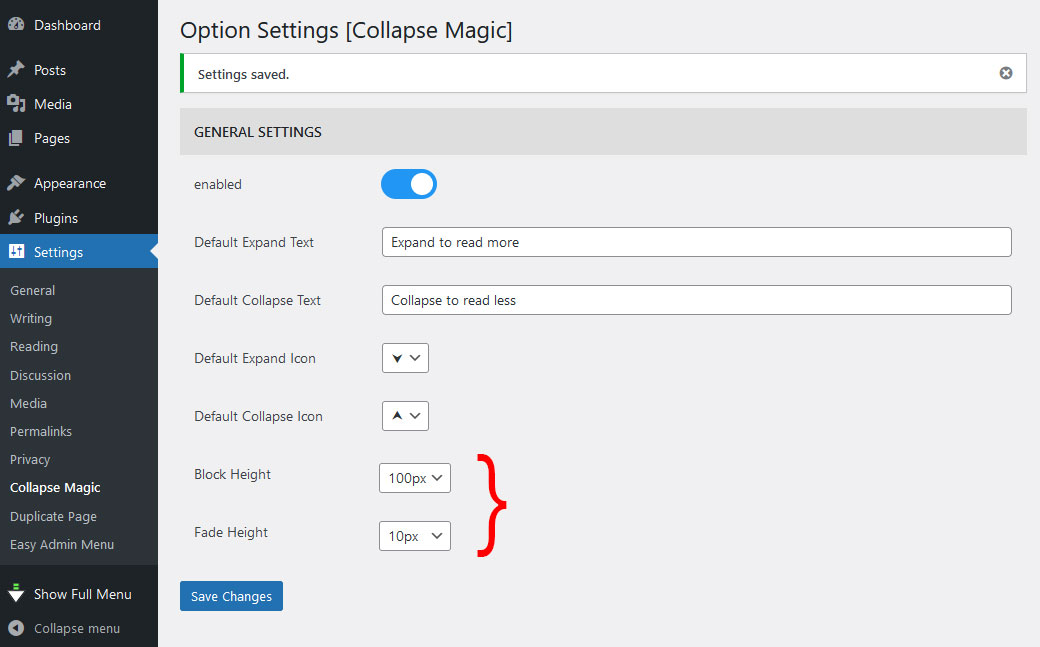

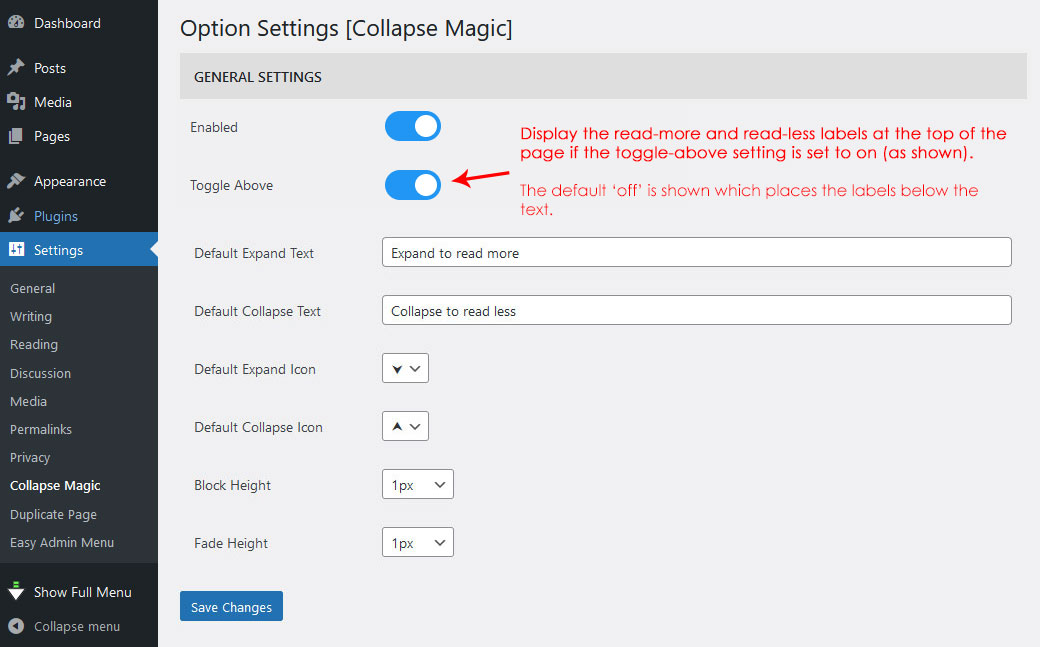
Collapse Magic provides an easy way to display (collapsible) read-more text on a page. This plugin is an alternative to other plugins like collapse-o-matic and can be used as a direct replacement without the need for any changes to page content.
Features
- Easy to implement
- Configurable expand and collapse labels
- Configurable up and down arrows
- Adjustable visible text height in the collapsed state
- Adjustable fade-out text visible in the collapsed state
- Unfortunately this plugin does not support Accelerated Mobile Pages (AMP)
Background
Collapse Magic provides an easy way to display (collapsible) read-more text on a page. Also, display a few lines of text and add read-more or expand text.
This plugin was developed when a cross-site scripting vulnerability was identified in collapse-o-matic. This plugin can be used as a direct replacement to collapse-o-matic. There is no need for any on-page changes to be made for the plugin to be used as a replacement.
Set-up
- Install the plugin
- Set any parameters from the admin Settings menu.
- Place text between [magic_expand][/magic_expand] tags or between [expand][/expand] for the toggle to work.
- Include alternate ‘read-more’ text if this is required in the shortcode as [magic_expand title=”NEW READ-MORE TEXT”].
- Use alternate ‘read-less’ text if this is required in the shortcode as [magic_expand swaptitle=”NEW READ-LESS TEXT”].
- Toggle button to set the default location of the expand / collapse label to above or below the section.
- Single click disable button to switch off the shortcodes and show the full text.
Shortcode Parameters
- Read-more / expand label – ‘title’. Example [magic_expand title=”–more–“].
- Read-less / collapse label – ‘swaptitle’. Example [magic_expand title=”–more–” swaptitle=”–less–“].
- Position of the expand label – ‘pos’. Example [magic_expand pos=”above”] or [magic_expand pos=”below”]
Credits
This plugin was inspired by the approach used by:
– Nelson Miller: How To Expand And Collapse Text In Divi: the jQuery code was modified for this plugin.