
Cliedesk – AI Help Desk, Live Chat & Support Ticket System
v1.3.1Degird · 2026年10月15日 上架
Free help desk and live chat for WordPress and WooCommerce: support tickets, shared inbox, knowledge base and customer portal. AI agent in Pro.
- 正在使用
- 10 以下
- 评分
- 5.0 / 5
- 累计下载
- 1,123
- 最近更新
- 2026年11月19日
贡献者
 Degird
 RAKIBUZZAMAN
截图

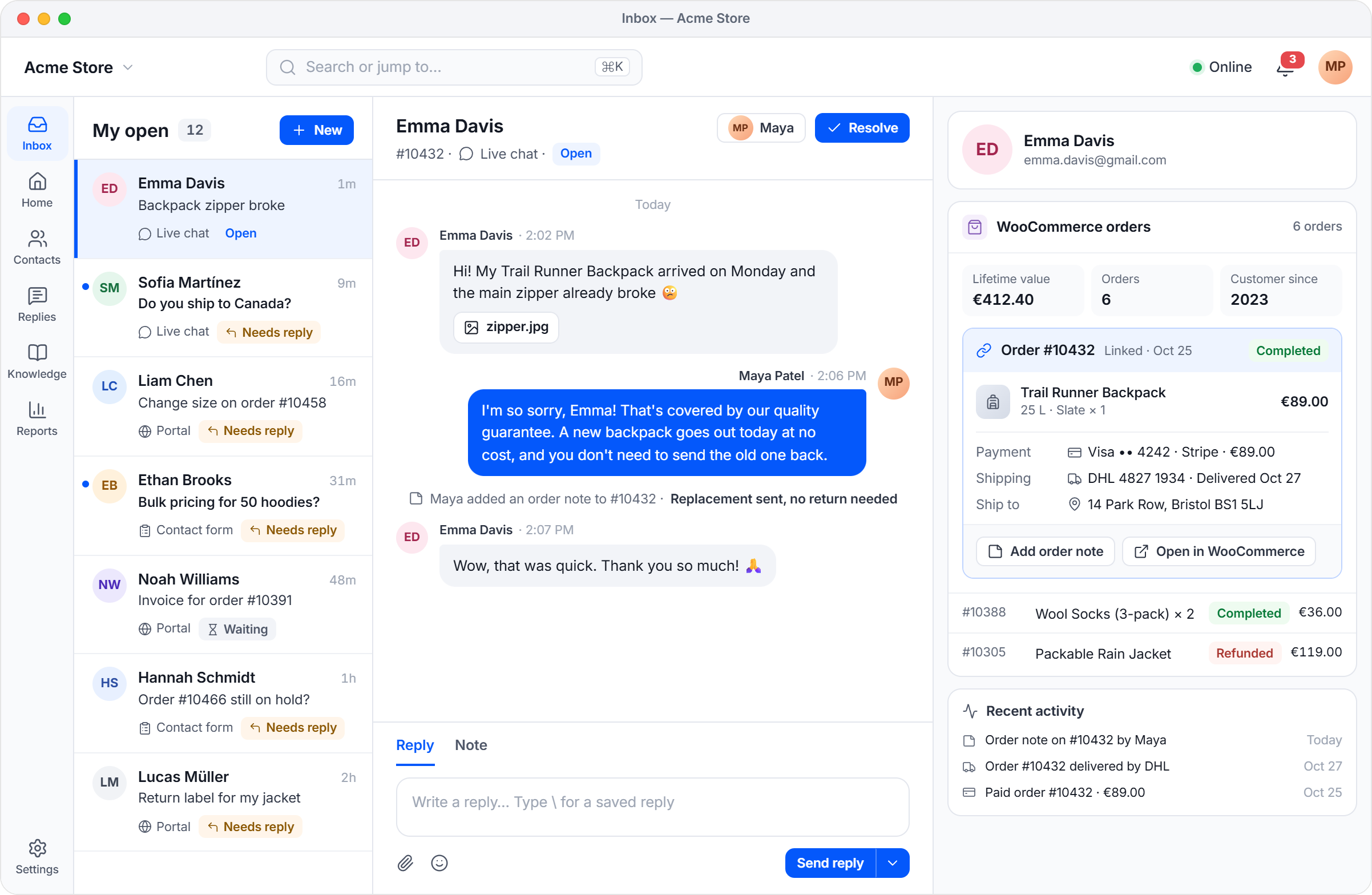
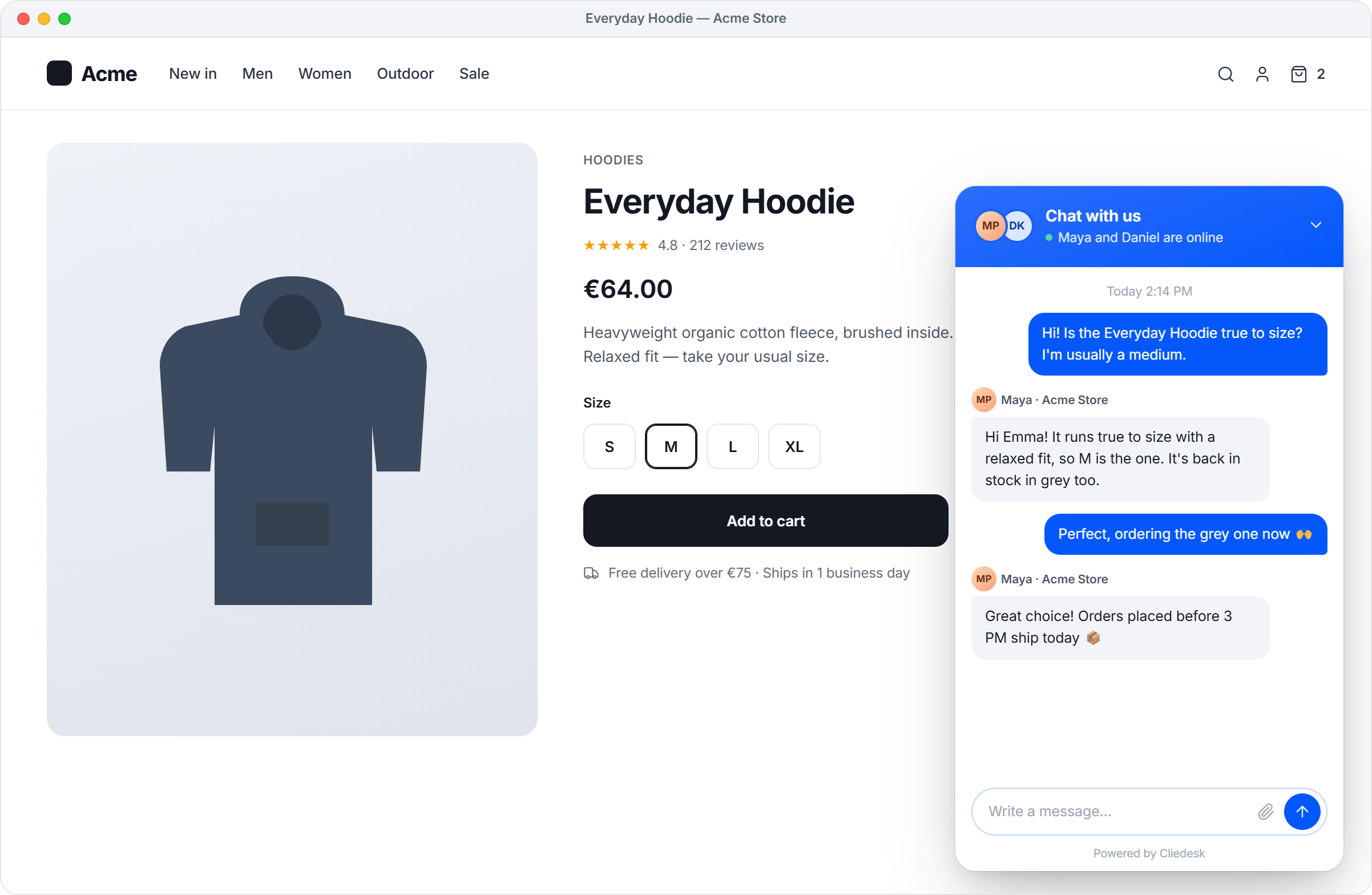
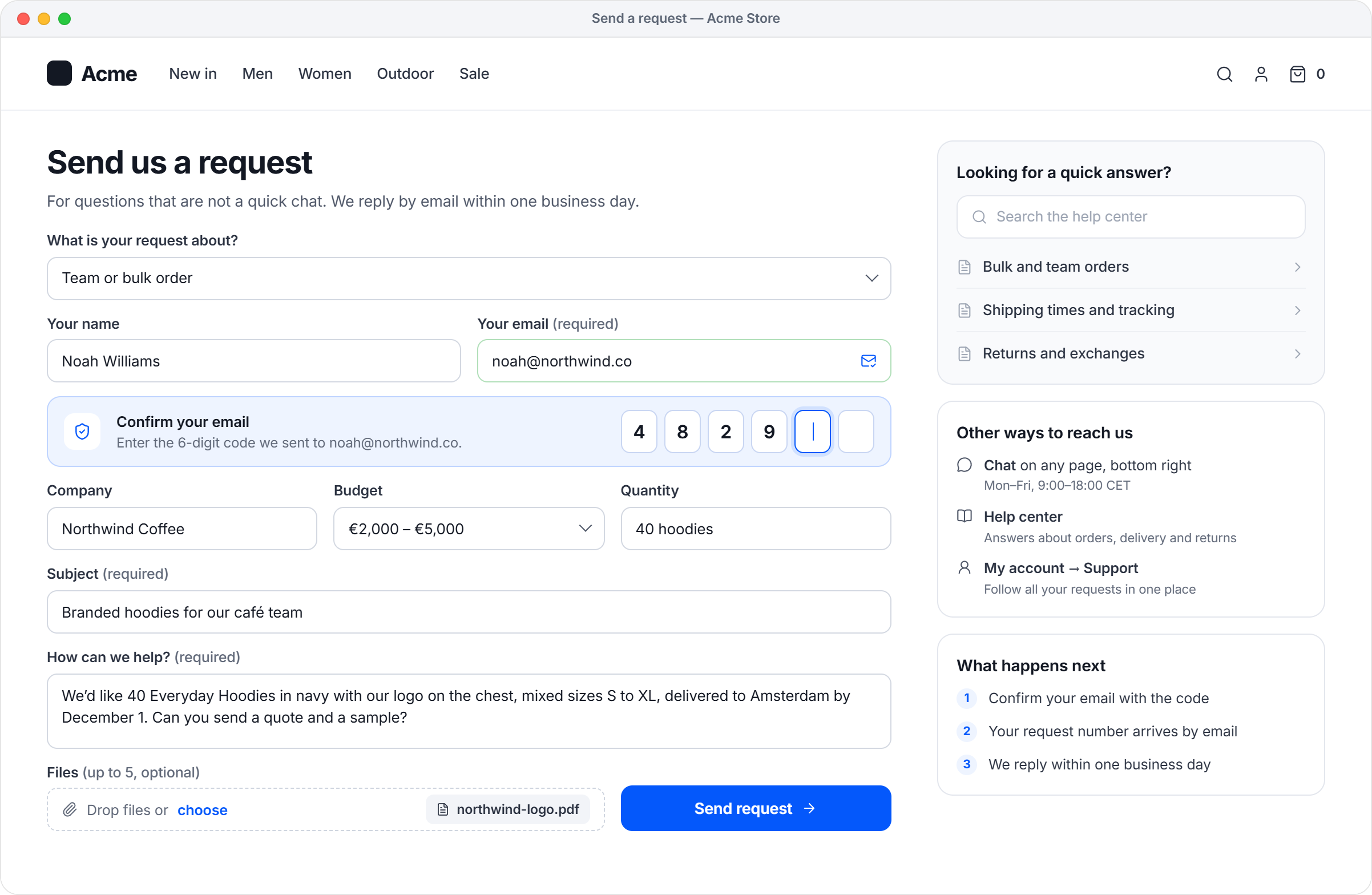


Cliedesk is a free help desk plugin for WordPress and WooCommerce. Answer live chat, contact forms, emails and support tickets from one shared inbox, publish a knowledge base on your own domain, and let customers follow their requests in a customer portal. Everything runs on your own site, with unlimited agents and no per-seat fees.
Your team works in a fast, full-screen app at /desk (the address can be changed) on desktop and phone, and can install it like an app. All conversations, customers and files stay in your own WordPress database.
Shared inbox and ticket system
- Chat, forms and portal messages become tickets in one shared team inbox
- Assign, prioritise, tag, snooze, merge and split conversations; private notes and @mentions
- Saved replies (canned responses), macros, signatures, scheduled and undo-send replies
- Collision detection, saved views, search, keyboard shortcuts and a command palette
- Replies go out by email (WordPress mail or SMTP) with a portal link where customers answer
Live chat widget
- A light chat widget that knows signed-in customers and their orders
- Files, images and voice notes; business hours and offline messages
- Spam protection with Cloudflare Turnstile or hCaptcha; accessible and RTL-ready
- JavaScript API for developers (
Cliedesk.open(),Cliedesk.prefill()and more)
Knowledge base, forms and customer portal
- Help center articles in the block editor, with categories, search and feedback; they are pages on your domain, so your SEO plugin works with them
- A ticket request form as a block, a shortcode or its own page, with article suggestions while customers type
- Customer portal: customers see and answer their own requests; with WooCommerce it is a “Support” tab in My Account
WooCommerce help desk
- The customer’s orders next to every conversation, read live from WooCommerce (HPOS compatible)
- Order lookup by number, email, phone, name or product; WooCommerce Subscriptions in the side panel
- Private and customer order notes from the help desk; order notes in the conversation timeline
Automation, team and reports
- One-step rules on events with conditions and actions, plus ready-made recipes such as an automatic acknowledgment
- Queues with round-robin assignment, Online/Away status, business hours, holidays and closure mode
- Unlimited agents and teams, six roles, an audit log and required 2FA for agents
- Reports on volume, response and resolution times, backlog, the help center and the chat; CSAT surveys
- Contacts and organisations with custom fields, segments and a customer timeline
- Notifications in the app, by email and by browser push; WP-CLI commands and multisite support
Who uses Cliedesk
WooCommerce stores, sellers of plugins, themes and digital products, agencies, and membership or course sites: any team that wants a self-hosted helpdesk instead of a SaaS help desk, with live chat, ticketing and a knowledge base in one plugin.
Cliedesk Pro
Cliedesk Pro is a separate, paid add-on for growing support teams. See the plans at https://cliedesk.com/pricing/
- AI agent that answers customers on every channel from your help center and orders, and asks a person to approve refunds
- AI copilot that drafts, rewrites, summarises and translates replies
- Your own AI key: OpenAI, Anthropic Claude, Google Gemini, Azure OpenAI, Amazon Bedrock or a local model
- Email ticketing (IMAP or forwarding), WhatsApp, Messenger, Instagram, Telegram, SMS, Slack, Microsoft Teams and voice
- Contact Form 7, WPForms, Gravity Forms, Fluent Forms and Formidable Forms entries as tickets
- Multi-step workflows, SLA policies, skills-based routing, advanced reports, refunds and returns
- Several brands, custom roles, private help center, SSO, public API and webhooks
- Import from Zendesk, Freshdesk, Help Scout, Intercom, Gorgias, Crisp, Fluent Support, Awesome Support or SupportCandy
This plugin does not need Cliedesk Pro. It contains no Pro or AI code, has no trial or locked features, and never locks your data: export and the WordPress privacy tools always work.
Privacy
Cliedesk sends no usage data and has no telemetry. It loads no remote fonts, scripts or analytics. The services listed under “External services” are used only when you turn on the feature that needs them. Privacy tools (export, erase and retention rules) connect to the WordPress privacy tools for GDPR requests.
Source code, bugs and contributing
The source code of the app and chat widget (TypeScript), with the build tools and build steps, is on GitHub: github.com/degird/cliedesk. Report bugs or contribute there.
The files in the plugin’s build/ folder are made from that source with npm install and npm run build. The third-party JavaScript libraries in them (such as React Aria) come from npm and are listed in the repository’s package.json.
External services
Cliedesk contacts no external service on its own. These services are used only after you turn on the feature that needs them:
- Your email server (SMTP): when you add an SMTP connection, Cliedesk connects to the server you enter to send email. Only your login and the emails are exchanged, with the provider you chose.
- Cloudflare Turnstile or hCaptcha: when you turn on spam protection with one of them, the chat widget and forms load the provider’s check and your site sends the visitor’s answer token to the provider to verify it. Turnstile terms: https://www.cloudflare.com/website-terms/ Privacy: https://www.cloudflare.com/privacypolicy/ hCaptcha terms: https://www.hcaptcha.com/terms Privacy: https://www.hcaptcha.com/privacy
- Browser push services: when an agent turns on push notifications, notifications are sent, encrypted, to the push service of that agent’s browser (for example Google, Mozilla or Apple). The message contains the notification text only. The push service is chosen by the agent’s browser: Google (Chrome and most Android browsers) terms: https://policies.google.com/terms Privacy: https://policies.google.com/privacy Mozilla (Firefox) terms: https://www.mozilla.org/about/legal/terms/services/ Privacy: https://www.mozilla.org/privacy/firefox/ Apple (Safari) terms: https://www.apple.com/legal/internet-services/terms/site.html Privacy: https://www.apple.com/legal/privacy/ Microsoft (Edge) terms: https://www.microsoft.com/servicesagreement Privacy: https://privacy.microsoft.com/privacystatement
- Web pages you add as knowledge: when you add a web page or sitemap as a knowledge source, Cliedesk downloads those pages from the addresses you entered. It sends a normal page request from your server and no customer data.
- Your virus scanner (ClamAV): when you enter a ClamAV address in the security settings, files that customers and agents upload are sent to that scanner to be checked. Only the file content is sent, to the scanner you chose.
- Gravatar (by Automattic): when the Gravatar setting is on, avatars may be loaded from gravatar.com by the browser. The request contains a hash of the email address. Terms: https://automattic.com/tos/ Privacy: https://automattic.com/privacy/