
Clean Admin Bar Removal
v1.0Christiann · 2012年1月9日 上架
Allows you to hide the top admin bar in WP 3.2+ on the public site by changing user preferences en masse for both existing and new users.
- 正在使用
- 50+
- 评分
- 5.0 / 5
- 累计下载
- 9,009
- 最近更新
- 2012年1月10日
贡献者
 Christiann
截图
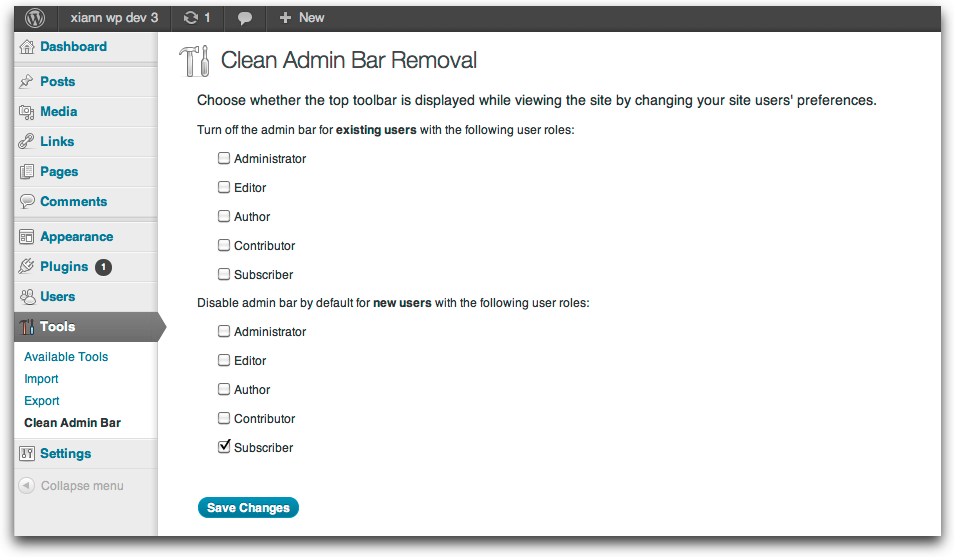

Clean Admin Bar Removal offers a simple solution to a small problem in WordPress 3.2 and 3.3. In these new versions, the top “admin bar” is shown on the public site by default for all users. This has been inconvenient on some of the sites we manage, where the WordPress admin area is otherwise “behind the scenes” for some logged in users, or where the top admin bar is incompatible with the site’s layout.
To solve this problem, Clean Admin Bar Removal disables the toolbar in existing users’ preferences and changes the default setting for new users. Once a site administrator installs the plugin, they can choose which behavior to use on their site by user role. Users can restore the admin bar in their individual preferences by choosing “Show Toolbar when viewing site” if needed.
I hope some of you find this plugin helpful. It is offered for free under the GPL-2 license with no support or warranty, but has already been put into production on several of our sites and is working well. Please feel free to leave a comment here with any questions or problems: http://fabapps.com/2012/01/clean-admin-bar-removal/
Contact
To contact the plugin author, please leave a comment at
http://fabapps.com/2012/01/clean-admin-bar-removal/