
Classic Minefield
v1.1.2tharkun69 · 2026年8月26日 上架
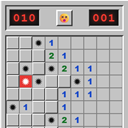
A neutral, accessible minefield puzzle with a retro look, Gutenberg block, shortcode, custom boards, and local best times.
- 正在使用
- 10 以下
- 评分
- 暂无
- 累计下载
- 246
- 最近更新
- 2026年8月27日
贡献者
 tharkun69
Classic Minefield adds the familiar logic game to any WordPress website without advertising, tracking, external services, or brand-specific assets.
Project page: Classic Minefield at Software Kunze
Features:
- Beginner, intermediate, and expert presets
- Configurable custom boards from 5 x 5 up to 30 x 50 fields
- A safe first move
- Mouse, keyboard, pen, and touch controls
- Responsive layout with horizontal scrolling for large boards
- Local best times stored only in the visitor’s browser
- Dynamic Gutenberg block
[classic_minefield]shortcode- Compatibility for the former
[classic_minesweeper]shortcode and block name - Multiple independent games on one page
- Scoped styles designed to coexist with page builders and themes
- Fully internationalized with the
classic-minefieldtext domain and ready for WordPress.org language packs - No external requests, accounts, cookies, advertising, or telemetry
The visual design uses original CSS and neutral Unicode symbols. It does not include copied operating-system graphics or sounds.
Shortcode
Use the global defaults:
[classic_minefield]
Choose a preset:
[classic_minefield difficulty="expert"]
Create a custom board:
[classic_minefield difficulty="custom" rows="12" columns="18" mines="36"]
Hide the local best time for one instance:
[classic_minefield show_best_times="false"]
The former [classic_minesweeper] shortcode remains available for existing content. New content should use [classic_minefield].
Supported attributes:
difficulty:beginner,intermediate,expert, orcustomrows: 5 to 30 for a custom boardcolumns: 5 to 50 for a custom boardmines: 1 to one less than the number of fieldsshow_best_times:trueorfalse
Controls
Mouse:
- Left-click: reveal a field
- Right-click: cycle through flag, question mark, and unmarked
- Click a revealed number: reveal adjacent fields when the correct number of flags is present
Keyboard:
- Arrow keys: move between fields
- Enter or Space: reveal
- F or Shift + Enter/Space: cycle the marking
Touch and pen:
- Tap: reveal
- Press and hold: cycle the marking
Privacy
The game runs entirely in the browser. If best times are enabled, they are written to the browser’s local storage for the relevant board configuration. No best time or personal data is submitted to WordPress or any third party.